

Use a recipe from the gallery
Pick a ready-made recipe in the gallery at heyeddie.ai/recipes, add a copy to your workspace, then run it in any project.
The recipe gallery has ready-made recipes from the Eddie team: interview highlights, podcast clips, a wedding film, a product demo and more. Each one shows the video it makes, the footage it needs, its Style and its credit range.
A recipe is a saved brief with blanks that you fill in, such as the target length or the audience. Eddie follows the same steps every time you run it.
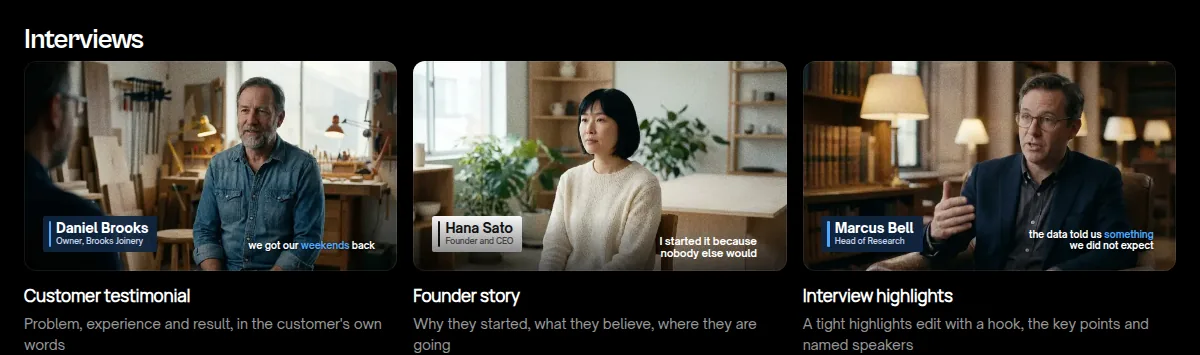
Add a recipe to your workspace
- Open the recipe gallery and select a recipe.
- Read what it makes and what footage it needs.
- Select Use this recipe. The recipe opens in the Eddie app.
- If you are not signed in, select Sign in or create an account to add. You come back to the same recipe.
- Choose the workspace that gets the recipe.
- Select Add to my workspace.

Eddie adds an independent copy. You can edit your copy, and a change to the gallery recipe does not change it. If you add the same recipe again, Eddie keeps your existing copy.
Adding a recipe is free. It does not import footage or start an edit.
Run the recipe
- Open a project in the same workspace. The project must have the footage the recipe needs.
- Open the suggestions page, What should Eddie make?.
- Under Your team's recipes, select the recipe.
- Fill in the blanks, then start the run.
You can also ask Eddie: "run the interview highlights recipe".
A run is billed like any other prompt run. The gallery shows the expected credit range for each recipe. See How credits and billing work.
The recipe's Style
Most gallery recipes pin a Style, so the title cards, lower thirds and captions look the same on every run. Your copy keeps that Style. See every Style on the Styles page. To use a different one, edit your copy on the recipes page and pick another Style. See Choose a Style for your graphics.
Good to know
- Only members of the workspace see its recipes.
- To change a recipe or remove it, open app.heyeddie.ai/recipes.
- To share your own recipe, see Make and share your own recipe.