
Make your first edit
Import one interview, learn the editor, ask for a 60-second story, then watch, refine and export it.
Make a short story from your own media, then watch, refine and export it. Try one interview about a local repair workshop plus a few cutaways of tools, hands and a finished repair. Use media you have permission to edit.
Part 1 of 3 · Make a cut you can watch and export.
This guide uses the Pro view on a desktop-sized screen in the Chat / Pro switch so the navigation and prompt panel match. Keep it selected as you follow along.
1. Find your starting point
Open Projects. The left navigation reopens your projects; the workspace menu selects the team whose projects, shared resources and credit balance you are using. Choose Start a new project to reach the import screen.
2. Import a small set
Drag in your interview and cutaways, or click to browse. Alternatively, choose an available cloud source such as Google Drive, Frame.io or Dropbox. Read the import quote, then click Import. Cloud availability and pricing depend on your connection and media.
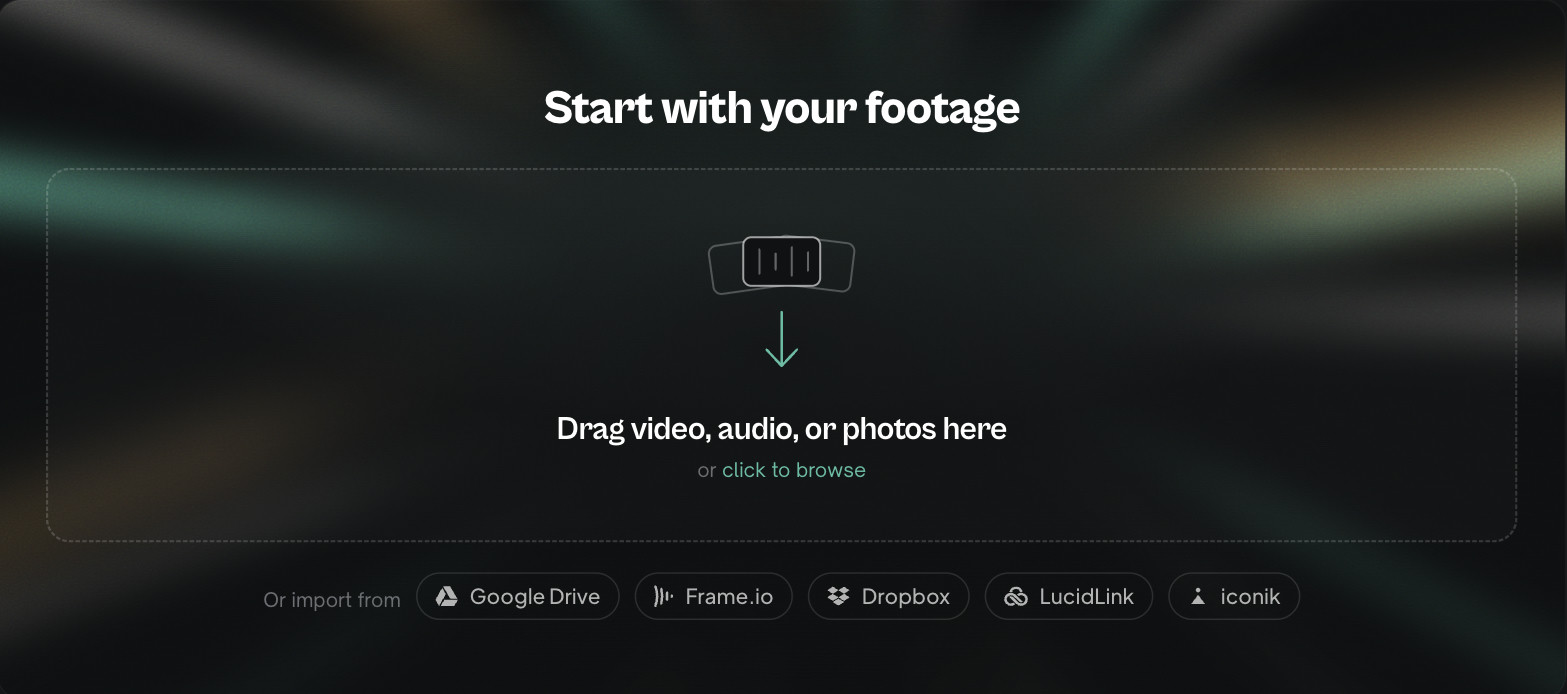
Done with import? The project opens when the media is ready.
3. Wait until the media is ready
Eddie uploads, transcribes and analyzes the media. Wait for import to finish before prompting. If you bring multiple cameras from the same take together, Eddie can group and sync matching recordings using shared audio; valid shared timecode can help. Unrelated shots are not matching angles. One interview keeps this exercise simple.
4. Read the editor
| Left | Middle | Right |
|---|---|---|
| Choose an edit or source | Watch the selected cut | Tell Eddie what to change |
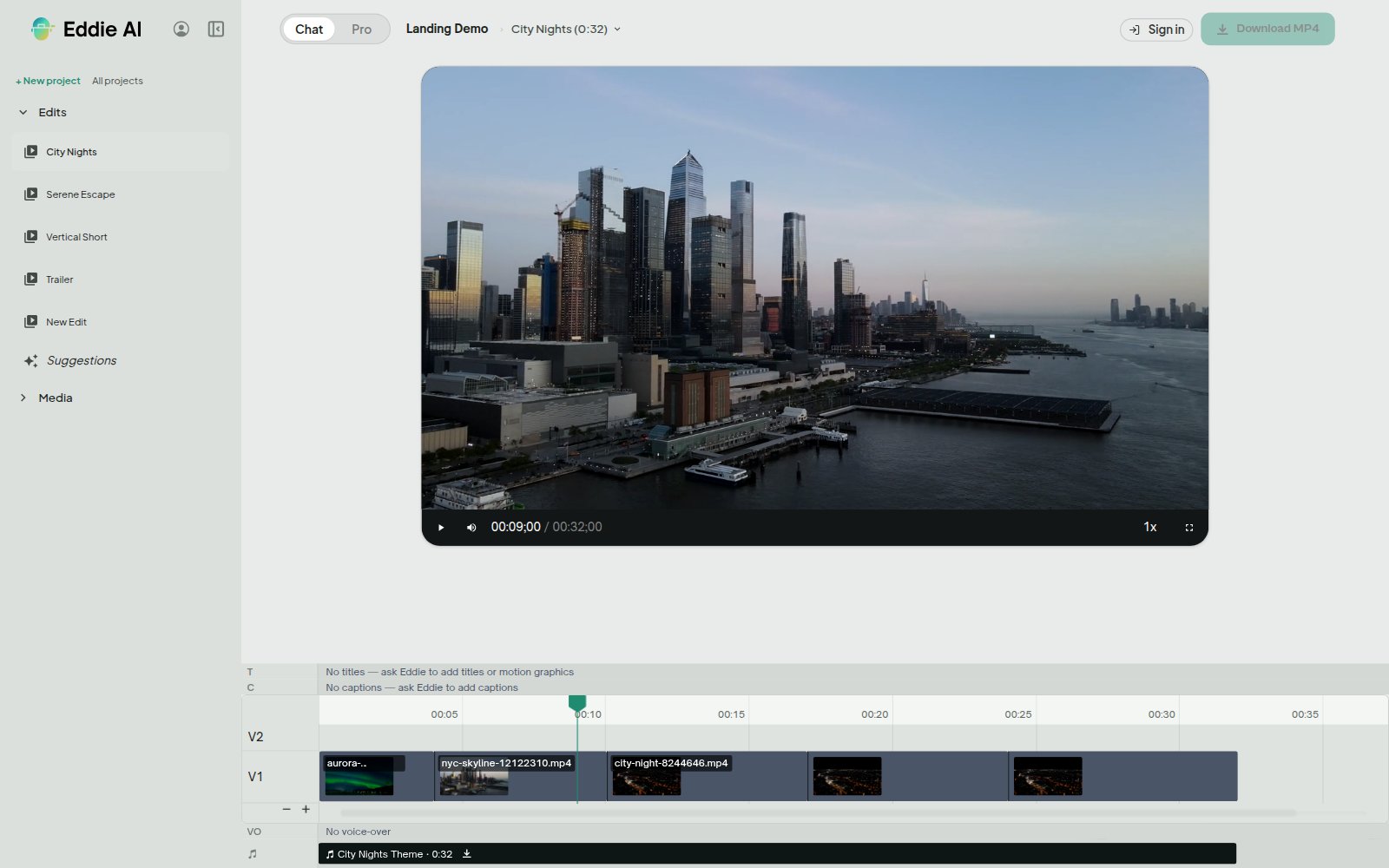
In Pro, the left navigation holds Edits, Media and Backgrounder. The middle shows your selected source or cut, with the viewer and timeline. Prompt Eddie is on the right. Export is at the top right. Select a source to inspect its transcript; select a cut to watch or revise it.
5. Ask for one clear cut
Open Suggestions. On an idea you like, click the small Eddie button labelled Prompt Eddie. It fills the right-hand composer. Review it, adjust it, then send; clicking that button alone does not run the edit.
Or copy this into Prompt Eddie:
Make a 60-second story about why this workshop repairs donated bikes. Open with the strongest interview answer, use only this interview, and end with what happens next. Use my workshop cutaways where they match the story.
6. Watch, refine, export
Watch the result. Select the cut you want to revise and ask for one change: “Shorten the opening and show the repaired wheel when the speaker says it is ready.” Check the returned result.
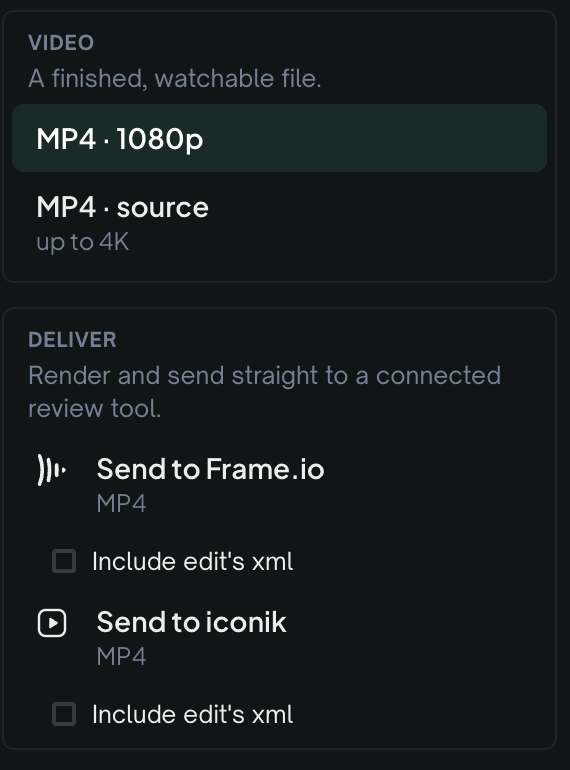
Choose Export → All export options… → Video file → MP4 · 1080p. Read the displayed price before starting. For an editable timeline, choose your editing app instead; see NLE exports.
Next: Give Eddie context and get feedback. Then: Agents and reusable workflows.
You are done when: you have played the cut and exported a finished video or an editable timeline.
Still stuck?
For a product issue, or for billing and your account, see Contact support. Cutting with a team or at studio volume? Talk to sales.