
Connect cloud storage
Pull footage straight from connected cloud storage into a project — and what to check when the connection fails.
Last updated October 10, 2026Connecting cloud storage lets you pull footage straight into Eddie without downloading it to your machine first.
Connect and import
- When adding media to a project, choose a cloud source (for example Google Drive, Dropbox or Frame.io).
- Authorize the connection when prompted.
- Browse and pick the footage to import — Eddie pulls it in and starts transcription and analysis like any other import.
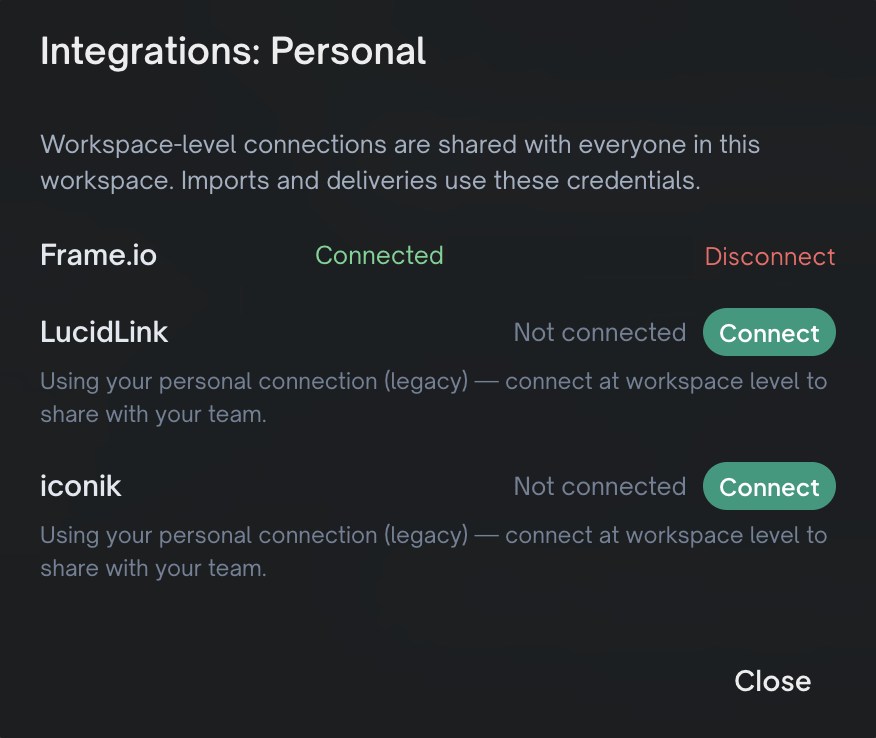
Frame.io is connected once per workspace rather than per import — open the Integrations screen to connect it. See Send to Frame.io.
Shade is connected the same way: the workspace owner saves a Shade API key on the Integrations screen once, and everyone in the workspace can import from it. See Import from Shade.
LucidLink is also connected once per workspace, with a LucidLink service-account token. See Import from LucidLink.
If it won't connect
A failed connection is more often a network problem than a credentials problem:
- A VPN, firewall or filtering tool can block the app from reaching the storage service. Corporate networks and security agents are the usual culprits.
- Try a different network — a phone hotspot is a quick test.
- Temporarily disabling a local firewall or filtering tool often confirms the cause.
Eddie surfaces the underlying error where it can, to help you tell a network block from a bad login.
Related: Import your footage, Import stuck or failed.
Still stuck?
For a product issue, or for billing and your account, see Contact support. Cutting with a team or at studio volume? Talk to sales.