
Get specialist feedback and save your own standards
Ask a specialist to review your cut, implement one chosen note with Eddie, and build a private reviewer you can reuse.
Part 3 of 3 · Get a second opinion, then save your standards.
Your cut works. Now give it a focused second opinion, choose one improvement, and save your review standards for the next project. Start with the edit from Part 2.
1. Open the cut you want reviewed
Select your existing workshop story. Choose one question: does the opening make the workshop’s purpose clear soon enough? Keep the attached brief available so the reviewer has the project's facts.
2. Ask a specialist
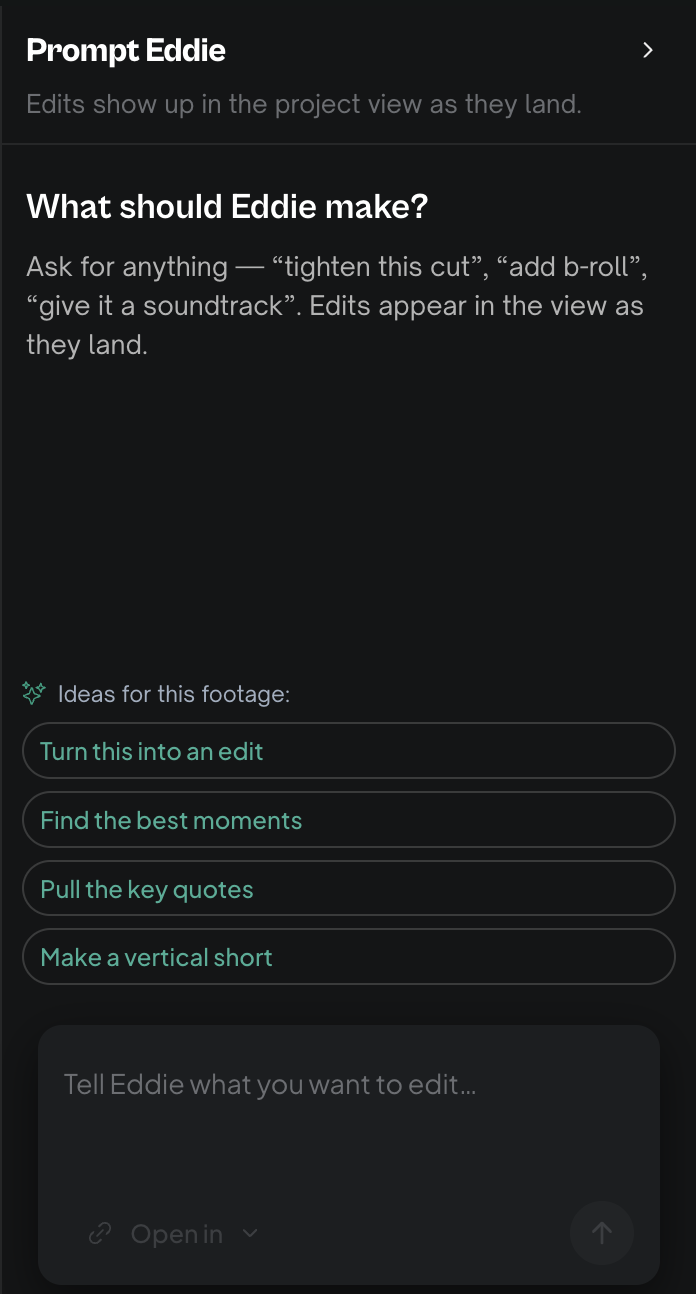
In Prompt Eddie, type @Murch and choose MurchEditMentor under Marketplace (or Your agents if installed). Selection adds the mention; send your request when ready:
Review this story’s opening and pacing. Leave at most three timestamped comments, each with one concrete fix using media in this project. Preserve the speaker’s meaning and qualifications. Review only; do not build an edit.
MurchEditMentor reads, watches and comments; it never changes your timeline. Use one agent per message. Eddie's normal rules still apply. Check the agent pricing note before sending, and review any displayed plan and estimate before choosing Go.
3. Listen before accepting a note
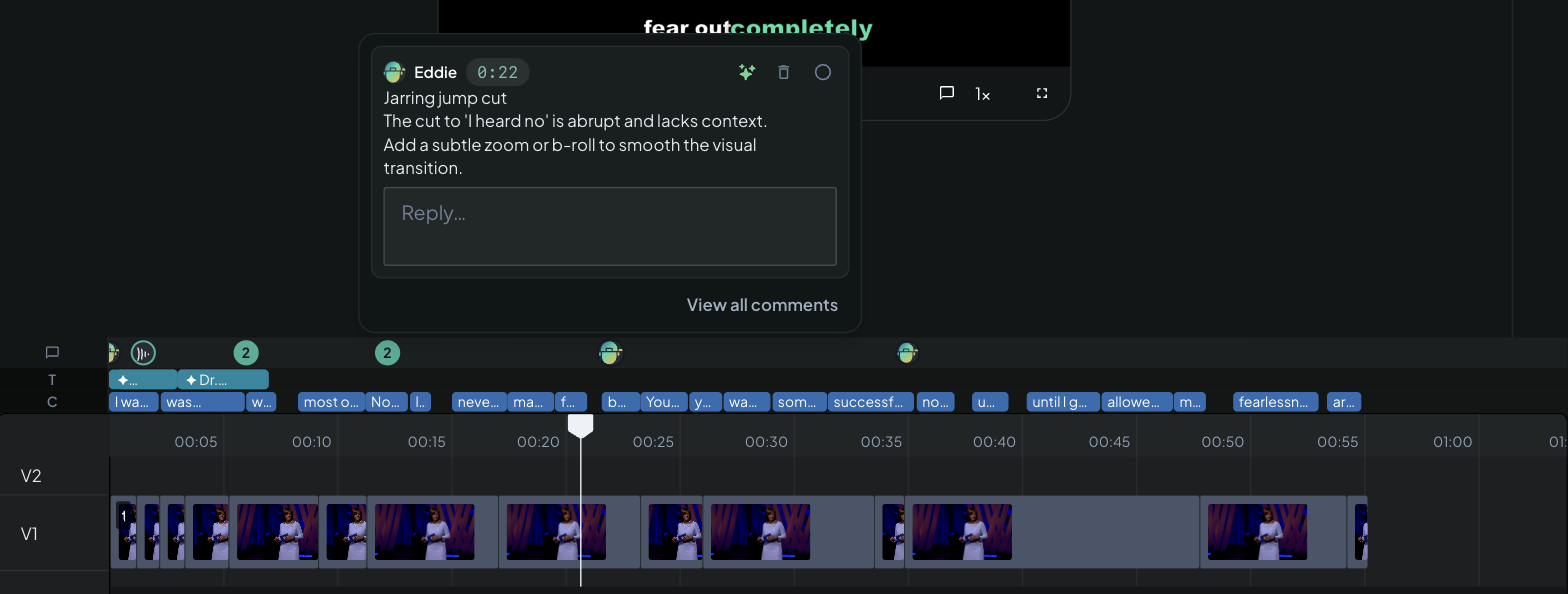
Click a returned comment's timecode to seek to that moment. Play the surrounding sentence. Does the suggestion improve the story while preserving the speaker’s meaning? Choose one note you agree with; specialist feedback still needs your judgment.
4. Have Eddie implement your choice
On that comment, click the spark labeled Have Eddie implement this. A small inline Prompt Eddie composer opens. Add your constraints:
Apply this note using media already in this project. Keep the speaker’s full qualification. Make a new edit named Workshop reviewed, preserving the current edit.
Click the checkmark, Send to Eddie. Review any plan and estimate shown. Ordinary Eddie implements this request. Compare the new edit with your original and listen for any lost meaning.
5. Save your own review standard
Type @ again and choose Build your own agent. Enter Story Review for Name and Reviews clarity, evidence and honest claims for What it does. Choose an Icon and Accent. Paste this into Prompt:
Review the active edit and available source transcript. Check the opening, story clarity and claim accuracy. Preserve original numbers, limitations and meaning. Use the attached brief; flag missing evidence. Give at most three prioritized, timestamped notes with concrete fixes using existing media. Review only; do not change the edit. End with one thing to preserve.
| Field | What to put here |
|---|---|
| Name | The reviewer’s name |
| What it does | One sentence about its job |
| Prompt | The standards it should check |
Check the generated handle and select Create agent. The modal says Private to you; these instructions retain Eddie's existing permissions and rules.
6. Reuse it on another project
Open a second project and cut. Type @, choose your reviewer from Your agents, and ask: “Review this cut. Prioritize the single change with the biggest benefit.” Keep lasting standards in the agent; put today's audience and question in your message.
For repeatable production jobs, save a recipe: it saves one prompt template, rather than the specialist or the whole conversation.
You are done when: you have reviewed a cut, applied one chosen note and used your private reviewer on a second cut.
Back: Context and review · Start: Your first edit.
Still stuck?
For a product issue, or for billing and your account, see Contact support. Cutting with a team or at studio volume? Talk to sales.