
Export to Premiere, Final Cut, Resolve, Avid & OTIO
Eddie's NLE exports point to your proxy media, not your original camera files, which explains most offline/relink and format errors you'll see after import.
Last updated October 21, 2026Watch this in EddieU
Exporting to Adobe Premiere Pro | EddieU
How to export an Eddie edit into Adobe Premiere Pro while keeping the timeline editable for finishing.
Exporting to DaVinci Resolve | EddieU
How to send an Eddie edit into DaVinci Resolve so you can keep grading, trimming, and finishing there.
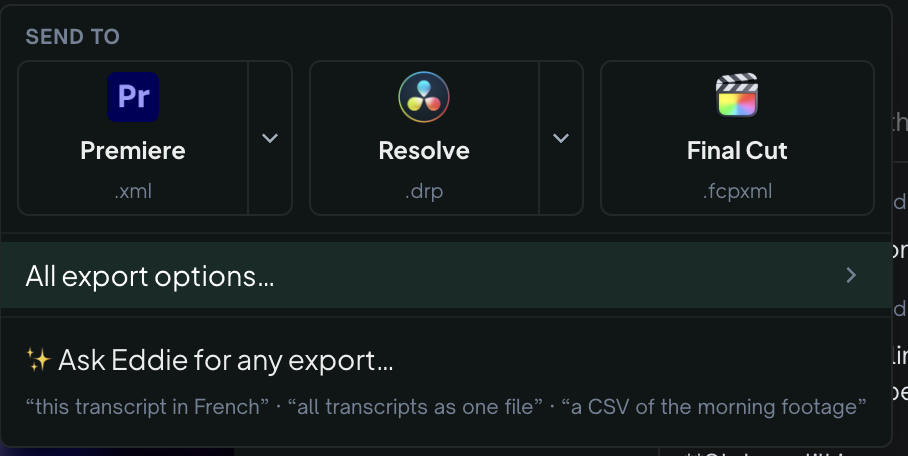
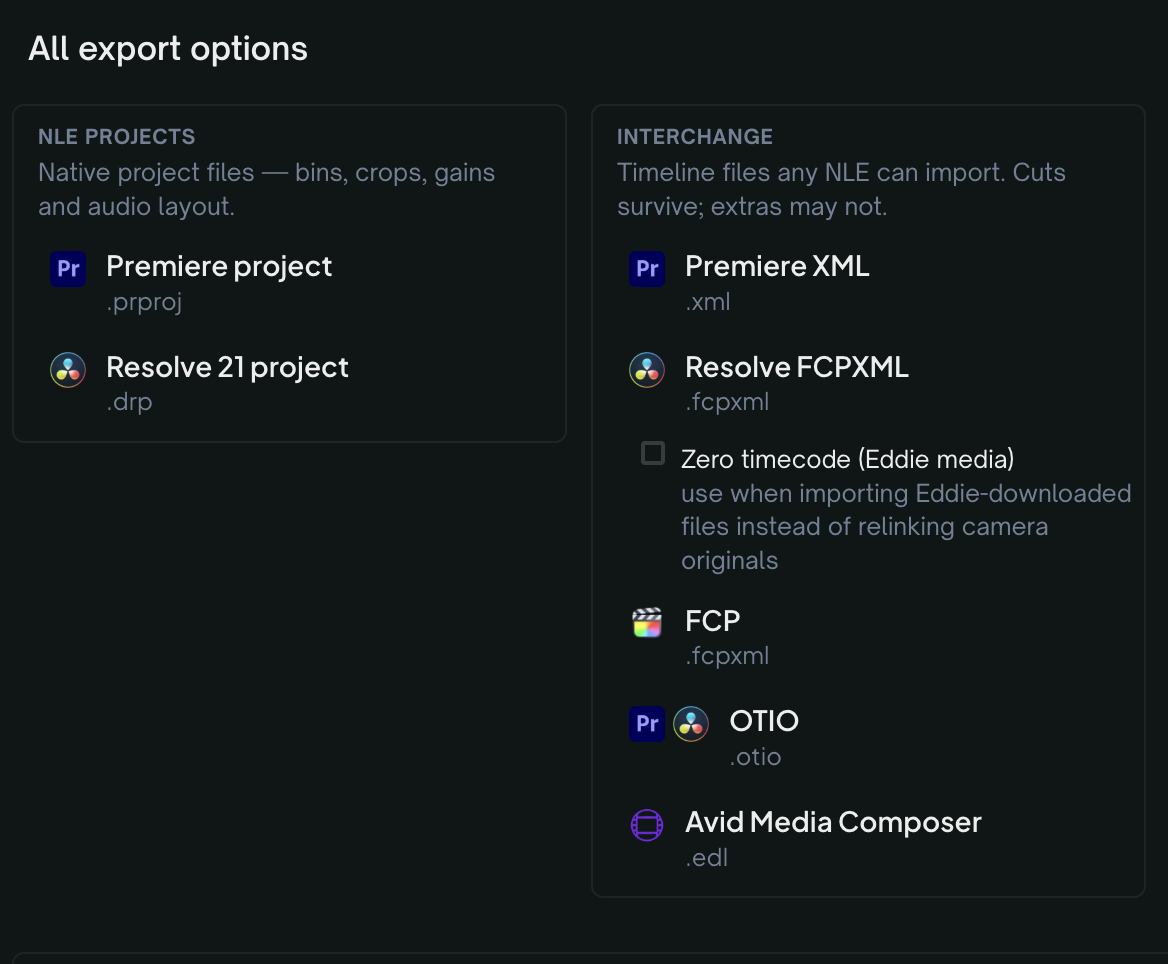
What Eddie's NLE export actually contains
When you export a timeline to Premiere, Final Cut, Resolve, Avid, or OTIO, what the file (XML/FCPXML/AAF/OTIO) references depends on how the footage came in:
- Imported through the desktop app — the export references your original files at their real location on your machine (Windows drive paths included), so the NLE reconnects to them directly.
- Uploaded on the web or pulled from cloud storage — the export references Eddie's transcoded proxy media, because there is no local original to point at. The timeline structure, cuts, and effects are built against those proxies.
Why media shows offline or won't relink
For web and cloud imports, because the export points at proxies:
- If you try to relink to your original camera files, your NLE will often reject them or show them as offline. Proxies are typically normalized to a standard frame rate, resolution, and duration that won't exactly match your originals — which is also why FCPX may throw a "media must match frame rate/length" error.
- If you import the XML on a machine where the proxy files themselves aren't downloaded locally, everything shows offline too — the export references proxy file locations, it doesn't embed the media.
The simplest fix: use the proxies
In most cases, don't try to swap in your originals. Instead, make sure the exported proxy media is available at the path/location your NLE expects, and relink to that. This is the fastest way to get a fully connected timeline.
"Param element ignored... interpolation attribute" in FCPX
This is a separate, more specific warning. It comes from Eddie's automatic cinematic motion (push/drift/zoom) keyframes on your clips — see Cinematic motion: the automatic push, drift and zoom. FCPX doesn't support some of the keyframe interpolation types Eddie writes, so it ignores that parameter. This is usually safe to ignore — the clip still works, just without that specific motion detail — but if you need pixel-perfect motion, recreate it manually in FCPX.
Multicam comes across as multicam
A multicam group Eddie synced — cameras you imported separately and Eddie aligned — exports as a real multicam group rather than a flattened single-angle track. The Premiere .prproj, the Resolve .drp and FCPXML each build a multicam clip you can keep switching angles on, with the angle you chose in Eddie playing at each cut. The one exception is the legacy Premiere 2018 or older .xml, which has no native multicam — there the angles arrive as stacked tracks, your chosen angle on top. See Premiere won't import the XML.
A multicam clip you built in your own editor and imported is a different case. Eddie holds it as one clip.
- Final Cut Pro. If the multicam clip came from Final Cut through the desktop app, the FCPXML export puts your own multicam clip back on the timeline at Eddie's cut points, so you can keep switching angles in Final Cut. This holds when you dragged several multicam clips into Eddie one at a time, and when the export carries ratings, labels or transcript markers.
- Premiere Pro. The downloadable
.prprojand Premiere.xmlcan't carry it, and the desktop app's Export menu says so on those rows. Use Send to Premiere Pro in the desktop app instead: it rebuilds the edit inside Premiere against your original multicam clip.
See Multicam: the complete guide.
Review comments arrive as timeline markers
Each comment thread pinned to a moment in the edit becomes one marker on the exported timeline, at that moment in the edit (not in the source clip). The marker's name is the comment. Its note holds the author, whether the thread is open or resolved, and the replies.
- Carried: Final Cut Pro (FCPXML), Premiere Pro (
.prprojand.xml), and OTIO (DaVinci Resolve imports each comment as a timeline marker, with its note). - Not carried: DaVinci Resolve from the
.drpor the Resolve FCPXML (Resolve does not import markers from an FCPXML) — use Resolve OTIO (keeps comments) instead; and Avid AAF.
The same holds for the pickup markers Eddie leaves when it conforms a recording to a script: they come through in Final Cut Pro, Premiere Pro and OTIO, and a Resolve .drp holds none of them. The OTIO file is a separate export, not part of the .drp. Each timeline export costs 100 credits, so a .drp plus an OTIO file for the markers is two exports, 200 credits. Ask for the OTIO file only if you want the markers in Resolve.
The export notes say when comments were left out. A comment with no timestamp, or one you deleted, is not exported.
Cleaned-up sound stays behind
If you asked Eddie to clean up the sound of a clip, the cleaned sound plays in the editor and in MP4 renders. A timeline export points to your original recordings, so it carries the original sound. Clean the sound in your editing app if you need it there.
Generated audio travels too
Voice-over clips (including dubs) and the music track are placed on their own audio tracks in FCPXML, Premiere and OTIO exports, and you can download all of them at once — Assets → Generated assets (.zip) in All export options — to relink next to the timeline.
Track mutes travel too
If you muted the original clip audio on the timeline (the speaker toggle on the V1 rail), the export keeps that state where the format allows it: the .prproj arrives with its audio tracks fader-muted and Premiere XML ships the audio clipitems disabled — the media is always included, so un-muting in the NLE brings the sound straight back. FCPXML, OTIO and the DaVinci .drp have no track mute Eddie can set reliably, so those exports include the audio and tell you in the export notes to mute the track after import.
Speech levels are left as recorded
A timeline export does not change your clip volumes unless you ask. To have Eddie even out the dialogue in the timeline, tick Auto-level speech (−16 LUFS) on the Premiere Pro, DaVinci Resolve or Final Cut Pro destination before you export. The choice is saved with the edit. See Music, voice-over and audio.
Audio-only projects export too
A project made from audio alone, such as a podcast, exports to every timeline format. See Edit a podcast or other audio-only recording.
Adding graphics after export
If you need to add custom graphics, it's usually faster and more reliable to add them directly in Eddie (kinetic titles, lower-thirds, stat callouts) before exporting, rather than trying to layer them on top of a relinked timeline in your NLE.
Still stuck?
For a product issue, or for billing and your account, see Contact support. Cutting with a team or at studio volume? Talk to sales.