
Manage your email preferences
Turn any category of Eddie email on or off — onboarding tips, project notifications, invites — from the account menu or straight from an email footer.
Last updated July 25, 2026Every category of email Eddie sends can be switched on or off independently — there's no all-or-nothing unsubscribe.
From inside the app
Open the account menu (top-right of your dashboard) → Email preferences.
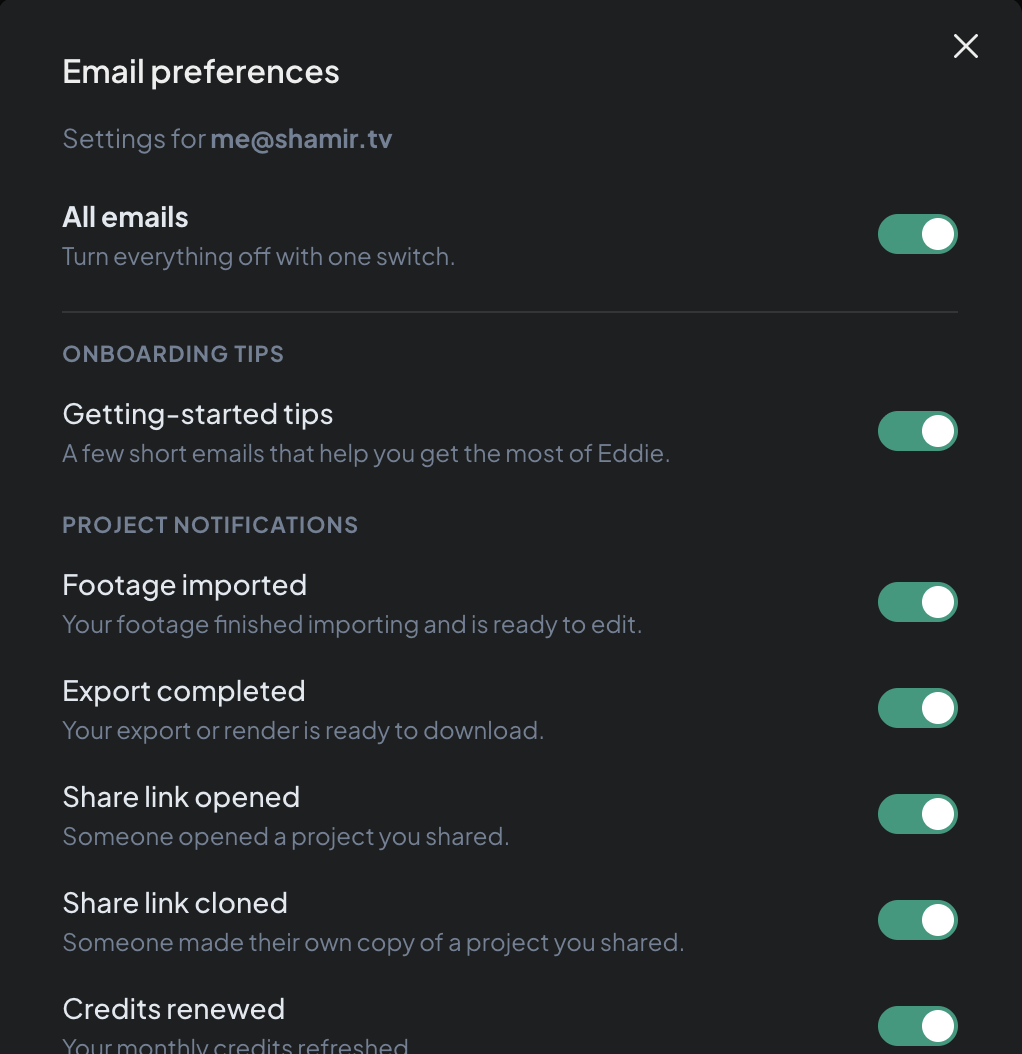
- All emails — one switch to turn everything off (or back on).
- Onboarding tips — short emails that help you get the most out of Eddie early on.
- Project notifications — footage imported, export completed, share link opened or cloned, credits renewed.
- Invites — workspace invitations and related invite emails.
Toggles save immediately — there's no separate save step.
From an email you don't want
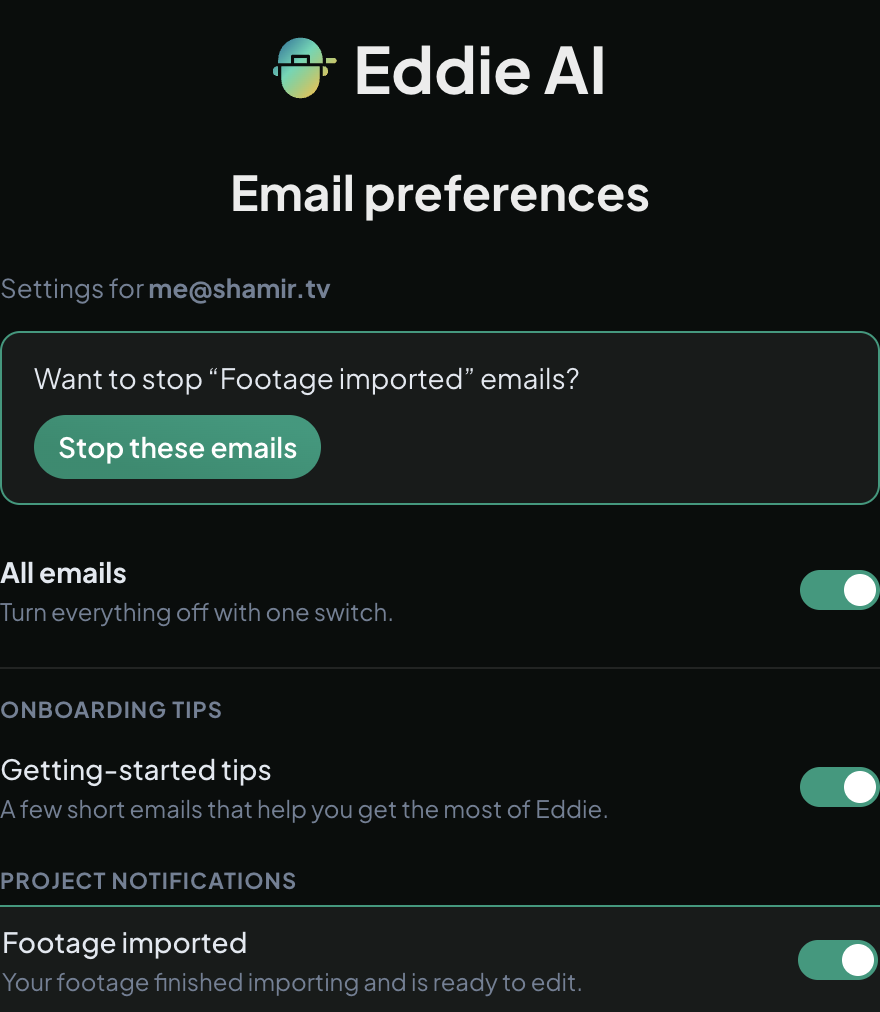
Every Eddie email has an unsubscribe link in the footer. It opens the same panel, pre-highlighting the exact category that email came from with a one-click "Stop these emails" confirm — or you can scroll down and manage everything else from the same page.
Good to know
- Preferences are per email address on your account.
- Turning off a category doesn't affect in-app or iPhone-push notifications — see Get notified when your project is ready for those.
Related: Get notified when your project is ready.
Still stuck?
For a product issue, or for billing and your account, see Contact support. Cutting with a team or at studio volume? Talk to sales.