Ask for a whip cut. Or grain. Or handheld.
Six creative tools came off the waiting list this week and went to every account. After that: a search that will go through ninety minutes of footage and hand you the timestamps, titles you can drag with the mouse, audio description that works on a film with no sound at all, and the free edition of DaVinci Resolve, fully connected.
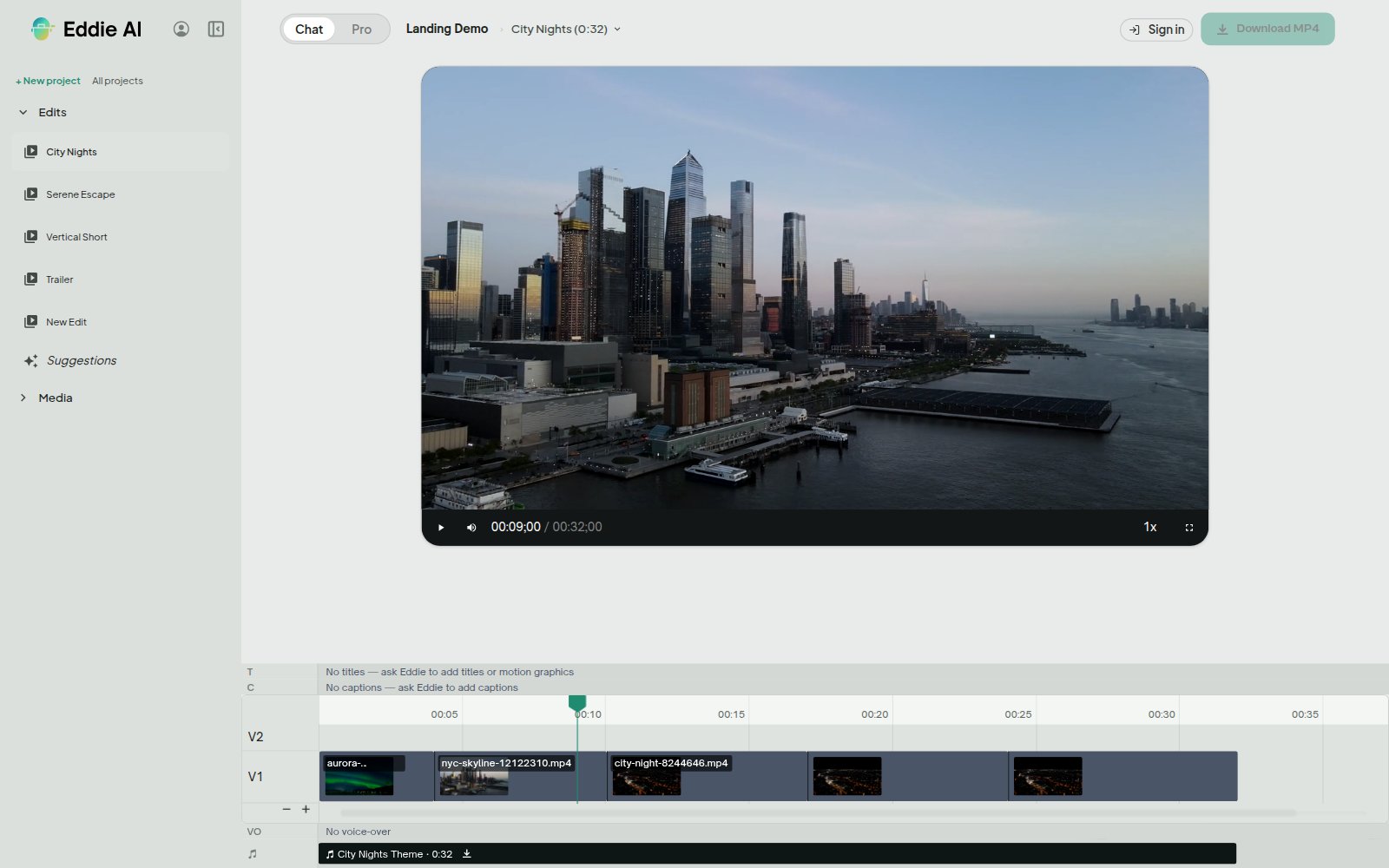
Six creative tools, now on every account
These were open to a handful of accounts. They are open to all of them.
Whip, flash and glitch cuts. Punctuation on the cuts you choose, for the beat drop or the turn in the story. Where a dissolve is a bridge between two shots, these are an exclamation mark.
Shake and handheld motion. A locked-off frame, or a slow push, given the movement of something shot off the shoulder.
Grain, haze and split tone. Three looks on the grade, asked for the way you would ask a colourist: a bit of grain, a hazy open, cool shadows and warm skin.
Blend modes. Captions and motion graphics mixed into the picture — exclusion, screen, multiply, overlay — so a caption can invert against the shot under it.
Named style packs. A whole visual treatment — typeface, colour, motion, grade — asked for in one word.
Camera sync by picture. A multicam group lined up on what the cameras see, for the shoot where nobody clapped and the sound will not do it.
All of them in plain words, in the prompt box, on footage you already have: "flash cut on the beat drop", "handheld on the opener", "a bit of grain".
Where the looks live
These are picture looks, so they belong to the picture Eddie renders. They show in the share player and they bake into the MP4 you download.
Send the same edit to Premiere, Final Cut or Resolve and you get your cut — every in and out, every clip, every level — with a plain transition at the accent cut, an unshaken frame where the shake was, the grade without the look on it, and Normal where the blend mode was. Those applications own the look, and a look baked into a handoff is one you cannot change. Every NLE export of an edit carrying a style arrives with a note naming each one it left for you to do there.
Transitions → · Shake zooms → · Blend modes → · Named styles → · Colour grading →
Find the shot you remember
You know the moment is in there. Somewhere in ninety minutes.
Describe it — "every try, from the pass that sets it up to the conversion", "each time the dog jumps the fence", "when the crowd goes wild" — and Eddie goes through the actual video a frame a second, with the sound on, and hands back a list of moments: the source, the in point, the out point, what happened, and how sure it is. It hears the whistle, the roar and the commentator's call, which is often what actually marks the moment, so a two-second moment is found.
It reads any source. The full match. The whole conference recording. The ninety minutes of a wedding ceremony, and the b-roll shelf too. A long file is split and searched in parallel, so hours of footage is a few minutes of waiting.
Each moment arrives as a cuttable window, so the list goes straight into an edit: look at what was found, drop what you do not want, and ask for a cut of the rest. For anything said, the transcript search is still the right tool, and it is exact; this one is for what is seen and heard. It is a paid search, so Eddie quotes it and waits for your yes before it spends anything, and asking the same question of the same footage again is free.
What you can ask Eddie to do →
Move a title with the mouse
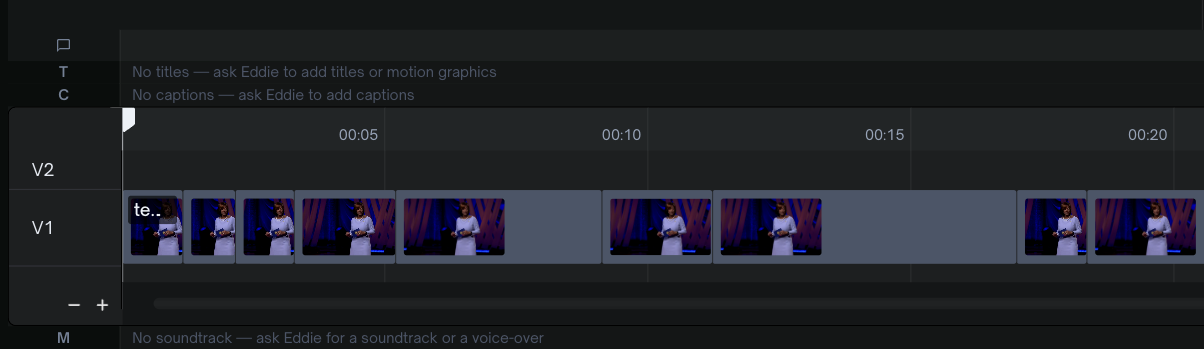
Titles, motion graphics and captions can be dragged on the timeline.
Take hold of the body of an item to slide it in time. Take hold of either edge to change how long it holds. It snaps to the cuts and to its neighbours, the arrow keys nudge it a frame at a time, and each gesture is one step of undo.
The lanes say what they are now, too — Titles, Motion graphics, Captions, Voice-over, Sound effects — so a timeline you have not opened for a week reads at a glance.
Some things are quicker to say and some are quicker to do, and a title that wants to be eight frames later is firmly in the second group.
The editor explained → · Titles and graphics →
Audio description, on a film with no sound at all
Ask Eddie to audio-describe an edit and a new edit appears beside it, named with (extended AD) — the narration written for what is on screen, voiced, and spoken into the gaps. You open it, cut it and export it like any other edit. The original does not change.
Hand it a silent video — a title sequence, a montage, a locked-off landscape, with no dialogue and no transcript at all — and it still works. With nothing being said, the whole running time is room to describe.
Both of the forms a broadcaster or platform asks for are there. Extended is the default: where a description needs more room than the dialogue leaves, the edit opens a pause, and nothing is dropped, so the delivered programme runs longer than the original by exactly the pauses it added. Standard holds the running time and speaks each description into a natural gap, and Eddie tells you how many would not fit.
For a viewer with no picture at all, Eddie will give you the whole soundtrack, descriptions mixed in, as one audio file. Add music after you make the described version, so it plays as one bed under the whole edit, pauses included.
Take the noise off a voice
Wind on a lavalier. A fridge two rooms away. Traffic through a window that had to stay open. Music playing in the café where the interview happened.
Ask Eddie to clean up the sound on a source and it lifts the voice out and holds the result against that file, so every clip taken from it plays clean — in the timeline you are working in and in the MP4 you download. On a multicam cut that plays a mix of several microphones, every microphone in the mix is treated.
It keeps voices and takes everything else away, so it is the wrong tool for a music performance, or for room sound that is part of the scene. A Premiere, Final Cut or Resolve export carries the original recording: your edit suite is where you would do that work anyway, with the untouched file to do it on. It is a paid step, quoted before it runs.
Audio cleanup → · Segment audio levels →
The mix on its own, as a WAV or an MP3
There is an Audio file option in the Export menu. WAV at 48 kHz 24-bit, or MP3 at 320 kbps: the finished edit's whole mix — voices, music, sound effects, the levels you set, the cleaned-up audio if you asked for it — as one file with no picture attached.
It is the podcast version of the thing you just cut: the interview you assembled for video, delivered for listening.
Audio-only projects → · Music and audio →
Eddie now runs on the free DaVinci Resolve
The free edition of DaVinci Resolve 21.1 and later runs scripts with the shutters down, and it holds third-party tools at arm's length. It is also the edition most editors actually have.
Eddie is through. Bin import, timeline import, renders for import and Send to Resolve all run on the free edition, exactly as they do on Studio. There is nothing for you to set up and nothing to choose: Eddie works out which Resolve it is talking to and takes the right road in, and a Studio install behaves precisely as before. In the desktop app from 4.0.27.
The Resolve extension → · Getting a timeline into Resolve →
For the edit suite
Captions inside the project file. A Premiere .prproj and a Resolve .drp carry your captions within the project document itself, in the caption style your edit uses — typeface, colour and position, on the timeline the moment it opens, with no sidecar to find and import as a second step. Final Cut caption cards come through as title clips the same way. (Captions in your editing app → · Project file downloads →)
Name the sequence rate yourself. Ask Eddie for an NLE export at 23.976, 24, 25, 29.97, 30, 50, 59.94 or 60 and the sequence is built at that rate, with every clip keeping its own native rate and every cut placed on a frame boundary of the rate you named. Left alone, Eddie reads the rate off your footage, which is right most of the time and wrong for a cutting room that works at one house rate over mixed sources. (Export to your NLE →)
Every sound recorder on its own track. Shoot a two-person interview with one recorder per speaker and the export lays it out the way an editor would: each recorder on its own audio track, all audible, at its synced position and linked to the cut's picture. Both speakers' words are kept. It applies to the Premiere .prproj and XML, Final Cut, the Resolve .drp and FCPXML, and OTIO. A segment whose sound you chose yourself keeps that one file. (Working with multicam →)
B-roll logs carry their subclips as subclips — in Premiere XML, in the Resolve .drb and in FCPXML — grouped by topic, with one Selects timeline of every subclip and a marker at each topic boundary. (Interview and b-roll logs →)
Markers you asked for, as real markers. They arrive as timeline comments and export as markers in Premiere XML, Final Cut FCPXML and OTIO — in a batch, or laid on a music beat grid. (Export to your NLE →)
For a vertical cut
It follows the speaker. Shoot two people in one wide frame and the vertical crop keeps whoever is talking in the middle of it. When they start trading lines quickly, it stacks both faces in one frame, and the captions sit on the seam.
And it can show a clip whole. A clip whose shape does not match the canvas — a vertical phone clip in a 16:9 cut, a landscape shot in a 9:16 one, a turned clip — can be shown entire, with a blurred, slightly darker copy of its own frame filling the bars. It shows in the player and the MP4; an NLE export keeps a plain fit.
Crop and reframe → · Several short clips from one video →
Text Eddie a clip. Ask for motion graphics.
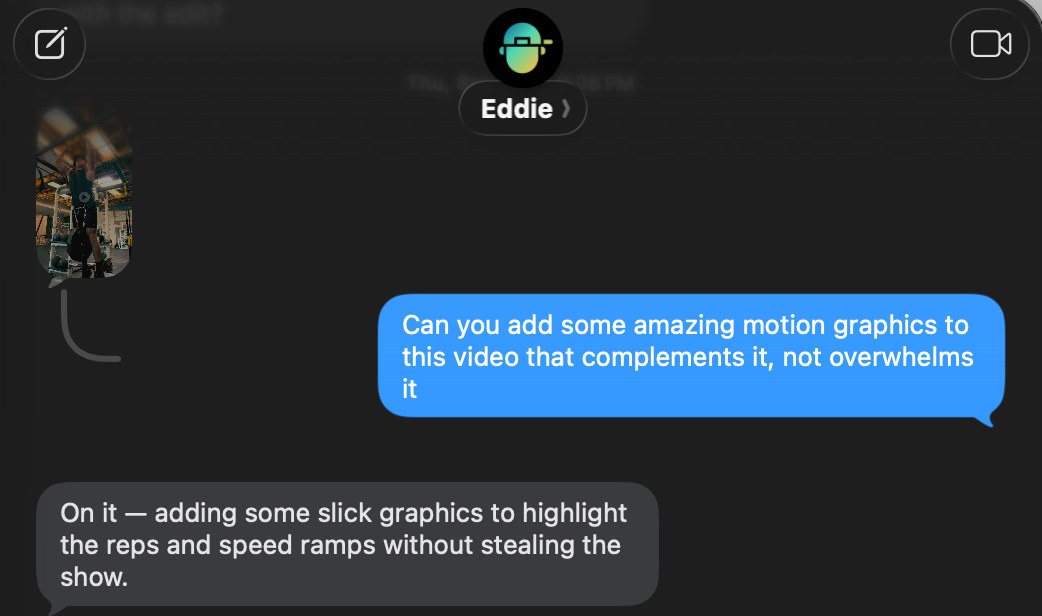
Send a clip straight from your camera roll, ask for what you want in the words you would use with an editor, and the finished video arrives in the thread. Rough cuts, multicam, b-roll, captions, music.
Eddie reads a LucidLink Copy link URL now, too, in the paste-link box and over text. So the rushes can be moving while you are still on the road: send the link, say the brief, and there is a cut waiting when you sit down.
Text +1 650 444 9211 from your phone. Or carry the whole editor in your pocket — Eddie for iPhone is at 1.0.6.
Also landed
- Phone footage in the right colour. iPhone HDR and log-profile camera footage are converted to Rec.709 before the grade, so the MP4 you download looks like the shot you took. An NLE handoff carries the original log or HDR source, for you to grade there. (Colour grading → · RAW footage →)
- Pick a format and go. The suggestions panel carries the formats as one-tap cards — Golden Hour, Fall Colors, Little Snippets, Memories, Month Recap, Wanderlust, Creator Intro, Beat Drop, Photo Grid, Split Story and Cut Out. One tap sends the whole brief. (Recipes and house style →)
- Speak your prompt. A microphone button in the prompt box on the web, in browsers that support speech input, and in the desktop app on a Mac from 4.0.27. (How to prompt Eddie →)
- One frame as a JPEG, free — a still of any moment of the edit, for a thumbnail or a reference. (What you can ask for →)
- Cover this stretch. Ask for b-roll over a run of narration and Eddie places several different shots across it, a fresh one on each spoken beat. (Adding b-roll →)
- Spelling and formatting for your region. Ask Eddie to "make it British" and a transcript is written in the conventions of the region you name: British, Australian, Brazilian or European Portuguese, Canadian French, Swiss German, Spanish from Spain or Latin America. It is a paid step, quoted before it runs, and undoing it is free. (Languages →)
- Hindi, Thai and other complex scripts in your titles and captions. Titles, graphic text and captions in Hindi, Thai, Bengali, Tamil, Arabic and more than a dozen other scripts render with their letters joined and stacked the way each script is written, in the MP4 Eddie renders in the cloud. (Titles and graphics →)
- New guides and prompt libraries. Step-by-step how-to guides for 22 kinds of video, and copy-ready prompt libraries to paste into Eddie.
- Pick the channels of a recorder file. Choose which channels of a multi-channel field recording play in the cut. (Audio cleanup →)
On the desktop, and on your phone
Eight desktop releases this week, 4.0.22 through 4.0.29.
Generated and cloud b-roll pulled down for a local render. An MP4 rendered on your own machine includes b-roll that was generated, taken from the stock library or imported from cloud storage, even when none of it is on that computer. Shipped in 4.0.27.
Vertical timelines out to Resolve. A 9:16 edit sends to DaVinci Resolve from the Export menu on its own vertical timeline. Shipped in 4.0.24.
Every microphone of a recorder in the mix. A local MP4 render carries every microphone channel. Shipped in 4.0.26.
A Premiere subclip as its own clip. Import a subclip from a Premiere project and it arrives as its own clip carrying only its range; b-roll nests fan out into real b-roll sources. Shipped in 4.0.27.
Video file and Audio file in the Export menu. The desktop Export menu opens the same Video file and Audio file pages the web has. Shipped in 4.0.29.
On the iPhone, version 1.0.6 adds a New Project button that starts a project in one tap, thumbnails and source clips on every project, share links that open straight in the Eddie app, and tappable links in Eddie's replies that jump you to your edit.
The desktop app → · Eddie for iPhone →
Missed last week?
In case this is the first of these you have read, the headlines from the last round-up:
- Edit the transcript by hand. Select words in an edit's transcript and take them out, or select ones you cut and bring them back. It is free, undo is there for every step, and the MP4 you download is cut on exactly the word boundaries you chose. (Transcripts and speakers →)
- Audio on its own: podcasts, interviews, voice memos. A recording with no video at all comes in as a full project — transcribed, cut from the transcript, played back, and delivered as an MP4 or as a timeline in Premiere, Resolve and Final Cut. (Audio-only projects →)
- Build a cut from the passages you marked. Mark your selects in your own document — bold, italic or highlight, in RTF, DOCX, PDF or plain text — drop it into the project's Backgrounder, and ask for a cut of just the parts you marked. (Backgrounders →)
- Set the level of one clip, one line or one speaker, written as clip gain into your Premiere, Resolve and Final Cut exports — and a segment's sound taken from a different synced file, the lav in place of the on-camera mic. (Segment audio levels →)
As always, just tell Eddie what you want and it will do it.
— The Eddie AI team