BlogUpdate
New in Eddie AI: Week of November 22, 2026
On this page
One question first: what are one or two things we should improve about Eddie, or a feature we should add? Write to hey@heyeddie.ai in a sentence. We read every one.
Move and resize a graphic
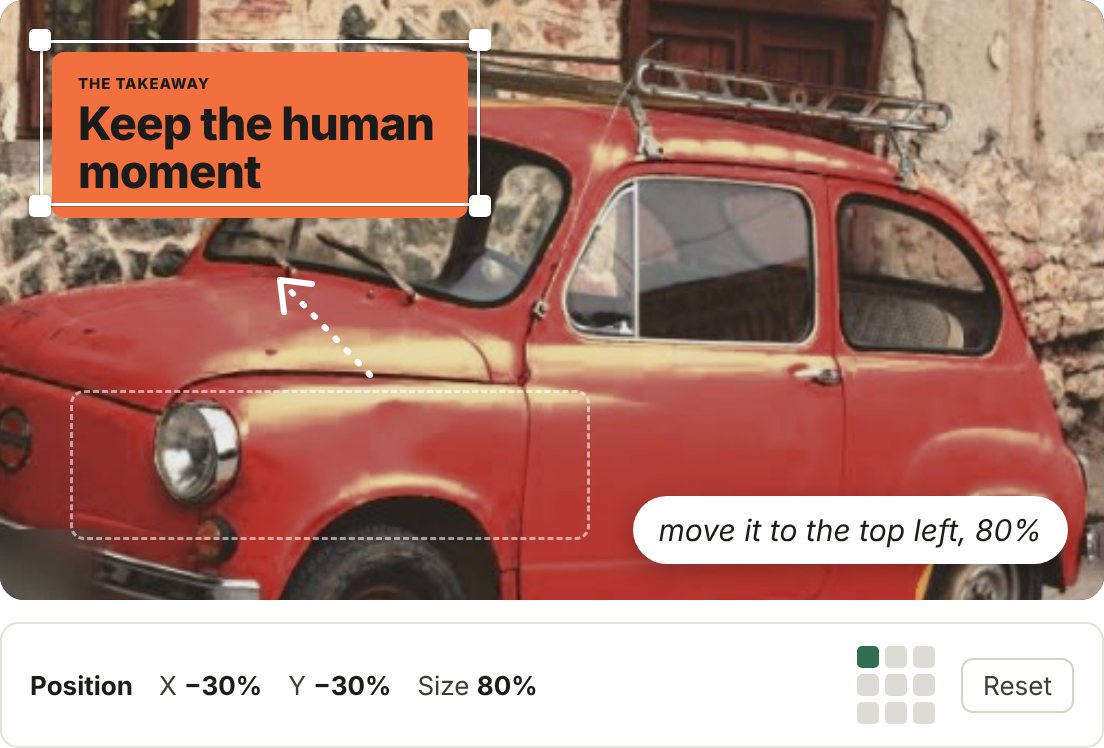
Select a motion graphic on the player and drag it where you want it. Pull a corner to size it, nudge it with the arrow keys (hold Shift for bigger steps), or use the Position row: X, Y, Size, and a picker with nine places. Reset puts it back.
You can also just ask: "move it to the top left, 80%", "make it 20% smaller". Placing a graphic is free, and the same position and size show in the player, the MP4 and the graphic clips in your editor files.
Eleven new motion graphics
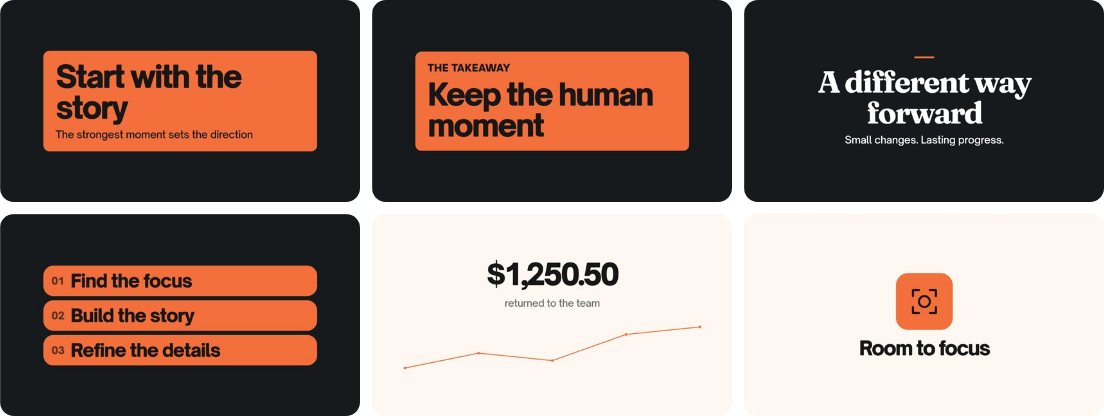
The gallery has eleven new templates: three callouts, openers in sentence case, uppercase and serif, numbered step pills, a stat with a sparkline, a two-bar comparison, an icon tile and a textured title card. Every word is yours to change, and a step can run over several lines.
A background behind your layout
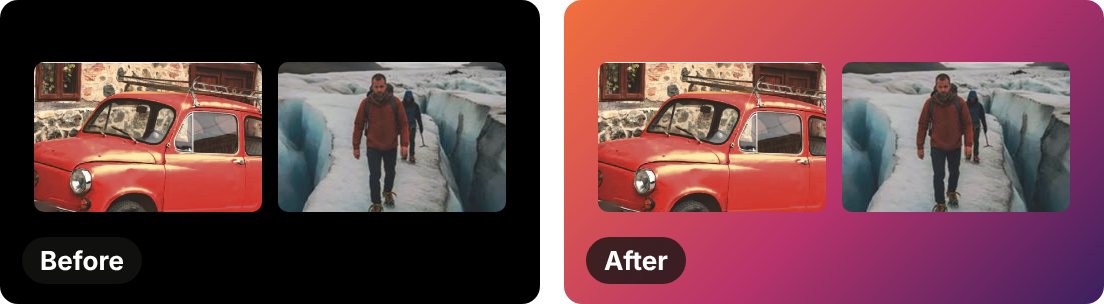
Put a split screen or picture-in-picture on a solid colour, a gradient or your own image: "put this on our brand gradient". It plays in the player and the MP4. The background is not in the files for your editor.
Dip to white, or to any colour

Ask for a dip to white between two shots, or a dip to your brand colour. It plays in the player and the MP4. Premiere, Final Cut and Resolve files keep a straight cut at that point, so you can add your own transition there.
Export by what you want to do next
The Export menu now opens on three goals:
| Goal | What you get |
|---|---|
| Keep editing | A Premiere, Final Cut or Resolve file, with your media |
| Post or deliver | An MP4 in the shape you need |
| Files and text | Captions, transcripts and logs |
Pick one and Eddie shows the recommended file first, with what is inside it.
Desktop 4.1.15
- Prompt while you import. Type what you want while the footage comes in, or tap a starter; Eddie begins as soon as it is ready.
- Caption styles in your MP4, position, spacing and card styles included.
- DNG photos from phones and cameras import as stills.
- More accurate audio in timelines sent to DaVinci Resolve.
- On Windows, the app works with Smart App Control.
Also landed
- Your Adobe graphics files ride along into the Premiere project, Premiere XML, Final Cut and Resolve files, on a track above the picture. They open offline; relink by file name. Export to your editor →
- Pick the folders you want from a big iconik share, start from a sub-collection, name the project, and bring stills in too. Cloud storage →
- Try again on a failed import picks up in the same project, keeping every file that finished. Imports →
- Copy, paste and edit a title from the timeline: right-click it. Ask for a serif or a sans-serif and Eddie picks a matching font. Edit by hand →
- Ask for three minutes, get three minutes: if a first cut runs well short of the length you asked for, Eddie adds more of your best moments. How to prompt Eddie →
- Premiere timelines you bring in keep their sound over black, rebuilt from the original files. Import from your editor →
- Eddie's progress lines speak your language while it works. Languages →
- Projects in shared folders as a gallery, with a poster for each.
- Eddie for iPhone 1.0.10 keeps the screen awake while an import uploads. Eddie for iPhone →
Missed last week?
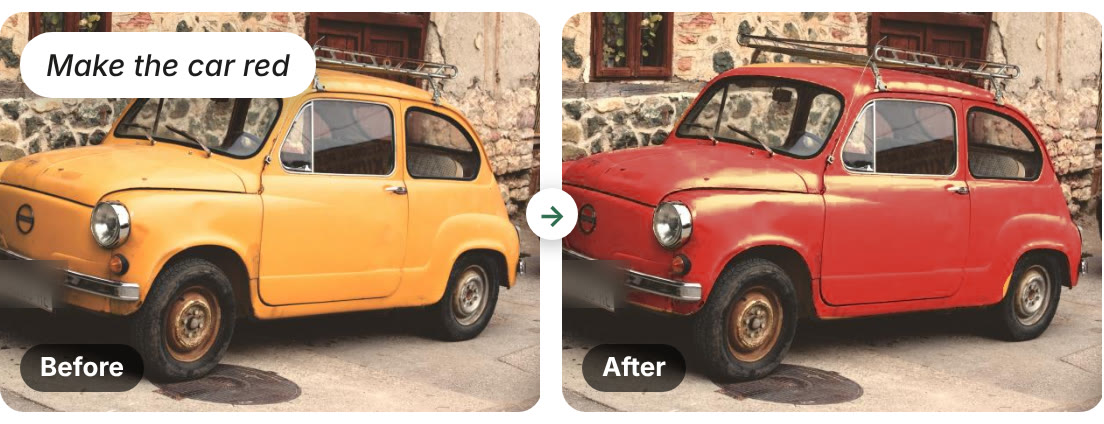
- Change one thing in a shot: "make the car red". Blur, hide or change part of the video →
- Subtitles in 30 languages, one .srt each. Captions and subtitles →
- Eddie's Premiere panel: log, edit and preview without leaving Premiere. Get the extensions →
- Sync the sound to the lips by asking. What you can ask Eddie →