How-to guidesTestimonials
How to Edit Testimonial Videos
A good testimonial sounds like a customer talking to a friend, not reading a script. That means using their real words, even the plain ones, and finding the single line with a number in it that makes the claim believable. This guide turns a 20-minute customer interview into a set of testimonial videos for your website, ads and sales team.
The short answer
Shape the customer's own words into three beats: the problem they had, what changed, and the result in a number or a concrete detail. Show their name and company, cover the cuts with b-roll of them using the product, and make a 60, 30 and 15 second version for different placements. In Eddie you ask for the three-beat structure, then for the cutdowns, captions and lower third.
What you will end up with
- A 60-second testimonial in problem, change, result order.
- 30 and 15 second cutdowns that keep the strongest line.
- A lower third with the customer's name, role and company.
- Captions, and b-roll of the customer at work over the cuts.
Step by step
Step 1
Import the interview and b-roll
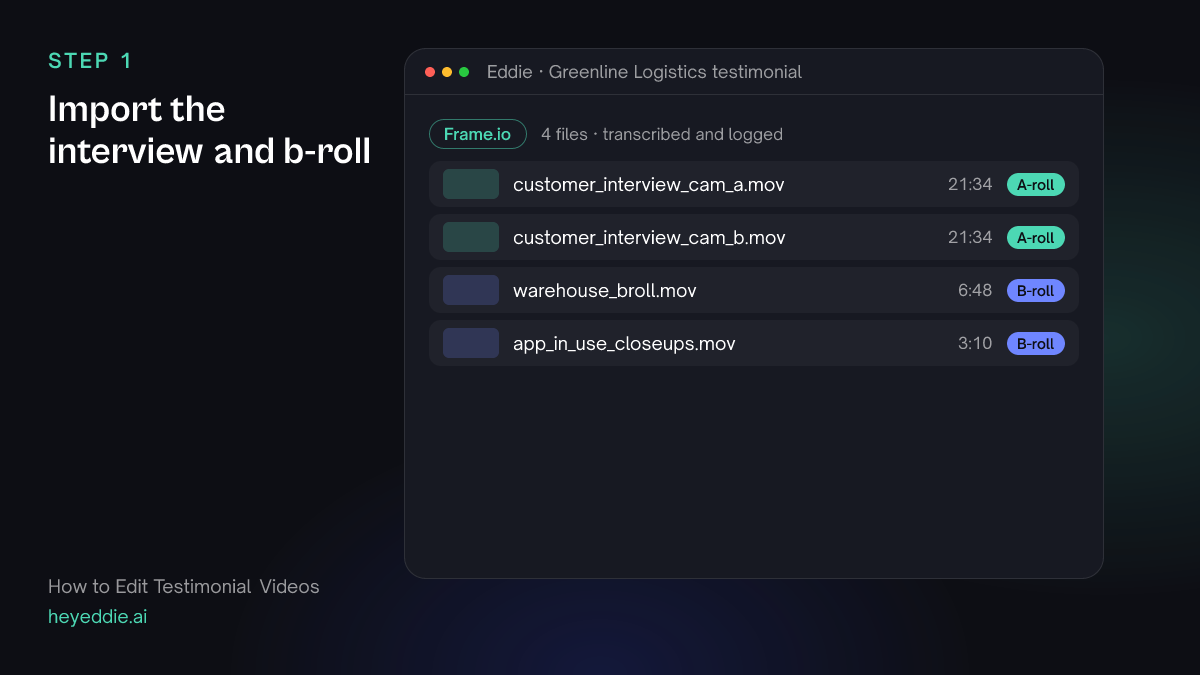
Upload the interview cameras and the b-roll of the customer at work. Two cameras give you a cut point every time you trim; Eddie syncs them by sound.
What Eddie does
- Transcribes the interview and groups the two cameras.
- Logs the b-roll by what each shot shows.
What you get: The whole interview, searchable, with both angles ready.
Step 2
Find the problem, the change and the proof
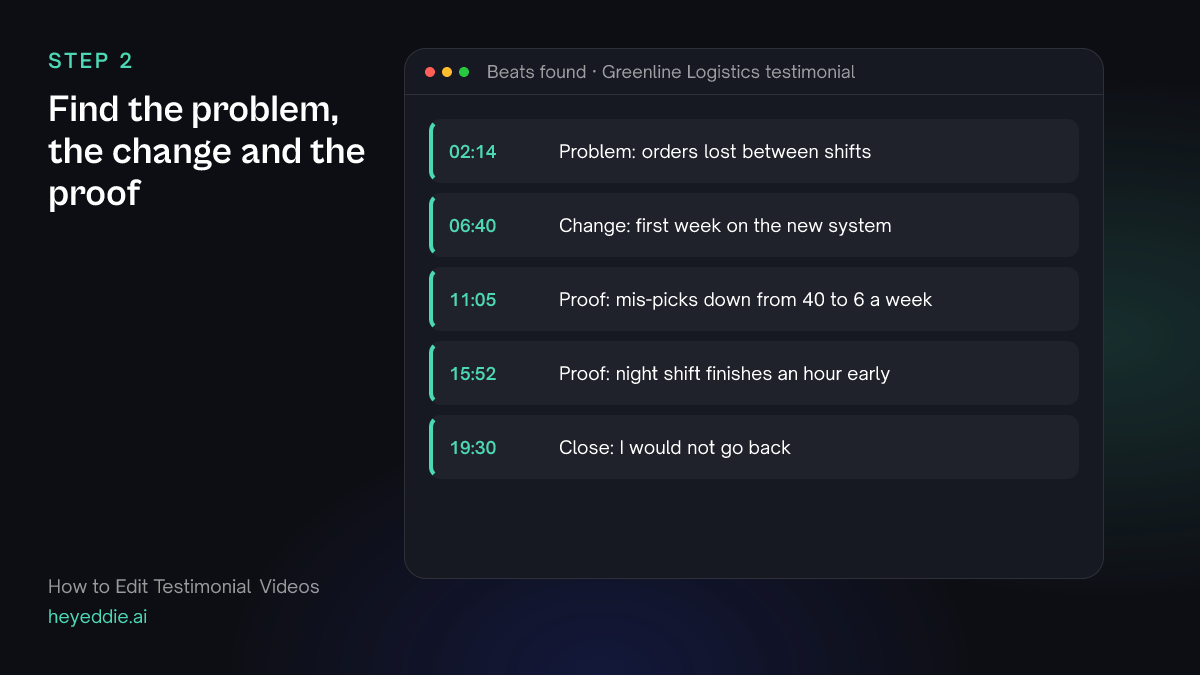
Ask for the three beats by name, and ask for the line with a number in it. That line is your proof, and it often comes late in the interview.
What you type “Find where the customer describes the problem before they used us, the moment things changed, and every line with a number or a concrete result. List them with timestamps.”
What Eddie does
- Searches the transcript for each beat and for lines with figures.
- Returns the passages with timestamps and context.
What you get: The raw material for every version you will make.
Step 3
Cut the 60-second version
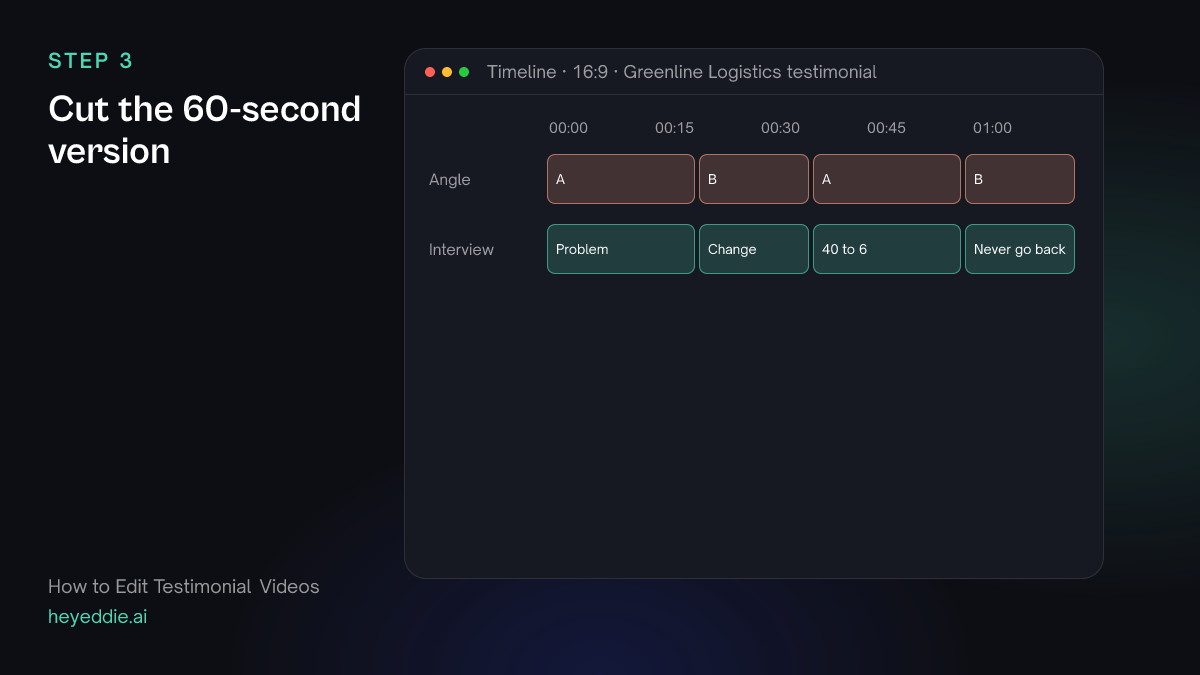
Build the hero version first, in the order problem, change, result. End on the line that sounds most like a recommendation.
What you type “Make a 60-second testimonial: problem, then the change, then the mis-picks number, ending on "I would not go back". Cut between the two cameras on each trim, and natural pacing.”
What Eddie does
- Builds the edit in the three-beat order from the passages you chose.
- Switches camera angle at the cuts, so trims inside an answer do not jump.
What you get: A testimonial that tells a complete story in a minute.
Step 4
Add the name, captions and b-roll
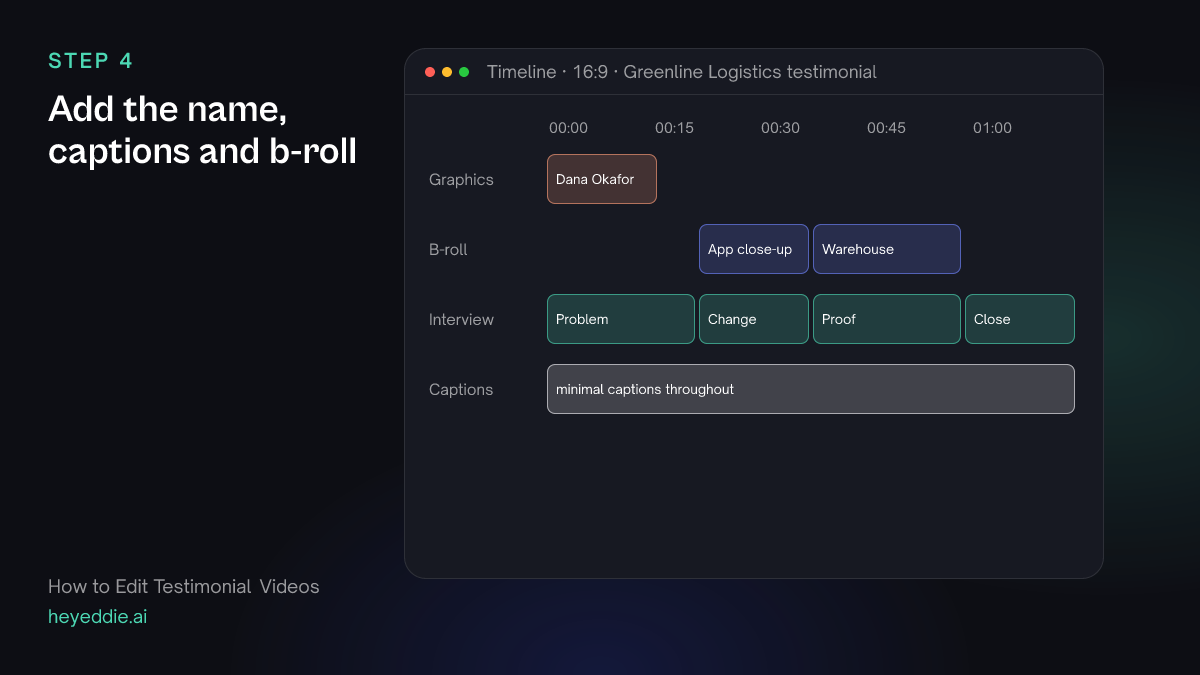
A testimonial without a name is not credible. Add a lower third early, captions for sound-off viewing, and b-roll of the product in use over the change and the proof.
What you type “Add a lower third "Dana Okafor, Operations Manager, Greenline Logistics" at the first shot, minimal captions at the bottom, and put the app close-ups over the part about the new system and the warehouse shots over the result.”
What Eddie does
- Adds the lower third from its graphics templates.
- Adds captions from the word timings.
- Places your b-roll over the matching beats.
What you get: A finished hero testimonial.
Step 5
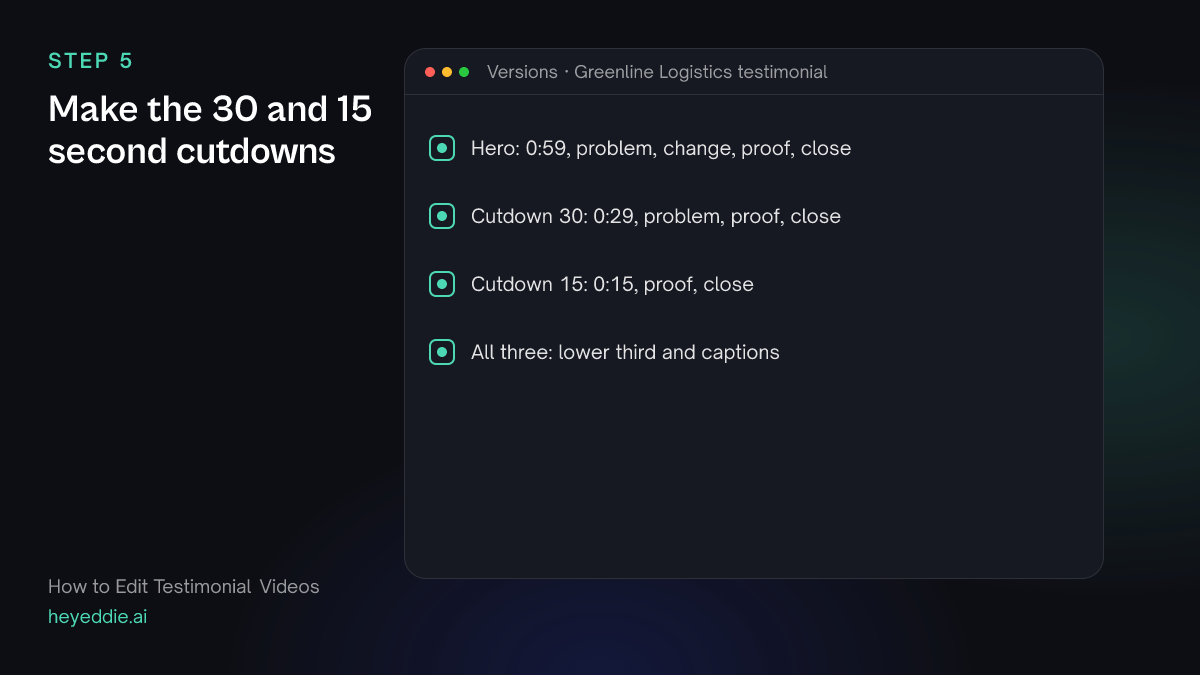
Make the 30 and 15 second cutdowns
Shorter placements need the proof line and little else. Make each cutdown its own edit so the hero version stays as it is.
What you type “Make a 30-second version with one line of problem, the mis-picks number and the closing line, and a 15-second version with only the number and the closing line. Keep the lower third and captions on both.”
What Eddie does
- Builds two new edits to the lengths you named.
- Reports each length, so you know it fits the placement.
What you get: Three lengths from one interview.
Step 6
Export
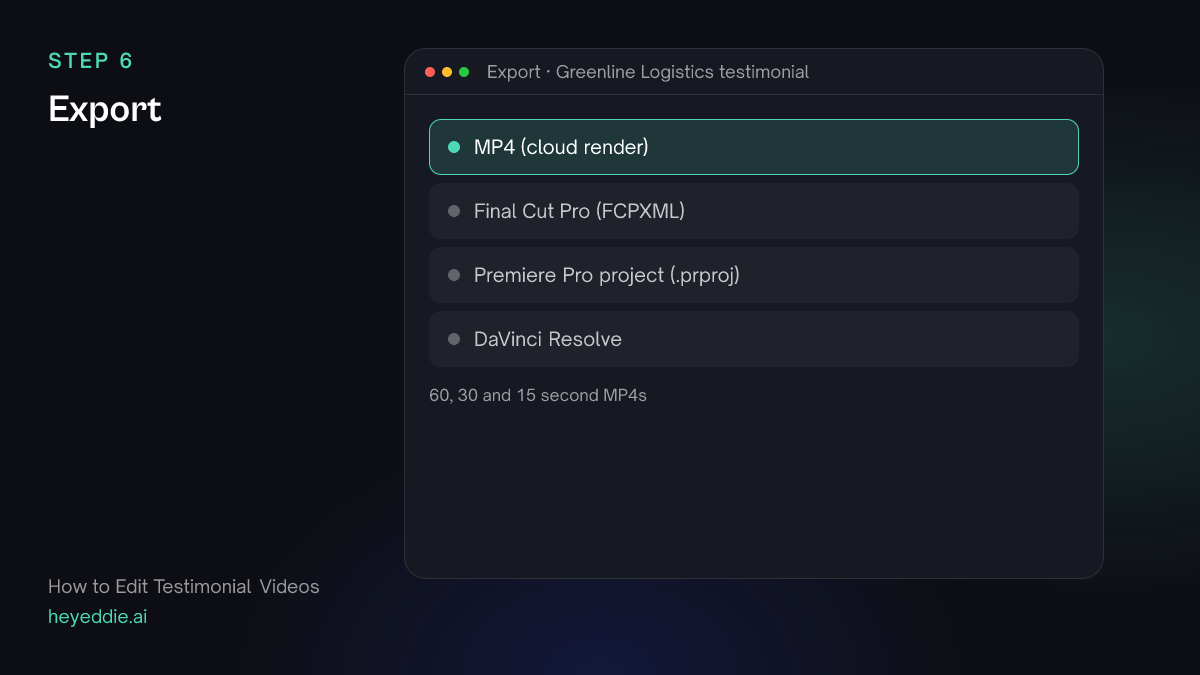
Export MP4s for the website, ads and the sales team, and a timeline if your designer adds the final graphics.
What you type “Export all three versions as 1080p MP4s, and the hero version as a Final Cut Pro timeline.”
What Eddie does
- Renders each edit in the cloud.
- Writes an FCPXML timeline that points at the original media.
What you get: Every placement covered.
What makes it work
- Ask about the before
- In the interview, ask what life was like before the product. The problem beat is what makes the result matter, and customers rarely volunteer it.
- Keep their words, not your copy
- A customer saying "it just works now" is more convincing than a polished sentence. Do not ask Eddie to make it sound better; ask it to find the best line.
- The number goes near the end
- Put the concrete result late in the hero version and early in the 15-second version. A short ad has no time to build up to it.
- Show the product in use
- B-roll of the customer actually using the product is proof in pictures. Stock footage of generic offices weakens the claim.
Questions
- How long should a testimonial video be?
- Sixty to ninety seconds for a website, and 15 to 30 seconds for ads. Make the long version first and cut down from it.
- Can I make testimonials from a Zoom interview?
- Yes. A recorded call imports like any video. Eddie can crop the customer's video to a close-up and add a vertical version for social.
- Can Eddie combine several customers in one video?
- Yes. Import every interview into the same project and ask for a montage, for example the strongest proof line from each customer.
- Will Eddie change what the customer said?
- No. Eddie cuts between the customer's real words; it does not rewrite or synthesise their voice.