How-to guidesUGC ads
How to Edit UGC Ads
A UGC ad is tested, not finished. The first three seconds decide whether anyone watches, so you want several hooks in front of the same body and you let the numbers choose. The edit has to be fast and repeatable, and it has to look like a person talking, not an advert. This guide covers the creator-ad workflow for paid social.
The short answer
Have the creator record three to five different hooks and the body of the ad, then keep the best take of each line and build one version per hook with the same body. Cut tight, add punchy captions, product b-roll over the claims and light music, all in 9:16. Eddie builds each variant from a prompt, so testing five hooks costs five prompts instead of five edits.
What you will end up with
- Four versions of the same ad, each with a different hook.
- The best take of every line, cut tight.
- Punchy captions with the spoken word highlighted, and product b-roll over the claims.
- 9:16 MP4s ready for TikTok, Reels and Shorts ads.
Step by step
Step 1
Import the creator's takes
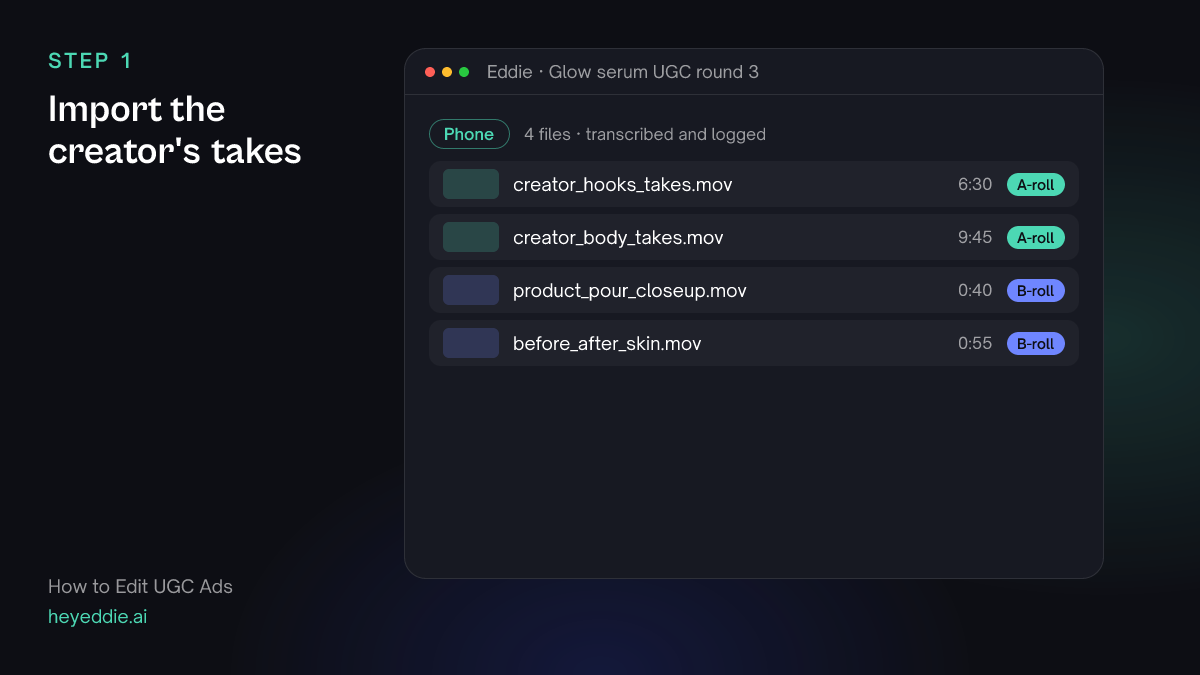
Upload the hook takes, the body takes and the product shots. Creators usually film on a phone in 9:16; that is ideal.
What Eddie does
- Transcribes the takes so each hook and line can be found by its words.
- Logs the product shots by what they show.
What you get: Every hook and every line, searchable.
Step 2
Build the body once
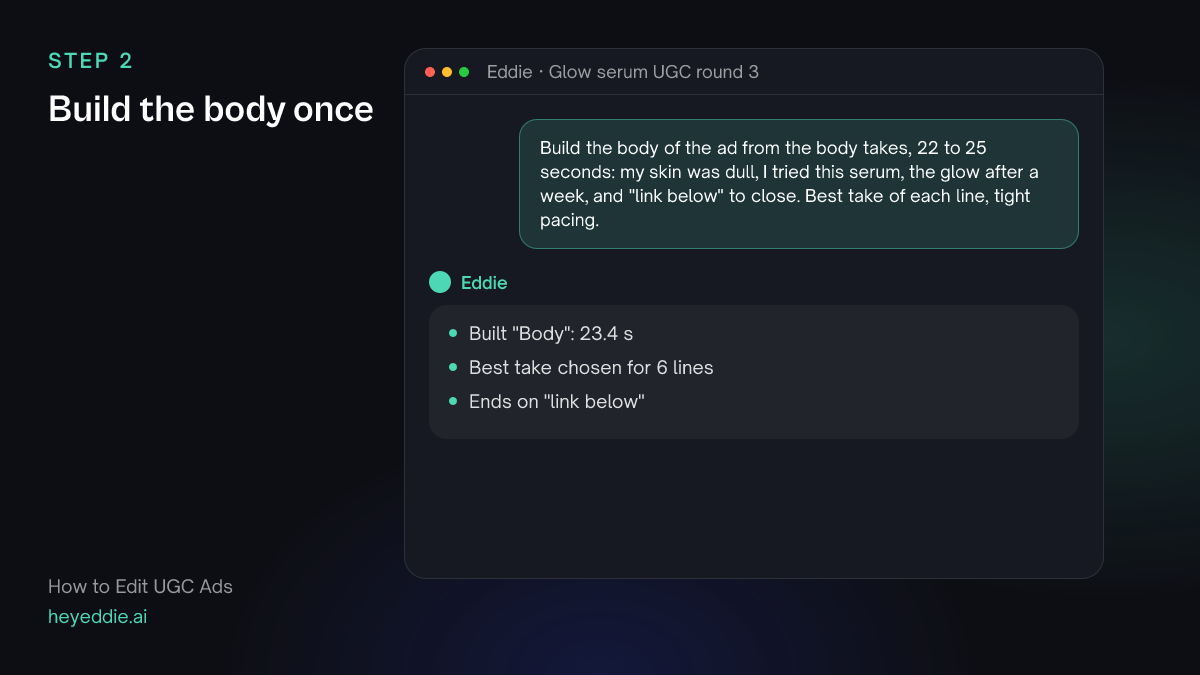
The body is the same in every variant: the problem, the product, the result, the call to action. Build it first with the best take of each line.
What you type “Build the body of the ad from the body takes, 22 to 25 seconds: my skin was dull, I tried this serum, the glow after a week, and "link below" to close. Best take of each line, tight pacing.”
What Eddie does
- Keeps the best delivery of each line and closes the pauses.
- Reports the length so you know there is room for a hook.
What you get: A tight body to put each hook in front of.
Step 3
Make one version per hook
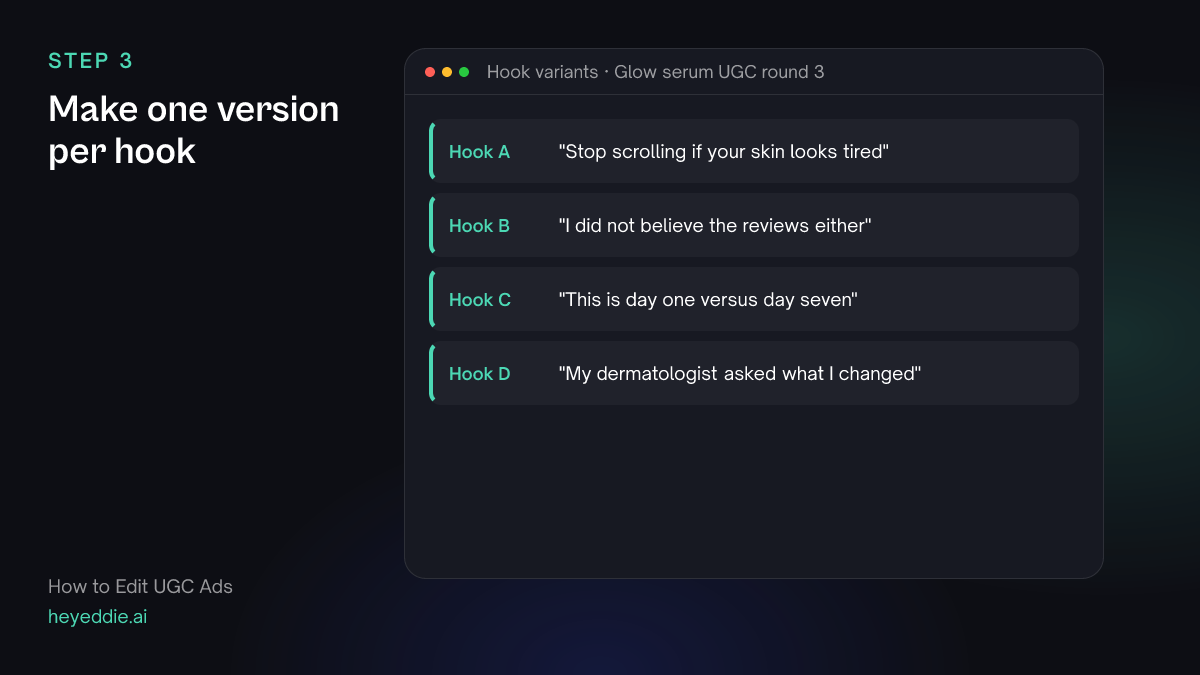
Each variant is a hook plus the same body. Ask for them together, named by hook, so the results are easy to compare in your ads manager.
What you type “Make 4 versions of the ad, each starting with a different hook from the hook takes, followed by the body. Name them "Hook A" to "Hook D" after the first words of each hook. Keep each hook under 3 seconds.”
What Eddie does
- Builds four edits that share the body and differ in the hook.
- Names each edit after its hook and reports each length.
What you get: Four ads ready to test against each other.
Step 4
Add captions, b-roll and music
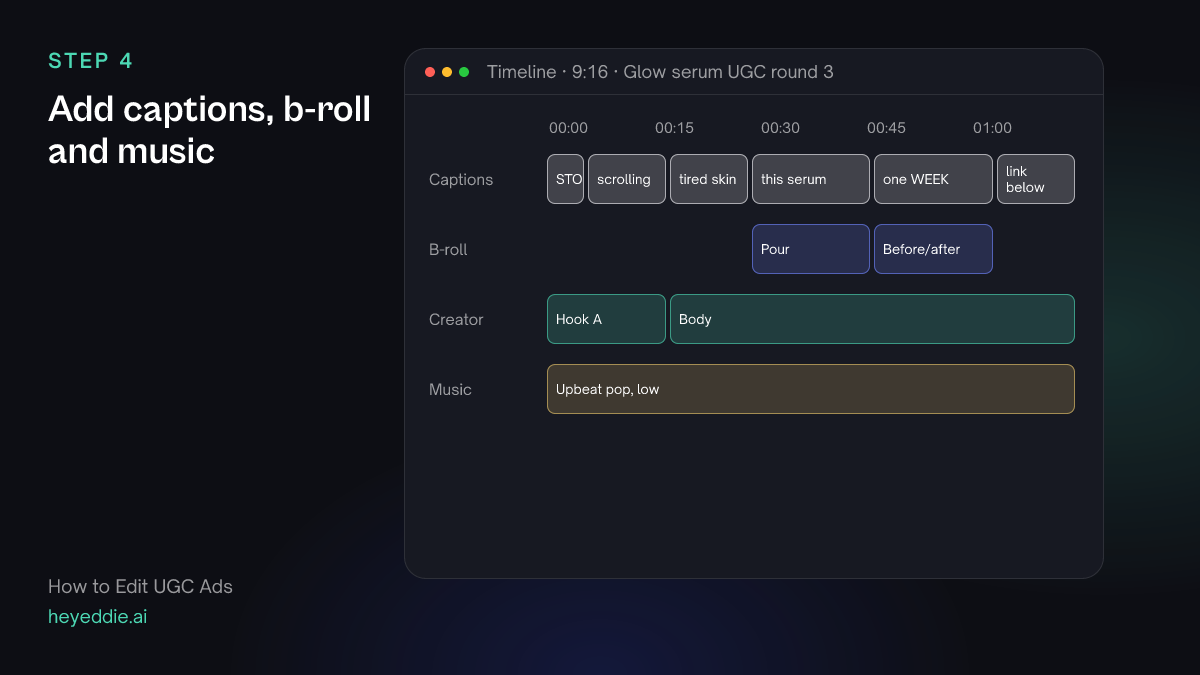
Most ads play muted at first. Punchy captions carry the message, product shots prove the claims, and light music keeps the energy up.
What you type “On all 4 versions, add punchy captions with the active word highlighted, put the product pour shot over "I tried this serum" and the before-and-after over "the glow after a week", and add an upbeat pop track low under the voice.”
What Eddie does
- Adds the same captions, b-roll and music to every variant.
- Ducks the music under the creator's voice.
What you get: Four finished variants that differ only in the hook.
Step 5
Export the variants
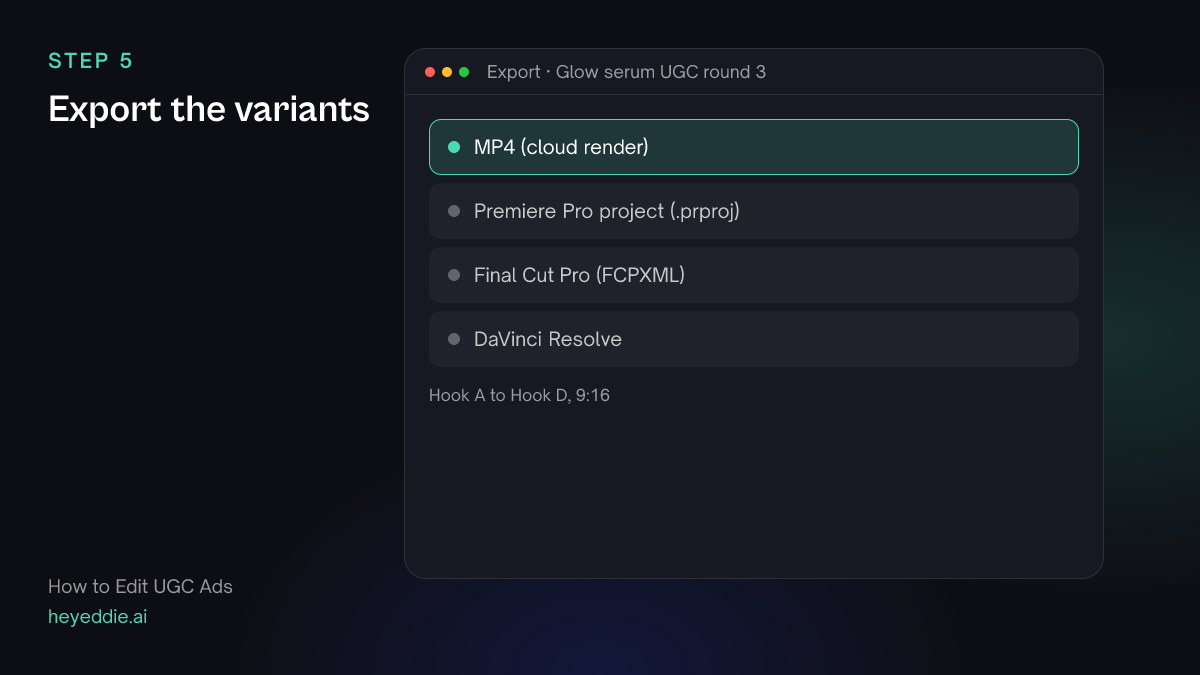
Export all four as vertical MP4s. Upload them to the same ad set so the platform tests the hooks for you.
What you type “Export all 4 versions as 1080 by 1920 MP4s with web loudness, named by hook.”
What Eddie does
- Renders each variant in the cloud.
- Returns one download link per variant.
What you get: A hook test ready to launch.
What makes it work
- Test hooks, not bodies
- Changing the hook and keeping the body the same tells you which hook works. Changing both tells you nothing.
- Keep the creator's voice
- UGC works because it sounds real. Choose the best take, but do not polish out every natural pause and laugh.
- Captions are the ad on mute
- Highlight the words that sell, like the result and the call to action, so the ad works before anyone taps for sound.
- Prove claims with real footage
- Use the creator's own before-and-after and product shots. Stock or generated shots weaken a claim about real results.
- Name variants by what changed
- Name each edit after its hook, not "version 2". When the results come back from the ad platform, you can see at once which opening line won.
Questions
- How many hook variants should I test?
- Three to five is a practical start. Eddie builds each variant from the same body, so more variants cost more prompts, not more editing time.
- Can Eddie choose the best take from several creators?
- Yes. Import every creator's takes into one project and ask for the best version of each line, or one ad per creator.
- Can I make a 16:9 version for YouTube ads?
- Yes. Ask for a landscape version of any variant. Footage shot vertically will be fitted to the wider frame.
- Can I reuse the same edit style for every campaign?
- Yes. Save the look, including caption style, pacing and music, and apply it to the next round.
- Can Eddie add a product logo or offer card at the end?
- Yes. Ask for an end card with your logo and the offer, as a title or a template graphic, and Eddie adds it to every variant.