
On this page
In Summary The best Gling alternative depends on what you need after the silences and bad takes are gone. For one-click cleanup, VEED's Magic Cut or Wisecut. For cleanup without leaving your editor, Premiere Pro's Text-Based Editing. For multicam podcasts, AutoPod. For editing by deleting words, Descript. For cleanup that turns into a story-led rough cut you finish in Premiere Pro, DaVinci Resolve or Final Cut Pro, Eddie AI. Every competitor fact below was checked on that company's own site on 6 November 2026.
The short answer
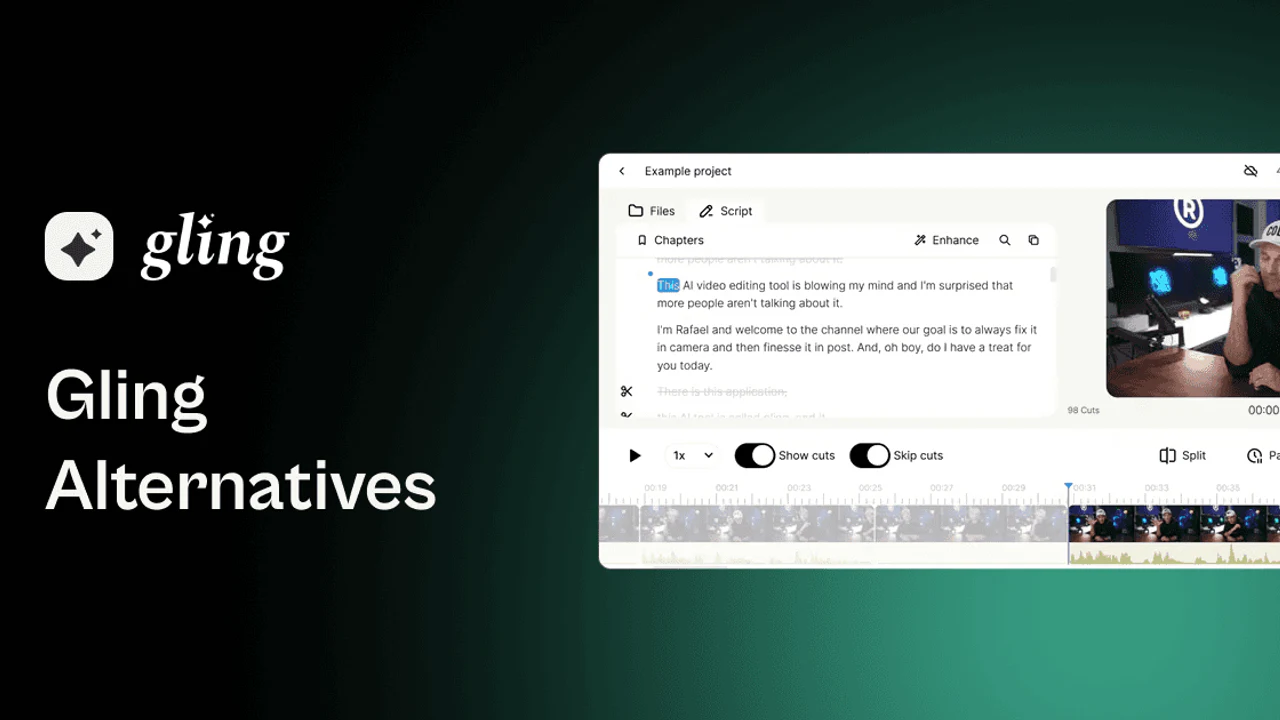
Gling is a cleanup tool for YouTube creators. Its own site says it removes bad takes, silences and filler words, and adds AI captions, noise removal, auto framing, titles and chapters. If that is all you need, Gling may still be the right buy.
People look for an alternative when they hit one of three walls: they want to stay inside their editor, they shoot multicam and export to Premiere Pro, or they need the edit to become a story and not just a cleaner take. Each of the six tools below fixes a different one of those walls. Pick by the wall you hit.
The 6 Gling alternatives at a glance
Checked on each vendor's own pages on 6 November 2026. Prices change, so confirm on the vendor's site before you buy.
| Tool | Pick it when you need | Cleanup | Where the edit ends up | Price (checked 2026-11-06) |
|---|---|---|---|---|
| Gling (for reference) | Fast cleanup of solo YouTube videos | Bad takes, silences, filler words | XML to Premiere Pro, Final Cut Pro or Resolve on paid plans; MP4 or MP3 | Free (1 hour a month, watermark); Plus $20/month or $10/month paid annually |
| Eddie AI | Cleanup plus a story-led rough cut from interviews | Filler words removed by name; pause length set by pacing | Final Cut Pro, DaVinci Resolve, native Premiere Pro project, Premiere XML, OpenTimelineIO or a rendered MP4 | Credit packs from $10, 500 free credits, no subscription required; optional yearly plan |
| Descript | Editing video by deleting words in a transcript | Remove Filler Words, Remove Retakes | Timeline export to Premiere and Final Cut Pro on Creator and Business plans | Free plan; Hobbyist $16 to $24 per person a month depending on billing |
| Premiere Pro Text-Based Editing | Cleanup without leaving Premiere | Filter the transcript for filler words or pauses, then Delete all | It is already your timeline | Part of Premiere Pro |
| AutoPod | Automatic multicam switching for video podcasts | Jump Cut Editor cuts on silence at a decibel cutoff you set | Plug-ins for Premiere Pro, and a DaVinci Resolve version | $29/month per license, 30-day free trial on monthly billing |
| VEED | One-click cleanup with captions in the same editor | Magic Cut trims pauses, filler words, mistakes and silences | Export from VEED's editor | Magic Cut is on all plans, including Free |
| Wisecut | Automatic cleanup plus shorts and background music | Clean Edit removes false starts, repeated takes and long pauses | Export from Wisecut | Free (30 min a month, 480p); Starter+ $33/month billed monthly |
Gling's limits worth knowing before you switch
These come from Gling's own pricing page and FAQ, checked 6 November 2026. They are the reasons most people start looking.
- The free plan does not export to your editor. Gling's FAQ says free exports carry a watermark and "you won't be able to export to Premiere, Final Cut or Resolve."
- Multicam and a separate mic work only for Resolve and Final Cut Pro. If you export to Premiere or as MP3 or MP4, Gling's FAQ says you have to sync the cameras before you upload the synced file.
- Hours reset every month. Plus covers 10 hours of footage a month, Pro 30 and Elite 100. Gling says unused hours do not pass to the next month.
- It needs speech. Gling says it works from speech-to-text, so footage without speech gets little out of it.
If none of those affect you, Gling is a reasonable choice. If one does, the sections below say which tool removes it.
How to choose a Gling alternative
Start from the job after the cleanup, not from the feature list.
- You just want the dead air gone, fast. VEED's Magic Cut is one click on a clip in the timeline. VEED's help center says it removes silences, filler words, repeated mistakes and awkward pauses, that it is on every plan including Free, and that it supports English only. Wisecut's Clean Edit does a similar job and adds automatic background music that ducks under speech.
- You want to stay in Premiere Pro. Text-Based Editing is built in. Adobe's guide says to open the Text-Based Editing workspace, select the filter icon in the Transcript panel, choose Filler words or Pauses, then Delete for one instance or Delete all for every one. Our Premiere Pro guide to removing filler words and guide to removing silence walk through it.
- You edit multicam podcasts. AutoPod's Multi-Camera Editor works for up to 10 cameras and 10 microphones. Its FAQ is clear on the catch: it needs a separate audio track for each speaker and does not work with a single speaker. It runs in Premiere Pro 2023 or newer, and AutoPod now offers a DaVinci Resolve version.
- You want to edit by deleting words. Descript transcribes your recording so that deleting a word deletes that moment of video. Remove Filler Words and Remove Retakes are built in. Timeline export to Premiere and Final Cut Pro is listed on the Creator and Business plans only. Our Eddie vs Descript comparison goes further.
- You want the cleanup to lead to a story. That is the job Eddie was built for: it does the word-level cleanup, then builds the rough cut and hands it back to your editor.
For a straight two-way comparison, read Gling vs Eddie AI. If short clips are part of the decision, read Gling vs OpusClip vs Eddie AI.
What Eddie does with the same cleanup work
If you come to Eddie from a cleanup tool, the cleanup is still there. It is driven by the transcript.
- Filler words, removed by naming them. Ask for every "um" and "you know" in a source and Eddie marks each one as deleted at word level, so later cuts skip them. The removal is reversible. See how to remove filler words from an interview.
- Pauses kept to the pace you choose. When Eddie builds a cut, a pacing setting (tight, natural or breathy) sets how much of each closed pause the cut keeps. If a cut feels rushed, Eddie can put back the pause between two segments.
- Noise and captions. Eddie removes wind, hum, background noise or music from under the voice with a voice-isolation model. It adds captions from the transcript's word timings, and leaves filler words out of the caption text by default.
- The rough cut, not just a cleaner file. Eddie picks soundbites across one or more interviews to build a rough cut from a brief, with an optional target length. Ask for more of one interviewee, a topic or faster cuts.
- Multicam without presyncing. Bring in multicam clips you built in Premiere, Resolve or Final Cut Pro, or let Eddie sync and align your sources. Eddie hears the voices and sees the faces, so it can cut to the camera of whoever is talking. See multicam.
- Your editor at the end. Export to Final Cut Pro, DaVinci Resolve, a native Premiere Pro project, Premiere XML or OpenTimelineIO, or render an MP4 in the cloud. In Premiere the sequence comes back pointing at your original files. See the Premiere Pro, DaVinci Resolve and Final Cut Pro workflows.
You can run all of this in the Eddie web app, or ask for it from Claude or ChatGPT through the Eddie connector. For solo-to-camera material, the closest guide is how to edit talking head videos.
How Eddie is priced
Eddie is pay-as-you-go, with no subscription required. New accounts start with 500 free credits, packs start at $10 for 1,000 credits, and packs never expire. Every feature is in every pack. If you edit regularly, there is an optional yearly plan with a lower price per credit. Importing runs about 250 credits per hour of footage. See pricing.
What Eddie will not do
- It is not a one-click cleanup button. You ask for the cleanup in words, and Eddie edits from the transcript. If one button on one solo video is all you want, VEED, Wisecut or Gling is the simpler tool.
- It does not replace watching the cut. You still review it before it goes out.
- It does not finish the film. Colour, sound and titles stay in your editor.
FAQ
What is the best Gling alternative?
It depends on the job after the cleanup. For one-click cleanup, VEED's Magic Cut or Wisecut. For cleanup inside Premiere Pro, its Text-Based Editing. For multicam podcasts, AutoPod. For a transcript-first editor, Descript. For cleanup plus a story-led rough cut you finish in your editor, Eddie AI.
Is there a free Gling alternative?
Several have free tiers. VEED says Magic Cut is on its Free plan. Wisecut has a free plan with 30 minutes a month at 480p. Descript has a free plan with 1 hour of media a month. Eddie gives every new account 500 free credits, about half an hour of footage imported and edited, with no card needed.
What is the best Gling alternative for Premiere Pro?
If you only need cleanup, Premiere's own Text-Based Editing deletes filler words and pauses in bulk. For multicam podcasts in Premiere, AutoPod. If you want a rough cut back in Premiere, Eddie exports a native Premiere Pro project or Premiere XML that points at your original media.
Is there a Gling alternative for multicam footage?
Yes. Gling handles multicam only when you export to Resolve or Final Cut Pro. AutoPod switches cameras automatically in Premiere Pro or Resolve when each speaker has their own audio track. Eddie imports multicam clips or syncs the sources itself, and cuts to whoever is talking.
Is there a Gling alternative without a monthly subscription?
Eddie. It is pay-as-you-go with no subscription required, and credit packs never expire. A yearly plan is optional.
Can Eddie remove silences and filler words like Gling?
Yes. You name the filler words and Eddie cuts every occurrence at word level, reversibly. When it builds a cut, the pacing setting decides how much of each pause it keeps.
Can I use a Gling alternative from ChatGPT or Claude?
Eddie works from both through its connector, so you can ask for the cleanup and the cut in a chat. See how to edit video with Claude and how to edit video with ChatGPT.
How is Eddie different from Gling?
Gling is cleanup-first. Eddie treats cleanup as the start and builds the story-led rough cut from there. For a side-by-side, read Gling vs Eddie AI.
Sources
All checked on 6 November 2026.
- Gling, home page and pricing and FAQ
- Descript, pricing, home page and Remove Filler Words
- Adobe, Detect and delete pauses in transcripts and Overview of Text-Based editing
- AutoPod, home page and pricing and FAQ
- VEED, How to use our Magic Cut tool
- Wisecut, home page and pricing