
Features
- Rough cuts
- Multicam
- A-roll logging
- B-roll logging
- Speaker identification
- Scripted edits
- Social clips
- Exports to your editor
- Styles and color
- Motion graphics
- Captions & titles
- Stock B-roll
- Generate video
- Generated music
- Voiceover
- Dubbing
- Transcription in 97 languages
- Web app
- Mac and Windows
- Claude & ChatGPT
- Recipes
- Agents
- API + MCP
Solutions
Resources
How to Make a Podcast Trailer
A trailer is not a clip. A clip sells one episode to people who already follow you; a trailer sells the whole show to people who have never heard of it. That changes what you choose: lines that make sense with no context, from several guests, and a clear sentence about what the show is. This guide starts from a few published episodes and a short intro recorded by the host.
The short answer
A podcast trailer is 30 to 90 seconds that tells a new listener what the show is, who hosts it and why it is worth their time. Open cold on the single best line from your episodes, let the host say in one or two sentences what the show is about, play two or three short moments from different guests, and end on the show name, when new episodes come out and where to listen. Put music under it that builds to the end. Eddie searches every episode for the lines, assembles the trailer to your length, adds the music, title cards and logo, and makes a vertical version for social.
The deliverables
What you will end up with
- A shortlist of lines from several episodes that make sense with no context.
- A 60-second trailer: cold open, host intro, guest moments and the show name.
- A music build with the guest lines cut on the beat, title cards and the logo at the end.
- A 30-second vertical version for social and a project file for the final mix.
6 steps
Step by step
- 01Import the episodes and a host intro
- 02Shortlist lines that need no context
- 03Build cold open, intro, voices and close
- 04Add the music, the cards and the logo
- 05Make a vertical version for social
- 06Get fresh-ears notes and export
Step 1
Import the episodes and a host intro
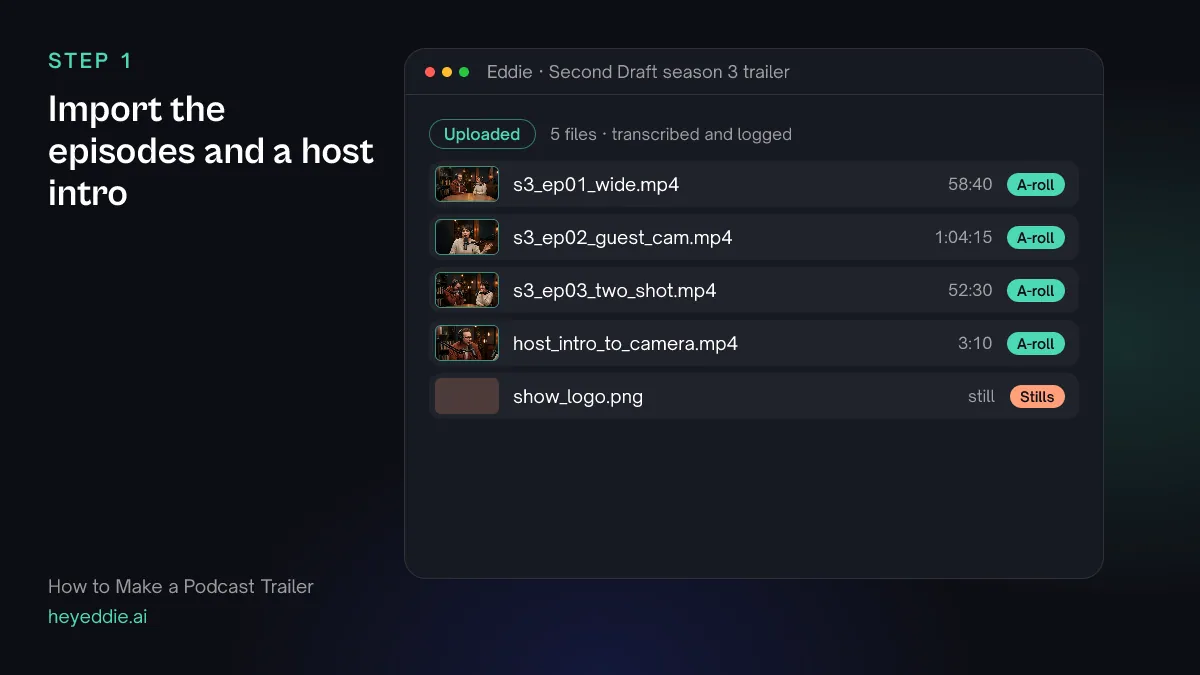
Upload the episodes you want to draw from and a short intro the host records to camera: one or two sentences on what the show is and who it is for. Record it fresh. A line lifted from an episode rarely says it cleanly.
What Eddie does
- Transcribes every episode and the intro, and names the speakers, which you can correct.
- Keeps the logo in the project, ready for the end card.
What you get: Hours of conversation, searchable in one project.
Step 2
Shortlist lines that need no context
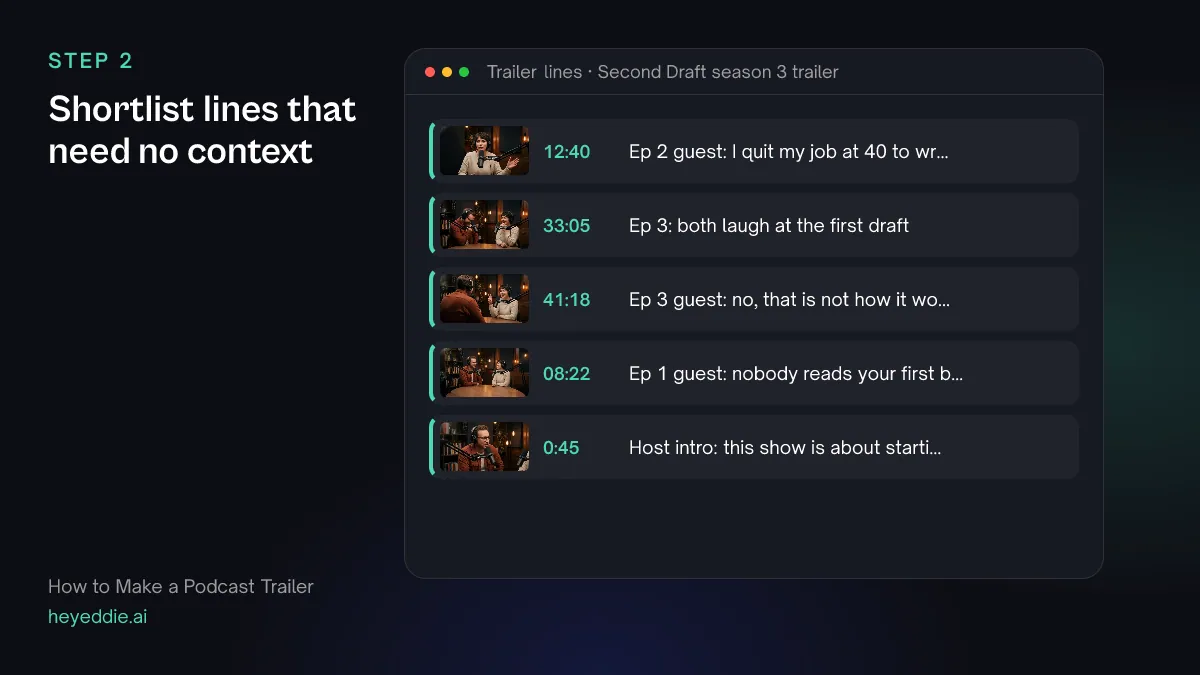
A trailer line has to land for someone who has not heard the episode. Ask for short, complete lines: a surprising claim, a strong opinion, a laugh. Ask for more than you need, from different guests.
What you type “Analyse the three episodes for emotional moments, then give me 10 lines under 12 seconds that make sense with no context: surprising claims, strong opinions and laughs, from at least three different guests. List each with the speaker, episode and timestamp.”
What Eddie does
- Analyses the episodes for observable moments, such as a laugh or a long pause, and records them with timestamps. This uses credits per hour of footage analysed.
- Searches the transcripts for short, self-contained lines and lists them with their source and time.
What you get: A shortlist of trailer lines from a whole season.
Step 3
Build cold open, intro, voices and close
Give the trailer its shape in one prompt. Start on a line, never on a logo. Put the host's intro second, so the listener knows what they are hearing. End on when and where.
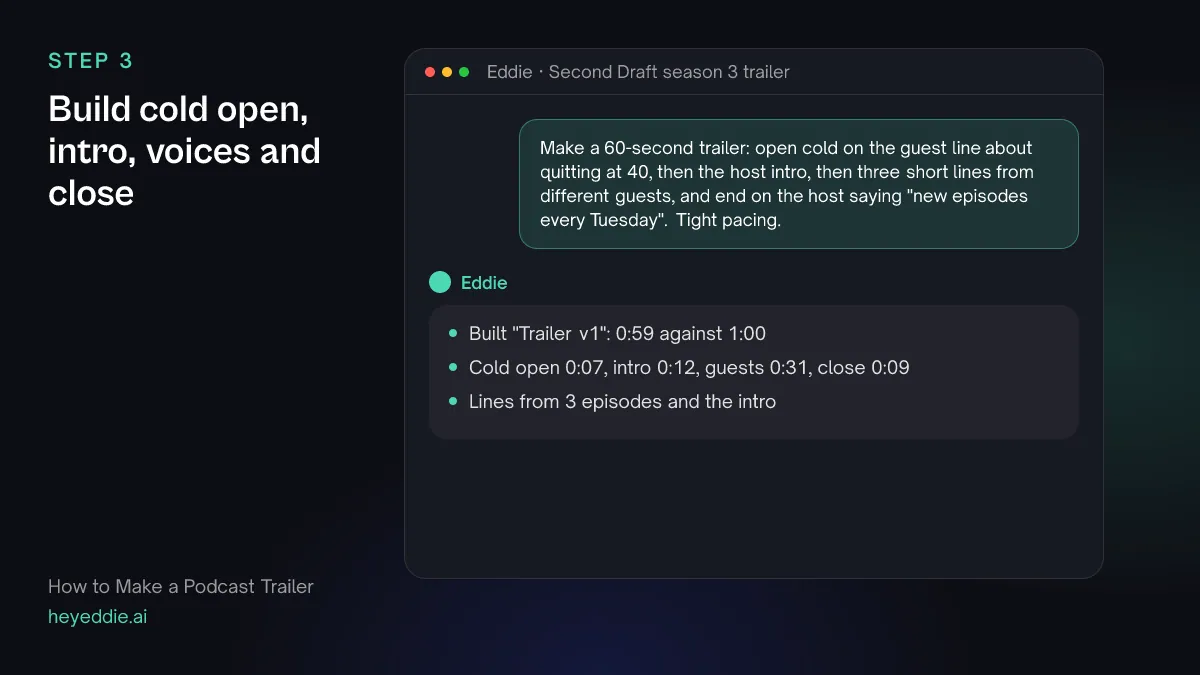
What you type “Make a 60-second trailer: open cold on the guest line about quitting at 40, then the host intro, then three short lines from different guests, and end on the host saying "new episodes every Tuesday". Tight pacing.”
What Eddie does
- Builds a new edit from the lines you named, across all the episodes, in the order you set.
- Cuts to the target length with tight pacing and reports the finished length.
What you get: A trailer with a shape, ready for music and cards.
Step 4
Add the music, the cards and the logo
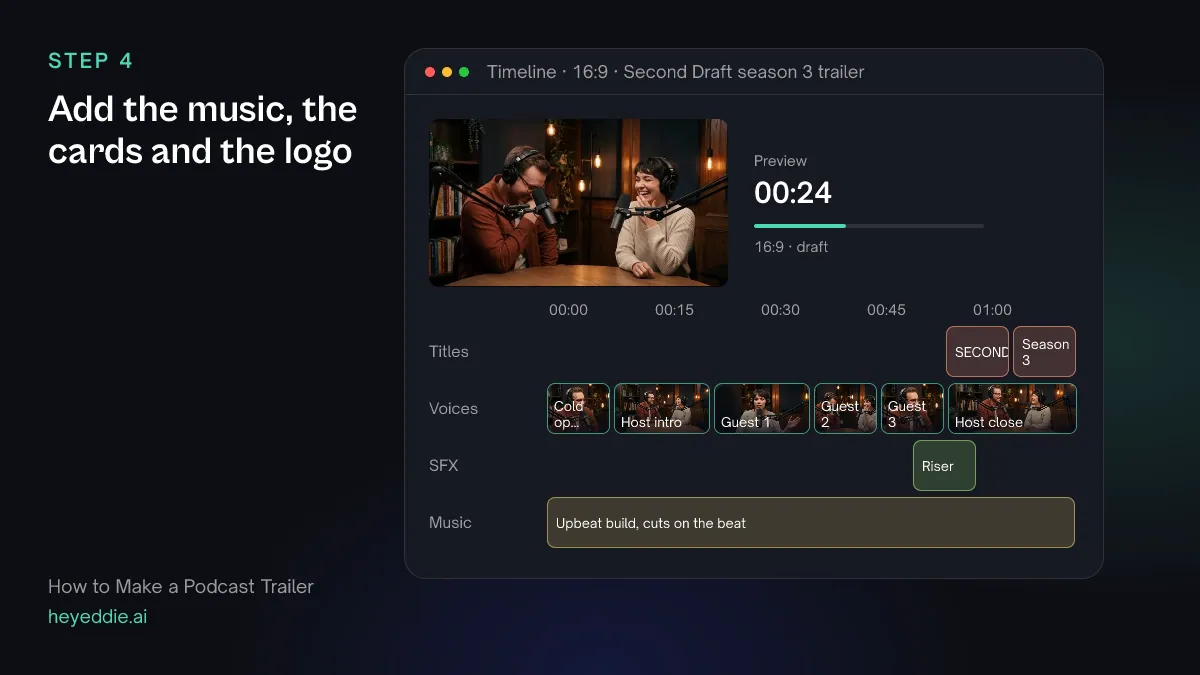
Music turns a row of quotes into a trailer. Start it low, let it build under the guest lines, and land on the show name.
What you type “Put an upbeat track from our music library under the trailer, ducked under the voices, snap the cuts between the guest lines to the beat, add a riser into the end, and add the titles "SECOND DRAFT" and "Season 3. New episodes every Tuesday" with our logo over the last 5 seconds.”
What Eddie does
- Attaches the track, lowers it under speech, measures its beat grid and moves cuts onto beats, never into the middle of a word.
- Places the riser on the sound-effects lane and writes the titles onto the title track.
- Places the project's logo as a watermark for the span you named.
What you get: A finished trailer that builds to the show name.
Step 5
Make a vertical version for social
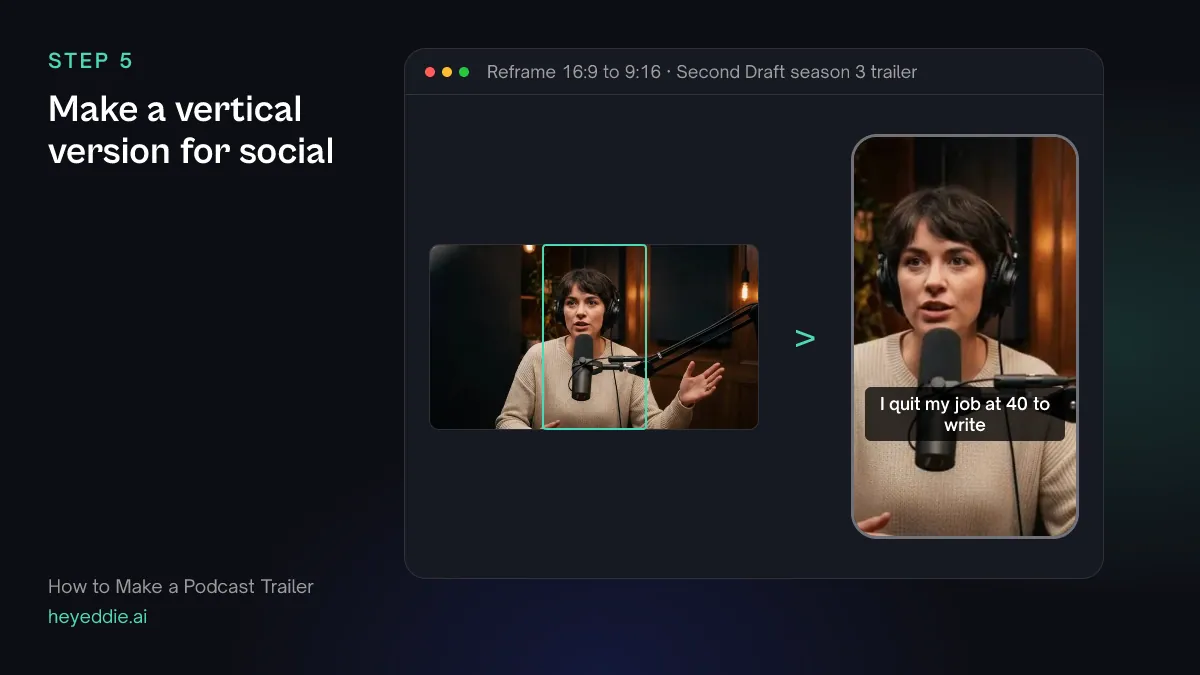
Feeds want something shorter and upright. Keep the cold open and the end card, and two of the guest lines.
What you type “Make a 30-second 9:16 version with the cold open, two guest lines and the end card, each shot cropped to the speaker's face, with social captions in the middle of the frame.”
What Eddie does
- Builds the short version as its own edit and reports its length.
- Sets a 9:16 canvas, crops each shot to the speaker's face and adds captions from the word timings.
What you get: A trailer for Reels, Shorts and TikTok.
Step 6
Get fresh-ears notes and export
You know the show too well to hear the trailer as a stranger. Ask for a review, fix what it finds, then export.
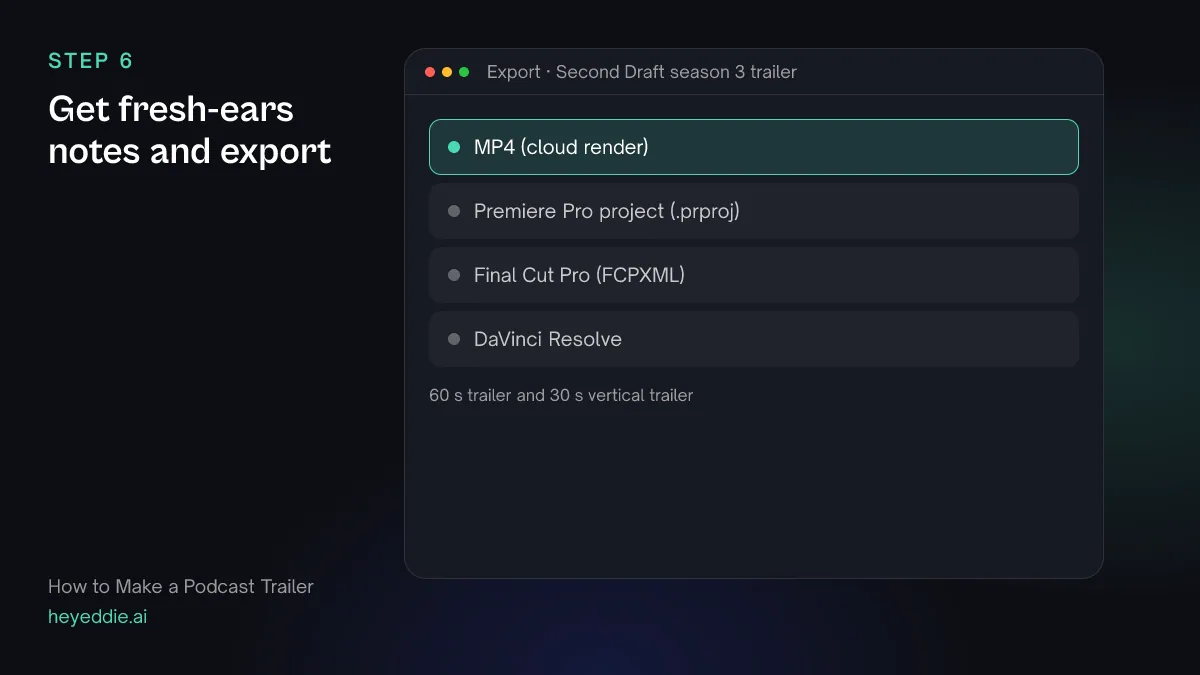
What you type “Review the 60-second trailer as someone who has never heard the show: is it clear what the show is in the first 15 seconds, and does any line need context? Then export both versions as MP4, and the 60-second one as a Premiere Pro project for the final mix.”
What Eddie does
- Renders the trailer and returns notes on the hook, story and pacing with timestamps.
- Renders the MP4s in the cloud and writes a Premiere Pro project that points at your original files.
What you get: A trailer that works for a stranger, and a project for the mix.
Craft
What makes it work
- Open on a line, not the theme tune
- A new listener decides in seconds. Start on the strongest line you have and bring the music in under it.
- Say what the show is in one sentence
- If the host cannot say it in one sentence, the trailer cannot either. Write the sentence before you record the intro.
- Use several voices
- Lines from three different guests show the range of the show. Three lines from one guest sell one episode.
- Cut lines that need the episode
- An inside joke or a reference to something said earlier confuses a stranger. If a line needs context, drop it however good it is.
- End with when and where
- The last thing a listener hears should tell them when new episodes come out and the show's name, so they can find it.
FAQ
Questions
- How long should a podcast trailer be?
- 30 to 90 seconds. Sixty seconds is a common length for the trailer in your feed and on your website, with a 30-second version for social.
- What is the difference between a trailer and podcast clips?
- A clip promotes one episode with one exchange. A trailer promotes the whole show with lines from several episodes. The podcast clips guide covers the clips.
- Can I make an audio-only trailer for my podcast feed?
- Eddie exports video and editing timelines. For an audio trailer, export the timeline to your editor and export the audio from there.
- Can I make a trailer before the show launches?
- Yes. Record a pilot conversation or two, and the host's intro, and cut the trailer from those. Recut it once real episodes exist.
- Should the trailer change each season?
- Yes. A new season usually means new guests and a new focus. Keep the structure and swap in lines from the new episodes.
- Can I use my own music?
- Yes. Use a track from your workspace music library or an audio file in the project. A trailer is promotion, so use music you have the rights to use in promotion.

Make your podcast trailer with Eddie
Sign up, add your footage and type the first prompt above. New accounts start with free credits.