
Features
- Rough cuts
- Multicam
- A-roll logging
- B-roll logging
- Speaker identification
- Scripted edits
- Social clips
- Exports to your editor
- Styles and color
- Motion graphics
- Captions & titles
- Stock B-roll
- Generate video
- Generated music
- Voiceover
- Dubbing
- Transcription in 97 languages
- Web app
- Mac and Windows
- Claude & ChatGPT
- Recipes
- Agents
- API + MCP
Solutions
How to Make a Documentary Trailer
You know the film too well to cut its trailer easily. Every scene matters to you; the trailer needs perhaps a dozen lines and thirty shots. The skill is choosing moments that make a stranger want to know what happens, and holding back the ones that answer it. This guide starts from a documentary project that already holds your interviews, b-roll and archive.
The short answer
A documentary trailer is 90 seconds to two minutes that sells a question, not the whole story. Open on an image and a line that set up the world, bring in the stakes with the strongest emotional moments from the interviews, then tease the conflict without giving away the ending. Build the music so it rises toward the end, use black and title cards between the beats, and finish on the film's title and release line. Eddie finds the emotional moments in your interviews, assembles the trailer to your target length, adds the cards, the music and the cuts on the beat, and makes the shorter versions.
The deliverables
What you will end up with
- A shortlist of the lines with the most feeling, including moments a transcript cannot show.
- A two-minute trailer in three movements: setup, stakes and tease.
- Title cards, beats of black and a music build with the cuts on the beat.
- 60-second, 30-second and vertical versions, and a review link for your producers.
6 steps
Step by step
- 01Find the lines that carry feeling
- 02Build setup, stakes and tease
- 03Add beats of black and title cards
- 04Score the build and cut on the beat
- 05Get fresh-eyes notes
- 06Cut the other lengths and export
Step 1
Find the lines that carry feeling
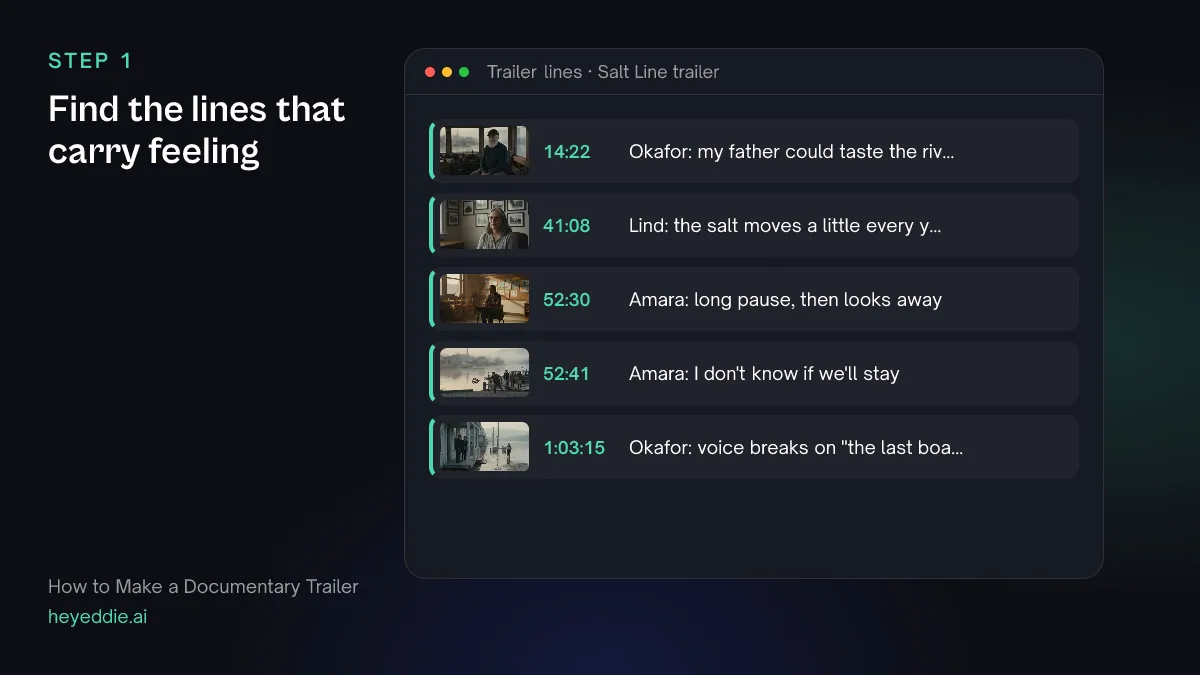
A trailer runs on emotion, and the strongest moments are often ones a transcript cannot show: a voice that breaks, a long pause, a look away. Ask for those alongside the quotable lines.
What you type “Analyse all three interviews for emotional moments, then give me the 12 lines most likely to make a stranger want to see this film: each under 10 seconds, and none that gives away the ending.”
What Eddie does
- Analyses the interview footage for observable moments, such as a voice breaking, a long pause or a look away, and records them with timestamps. This uses credits per hour of footage analysed.
- Searches the transcripts for short, self-contained lines and lists them with their source and time.
What you get: A shortlist of trailer lines in minutes, from hours of interviews.
Step 2
Build setup, stakes and tease
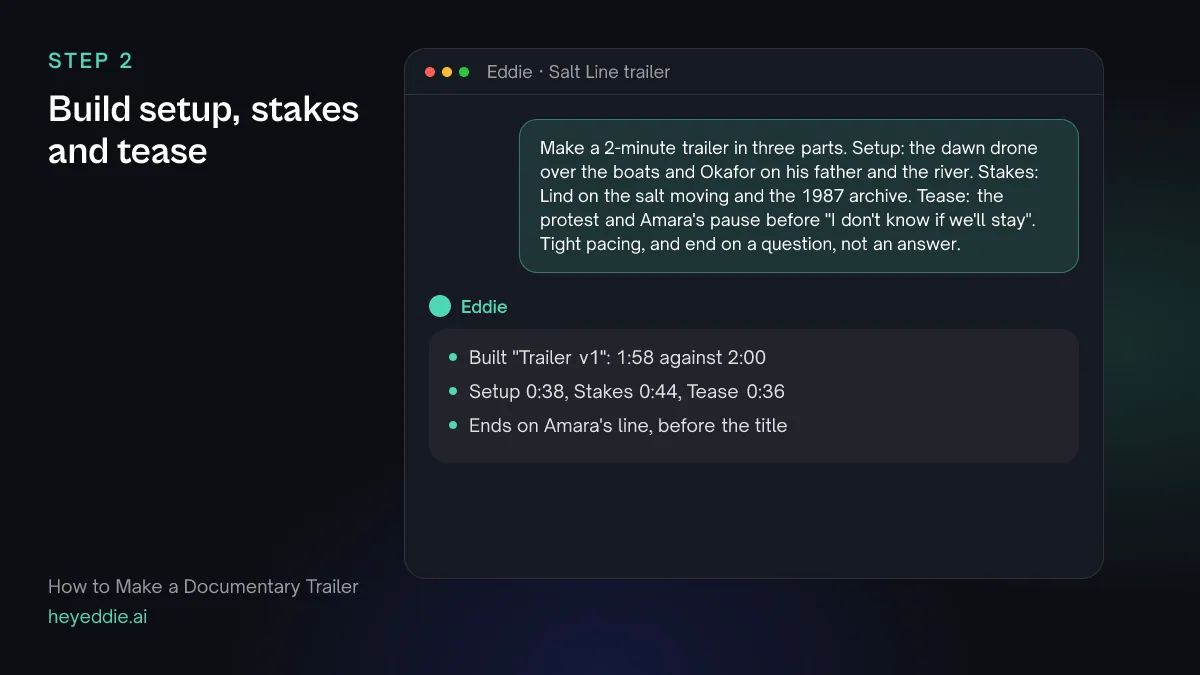
Give the trailer a shape in one prompt: what sets up the world, what raises the stakes, and what is left as a question. Name the lines and shots for each part.
What you type “Make a 2-minute trailer in three parts. Setup: the dawn drone over the boats and Okafor on his father and the river. Stakes: Lind on the salt moving and the 1987 archive. Tease: the protest and Amara's pause before "I don't know if we'll stay". Tight pacing, and end on a question, not an answer.”
What Eddie does
- Builds the cut from the lines you named to the two-minute target, with tight pacing.
- Lays your drone, protest and archive footage over the voices where they match.
- Reports the finished length against the target.
What you get: A trailer with a shape, ready for cards and music.
Step 3
Add beats of black and title cards
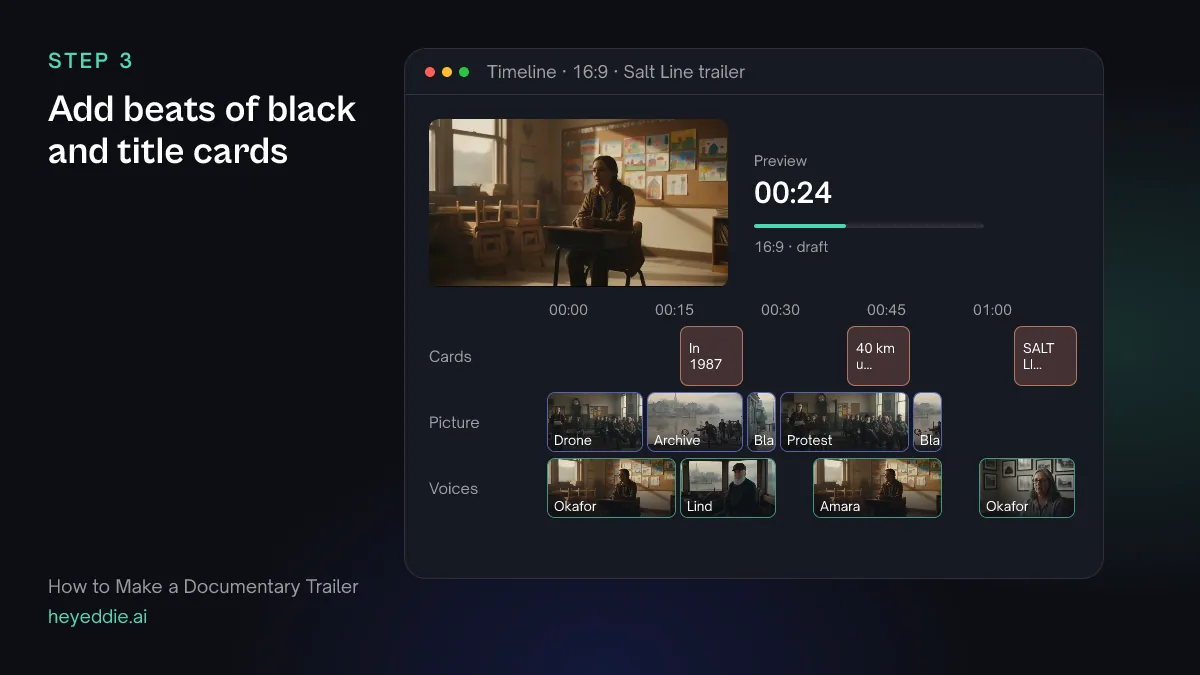
A second of black after a big line gives it time to land. Title cards carry what the voices cannot: a place, a year, the claim the film makes.
What you type “Insert one second of black after Amara's pause and after the archive, and add the cards "In 1987 the river ran fresh", "Now the salt is 40 km upstream" and, at the end, "SALT LINE" with "Coming this spring". Fade each card in.”
What Eddie does
- Inserts empty breaks of the length you give between the segments you name.
- Writes the cards onto the title track at those points, with a fade-in.
What you get: A trailer with room to breathe and the facts on screen.
Step 4
Score the build and cut on the beat
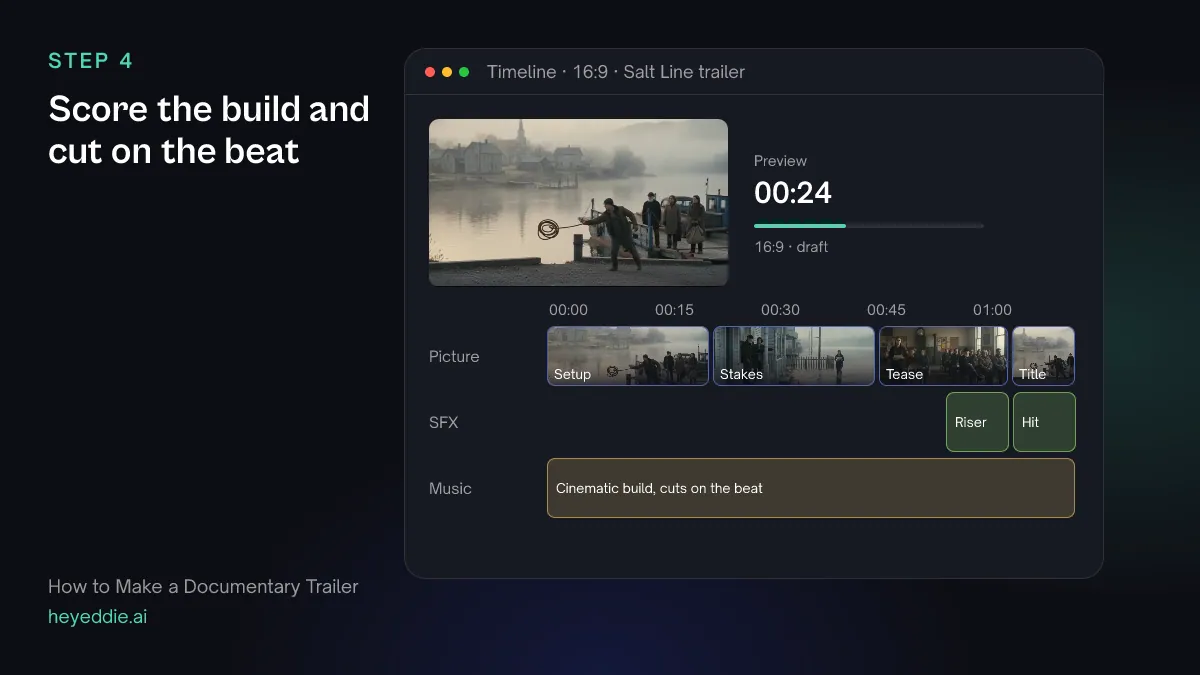
Trailer music starts low and rises into the tease. Cutting the last section on the beat makes the rise feel deliberate.
What you type “Put a slow cinematic track from our music library under the trailer, ducked under the voices, snap the cuts to the beat, and add a riser into the final title and a deep low hit on it.”
What Eddie does
- Attaches the track and lowers it under the interview lines.
- Measures the beat grid and moves cuts onto beats, never into the middle of a word, and lists every cut it moved.
- Places the riser and the hit on the sound-effects lane, under the voices.
What you get: A trailer that builds, with the pictures moving on the music.
Step 5
Get fresh-eyes notes
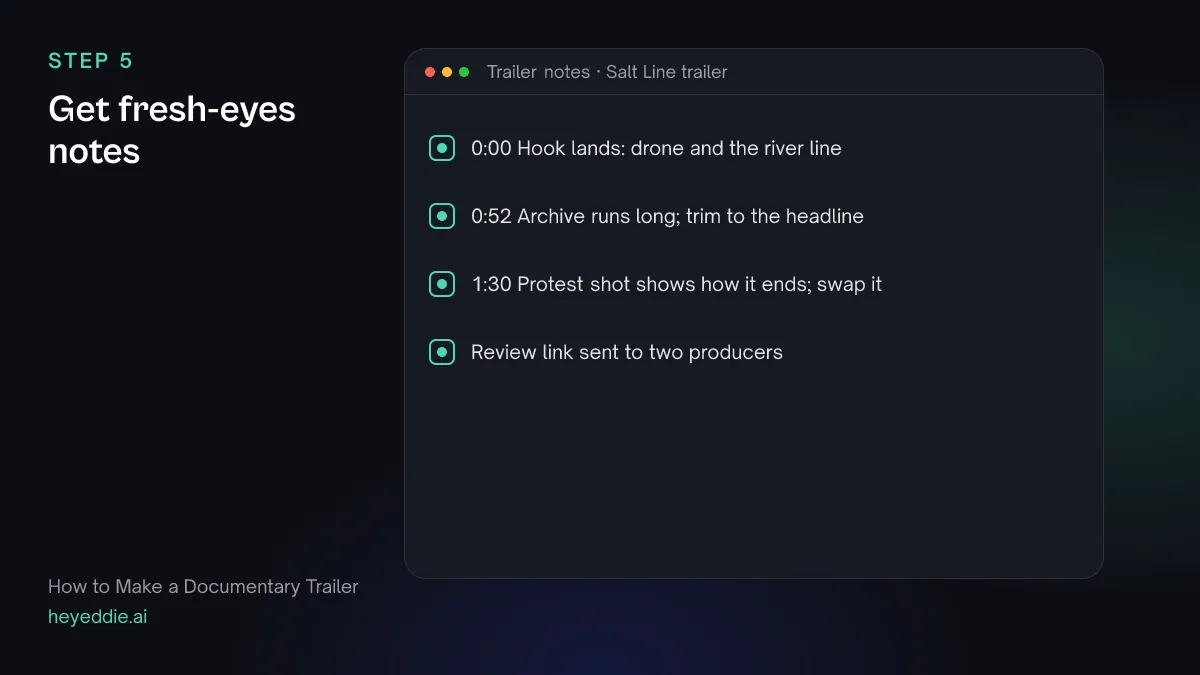
You cannot watch your own trailer as a stranger. Ask for a review of the hook and of what it gives away, then send it to people who have not seen the film.
What you type “Review the trailer as someone who has never heard of this film: is the hook clear in the first 10 seconds, does it give away the ending, and where does it drag? Then give me a review link for the producers.”
What Eddie does
- Renders the trailer and returns notes on the hook, story and pacing with timestamps.
- Creates a review link where the producers watch the cut and leave notes at the timecode without an Eddie account.
What you get: Notes from outside your own head, and a link for the team.
Step 6
Cut the other lengths and export
Festivals, sales agents and social channels each want a different length. Cut the long version first, then build the short ones from it rather than from scratch.
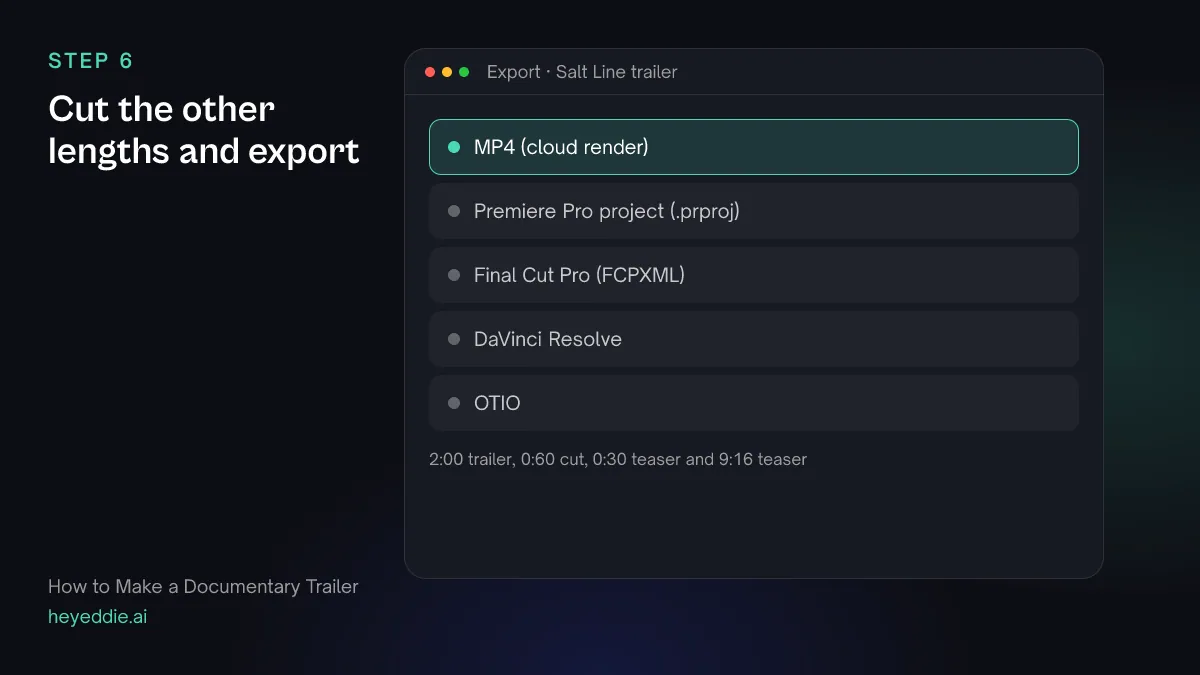
What you type “From the 2-minute trailer, make a 60-second version and a 30-second teaser that keep the hook and the final title, plus a 9:16 version of the teaser cropped to the faces. Export the 2-minute trailer as a Premiere Pro project for the final mix and all of them as MP4.”
What Eddie does
- Builds each shorter cut as its own edit from the lines of the long one, and reports their lengths.
- Sets a 9:16 canvas on the vertical teaser and crops each interview shot to the speaker's face.
- Renders the MP4s in the cloud and writes a Premiere Pro project pointing at your original media.
What you get: Every length you need from one cut, and a project for the finishing mix.
Craft
What makes it work
- Sell the question, not the answer
- A trailer's job is to make people ask what happens. Cut every line that resolves the story, however good it is.
- Let a few shots play silent
- Not every picture needs a voice over it. Two or three held images with only music give the lines around them more weight.
- Write the cards last
- Title cards should fill the gaps the voices leave, such as a date or what is at stake. Write them once the lines are chosen, not before.
- Clear the music for public use
- A trailer goes public. Use a track you have the rights to for trailers and advertising, not a temp track lifted from another film.
- Open fast
- Online, many viewers decide in the first few seconds. Start on your strongest image or line, not on a logo.
FAQ
Questions
- How long should a documentary trailer be?
- Most run from 90 seconds to two and a half minutes. Make a 60-second and a 30-second version as well, because social platforms and festival programmes often ask for shorter cuts.
- What is the difference between a trailer and a teaser?
- A teaser runs 30 to 60 seconds and sets a mood or a question with very little story. A trailer is longer and shows the setup and the stakes, while still holding back the ending.
- Should a documentary trailer have narration?
- Usually not. Let the people in the film speak and use title cards for facts. Narration can work when the film itself is narrated.
- Can I cut a trailer before the film is finished?
- Yes. Many filmmakers cut a teaser from early interviews to raise money or apply for funding. Expect to recut it once the film's structure settles, because the strongest lines often change.
- Can Eddie find emotional moments that are not in the words?
- Yes. Eddie analyses interview footage for moments a transcript cannot carry, such as a voice breaking, a long pause or a look away, and records them with timestamps you can cut to.
- How is cutting the trailer different from cutting the film?
- The film builds understanding; the trailer withholds it. In Eddie you can cut the trailer in the same project as the film, so it draws on the transcripts and logs you already have. The documentary editing guide covers the film itself.

Cut your documentary trailer with Eddie
Sign up, add your footage and type the first prompt above. New accounts start with free credits.