On this page
In Summary A stringout is your footage laid end to end in one sequence so you can watch it all in one pass. Selects are the moments you would actually use, pulled out of that footage. An assembly is those selects put in story order for the first time, usually much longer than the finished piece. The order is almost always stringout, then selects, then assembly, then rough cut. The words are not standardised, though. Many teams use "assembly" and "rough cut" for the same thing, and some call a reel of selects a stringout. Agree the names with your producer before you hand anything over.
The short answer
The three terms describe how much judgement has gone into a sequence.
- A stringout has almost none. It is the raw material in a row, maybe minus the slates and the camera checks.
- Selects have one judgement: is this moment good enough to use?
- An assembly has two: which selects tell the story, and in what order.
On an interview documentary, that might look like this. Four hours of interview become a stringout of four hours. Watching it, you mark the answers that land and pull them into a selects reel that is a fraction of that length. You then arrange the selects that carry the story into an assembly, which is still well over the target running time. Cutting the assembly down to length and shape is the rough cut.
Side by side
| Stringout | Selects | Assembly | |
|---|---|---|---|
| What it is | All the footage from a shoot, a camera or a bin, one clip after another | The usable moments, pulled out of the footage | The selects arranged into the story for the first time |
| When you make it | Right after ingest and sync, before you have watched everything | While you review the stringout or the clips | Once the selects exist and you know the story you are telling |
| What it contains | Everything, often in shoot or timecode order. Maybe trimmed of slates and dead time | Good takes and strong answers, often grouped by topic, speaker or quality | Selects in story order, with rough transitions and no polish |
| Order | Shoot, card or timecode order | Grouped, not yet in story order | Story order |
| Length | About the length of the footage | A fraction of the footage | Usually much longer than the final cut |
| Who it is for | The editor and assistant editor, to review and log | The editor, and producers or directors who want to see what was captured | The director, producer or client, as the first look at the story |
| Next step | Pull selects | Build the assembly | Cut it down into a rough cut |
Where the terms get loose
There is no standards body for editing vocabulary, and the same word means different things in different rooms. Three overlaps cause most of the confusion.
"Assembly" and "rough cut" are often the same thing. Wikipedia's film editing article lists the editor's cut as "sometimes referred to as the 'assembly edit' or 'rough cut'", and describes it as the first pass, arranging the scenes in order, usually much longer than the final film. Its rough cut article calls the rough cut "the second of three stages of offline editing". Both readings are in common use. On a feature, the assembly is often a whole-film pass with every scene in script order. On a documentary or corporate job, many editors say "assembly" for the first story pass and "rough cut" for the version that is close to length.
"Stringout" can mean everything, or only the good bits. The strict meaning is all the footage, end to end. Blackmagic uses the word that way: in DaVinci Resolve 20, the Edit page's Source Tape shows every clip in the open bin "as a 'stringout'", one clip after another in a long strip. But some editors also say "a stringout of selects" for a reel of only the takes they liked. If someone asks you for a stringout, ask whether they mean everything or the best of it.
Vendors name their own features loosely too. Adobe describes Premiere's Paper Edit as a way to "create a rough cut from dialogue-heavy footage using only the transcript". By the definitions above, that first sequence of chosen sentences is closer to an assembly. That is not wrong, just a sign that the industry uses these words loosely.
The practical rule: put the stage and the contents in the sequence name, such as INT_Selects_Tier1_Maria or Assembly_v1_14min, so nobody has to guess.
How to build each one in your editing app
Stringout
- Premiere Pro: select the clips in a bin and drag them into a new sequence. Sort the bin first (by name or timecode) so the order means something.
- DaVinci Resolve 20: you can make a timeline the same way, or skip it. On the Edit page, select a bin and click the Source Tape icon in the Source Viewer (or press Shift-Q). Every clip in the bin plays as one strip in sort order, and you can set In and Out points as you go. The Fast Review button speeds up playback for long material.
- Final Cut Pro: select the clips in an event and append them to a new project.
Selects
- Final Cut Pro: play through the clips, select a range you like and press F (Mark > Favorite). Press Delete (Mark > Reject) for ranges you will never use. Choose Hide Rejected or show only favourites from the browser's filter pop-up, and you are looking at your selects without moving a single clip.
- Premiere Pro: set In and Out points in the Source Monitor and choose Clip > Make Subclip, or Command-drag (macOS) or Ctrl-drag (Windows) the clip into the Project panel. Keep the subclips in a selects bin, or edit them into a selects sequence. Markers work too if you prefer to stay in one long sequence.
- DaVinci Resolve: mark In and Out points while you review in the Source Tape, then edit those ranges into a selects timeline.
Many documentary editors build the selects reel in tiers: the best answers on the top track, the usable ones below, everything else at the bottom. That way the stringout and the selects live in one timeline.
Assembly
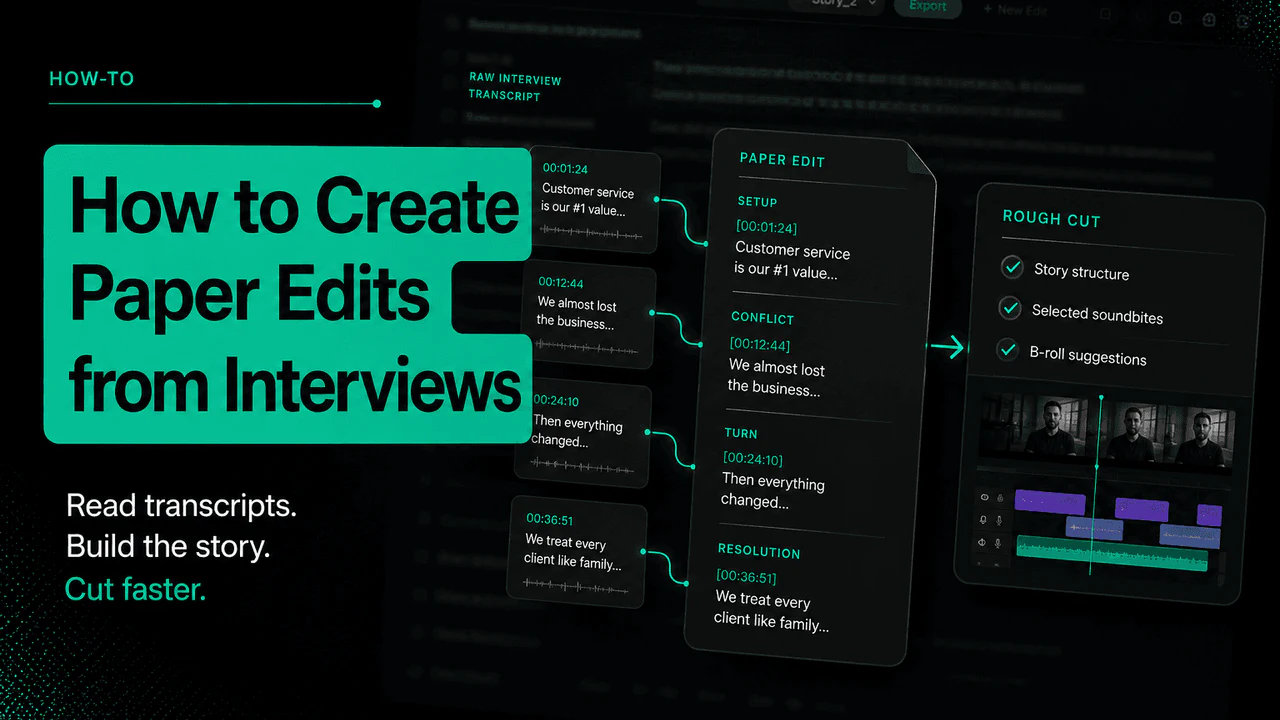
- From a transcript: in Premiere, open the Text panel, choose Paper Edit, select the sentences you want, and choose Create new sequence. Our paper edit guide and the Premiere Paper Edit answer cover the steps.
- From a script: DaVinci Resolve 20 Studio has IntelliScript. Transcribe the clips, select them, and choose AI Tools > Create New Timeline Using IntelliScript with a plain text script. It puts the best-matching takes on track one and alternates on disabled tracks. Blackmagic notes that it matches spoken dialogue only and does not use good-take metadata.
- By hand: drag selects into a new sequence in story order. Do not trim tightly yet. The assembly is for checking the structure.
Where Eddie fits
Eddie can make the selects and the first assembly for you, and hand both back to your editing app.
- Selects in tiers. Eddie's tiered selects export rates the transcript segments of the sources you choose against tiers you write in plain words, such as "best soundbites about the move" or "everything else", and puts each tier on its own video track. Segments land on the first tier they match, so a catch-all tier at the bottom keeps the rest of the interview, like a stringout under your selects. It exports as Premiere XML, or FCPXML for Final Cut Pro or DaVinci Resolve.
- Find a line, then mark it. Eddie searches the transcripts for a phrase, a topic or a speaker and returns the matching segments with timestamps. It can bookmark segments or apply your own label to them, which is the selects pass done by search.
- The first assembly. Eddie builds a new edit from soundbites you pick across one or more sources, with an optional target length and pacing, and reports how long the result is against the source. Or describe the story and let Eddie build the rough cut.
Eddie's A-roll logging also brings clips into Premiere, Resolve or Final Cut Pro with searchable markers and selects sorted into bins and timelines. You finish the edit in your own app: see the Premiere Pro, DaVinci Resolve and Final Cut Pro workflows. The 1-Click A-Roll Logging video shows the logging step.
What it will not do
- It will not know your story unless you say it. Eddie rates segments against the tiers you write. Vague tiers give you vague selects.
- It works from the transcript. The tiered selects export rates transcript segments, so a great look or a silent reaction will not rank on words alone.
- A tiered selects reel is an XML timeline, not a native Premiere project. Import the XML into Premiere. A native project file is for edits, not selects reels.
- It costs credits. The tiered selects export uses credits per hour of footage in scope.
- You still watch it. Selects are a judgement call. Treat Eddie's tiers as a first pass and move clips between tracks where you disagree.
FAQ
Is a stringout the same as a selects reel?
Strictly, no. A stringout holds all the footage. A selects reel holds only the moments you would use. In practice some editors say "stringout" for a reel of selects strung together, so ask which one is meant.
Is an assembly edit the same as a rough cut?
Often, yes. Many teams use the two words for the same first story pass. Where they differ, the assembly is the long first arrangement and the rough cut is the version cut down toward length and shape.
Do I need all three?
No. On a short interview you might skip the stringout and pull selects straight from the clips. On a long documentary with many hours of footage, the stringout is what lets you watch everything once and log it.
What order should a selects reel be in?
Whatever helps you find things. Common choices are by speaker, by topic or by quality tier. Story order comes later, in the assembly.
Is a paper edit an assembly?
A paper edit is the plan for an assembly, written from the transcript. Once you turn those chosen lines into a sequence, as Premiere's Paper Edit does, you have an assembly.
How long should an assembly be?
There is no fixed number. It is normally much longer than the finished piece, because you have not cut anything for length yet. If it is already close to time, you are working on a rough cut. Our guide to building a rough cut from an interview transcript covers the next step.
Sources
- Blackmagic Design, DaVinci Resolve 20 New Features Guide (Source Tape as a "stringout" on the Edit page, Shift-Q, Fast Review; IntelliScript on page 24)
- Apple, Rate clips in Final Cut Pro for Mac (Favorite, Reject, Hide Rejected)
- Adobe, Create subclips in Premiere Pro (Clip > Make Subclip)
- Adobe, Create a sequence with Paper Edit (Text panel, Create new sequence)
- Wikipedia, Film editing (editor's cut, assembly edit and rough cut as overlapping terms)
- Wikipedia, Rough cut (rough cut as the second of three offline editing stages)
Sitting on hours of interviews? Start a project for free and ask Eddie for tiered selects.