On this page
In Summary Captions should not need a second transcription pass. Eddie builds the caption track from the timing your edit already carries, in an animated word-by-word style or a plain subtitle block, for free. The important detail is where captions end up: burned into the MP4, and not carried into a Premiere or Resolve timeline.
The short answer
Most caption workflows re-transcribe the finished video. That is the wrong way round, and it shows: the words drift out of sync, filler you deliberately cut comes back, and speaker changes vanish.
Your footage was already transcribed at import, with word-level timing. The captions should be derived from that, mapped onto the edit's timeline. You should never have to hand a caption tool a list of words and their timings, and in Eddie you do not: you name the edit and the style, and the words and timings come from the cut itself.
The footage in this walkthrough
Three interviews with Jessica Hernandez and her daughter Alizé, who run Simply Men's Barbershop in West Chester, PA.
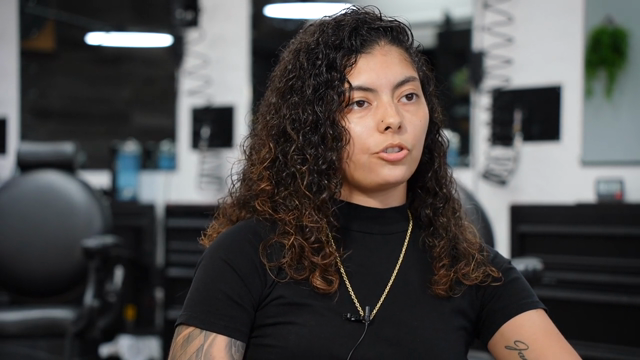
- 3 interviews, 8:20, 24:59 and 30:38, 1 hour 4 minutes total
- 13,675 words of transcript
- 3 speakers separated automatically, plus interviewers
Every word of those 13,675 arrives with timing attached, which is the only reason automatic captions can be accurate to the frame rather than accurate to the sentence.
Step 1: Have an edit first
Captions attach to an edit, not to a source file. That is a deliberate distinction: a source is an hour of raw interview, an edit is the 90 seconds you actually cut, and the caption timings have to be relative to the cut.
So the order is: build the cut, watch it, then caption it. If you have not built one yet, start with how to build a rough cut from an interview transcript.
Step 2: Pick a style, not a font stack
Two styles, and the choice is genuinely about where the video is going:
- word-pop (the default). Karaoke style. Each word pops in and highlights as it is spoken. This is the social format, and on a vertical clip watched with the sound off it is the difference between somebody watching and somebody scrolling.
- static. A plain subtitle block. The whole phrase appears at once, no per-word animation, no highlight. This is what you want on a corporate piece, a testimonial, or anything where karaoke captions would look cheap.
The knobs worth knowing, with their real defaults:
- Position: bottom (default) or centre.
- Colour: white by default (
#FFFFFF). - Highlight colour: Eddie's mint (
#39E0A6) by default, for the word being spoken. Static captions ignore it, because they have no per-word highlight. - Size: a fraction of canvas height, 0.06 by default, adjustable between 0.02 and 0.15.
One caption track per edit. Adding captions again replaces the track rather than stacking a second one, and clearing removes it. All of it is free.
Step 3: Check what the captions inherit
Two behaviours that are easy to miss and are the whole reason to caption inside the editor rather than after export:
- Word-level cuts are honoured. If you removed every "um" from the source, those words do not reappear as caption words. A caption track built by re-transcribing the render would not know that, but a caption track built from the edit does. See how to remove filler words from an interview.
- Timing follows the player's cursor. Each word's start is the second on the edit timeline where its audio starts, so the on-screen overlay, the timeline and the burned-in MP4 all agree. Nothing drifts between preview and render.
Step 4: Get them out
Where captions go depends entirely on the format, and this is the part to read before you promise a client anything:
- MP4. Captions are baked in, along with titles, graphics, music and voice-over. The cloud render works from your original files at 1080p or source quality up to 4K, capped at 10 minutes of output.
- SRT or VTT sidecar. Available as a built document, which is free, and useful for YouTube, a broadcaster's spec, or a client who wants to proofread. The download link lasts 30 days.
- Premiere, Final Cut, Resolve, OTIO. The caption track does not travel into an NLE timeline. Crops, colour grades, b-roll and the vertical layout do. Captions do not.
That last point is not a bug we are hiding, it is a design line: burned-in captions belong to a finished deliverable, and a timeline you are still cutting should carry a subtitle file you can restyle in your own project. If you are finishing in an NLE, take the SRT. See how to export an AI edit to Premiere Pro, DaVinci Resolve or Final Cut.
What it will not do
- It will not fix a bad transcript. Captions are only as good as what the transcription heard. Names, brand names, industry jargon and heavy overlap are where errors live, and captions will faithfully display those errors in a large friendly font.
- You cannot retype a word through the connector. There is no tool for correcting a mistranscribed word from a chat prompt. Fix it in the Eddie app, or export the SRT and correct it there before you deliver.
- It does not position around your graphics. Captions sit bottom or centre. If a lower third occupies the same space, you move one of them.
- It is not a compliance deliverable on its own. Broadcast and accessibility specs have requirements about reading speed, line length, speaker identification and positioning that no automatic pass should be trusted to satisfy unchecked. Read them before you deliver them.
FAQ
Do captions cost credits? No. Adding, restyling, and clearing captions are all free, and so is building an SRT or VTT file.
Can I caption in a language other than the one spoken? Not as a caption track. The animated track is derived from the edit's own transcript. For a translated subtitle file, build an SRT with the translated cues.
Will the captions match if I re-cut the edit? Re-apply them after the re-cut. The track is built from the edit as it stands when you ask for it.
Do captions work on vertical clips? That is what the animated style is for. See how to make vertical clips for social from a podcast or interview.
Can I do all this from ChatGPT or Claude? Yes, over the same MCP connector. See how to edit video with ChatGPT and how to edit video with Claude.
The barbershop interviews ship as the demo project inside Eddie, so you can caption a real cut rather than take our word for it. Open it and prompt it.