On this page
In Summary ChatGPT can read, plan and structure a video. It cannot open your footage, find a soundbite at a timecode, or produce a timeline. To go from prompt to actual edit you connect ChatGPT to an AI video editor that holds the media. This walkthrough uses a real 1 hour 4 minute interview shoot.
The short answer
ChatGPT on its own cannot edit video. It has no access to your media, no timecode, and no way to write a sequence your NLE can open. What it is genuinely good at is everything that surrounds the cut: reading a long transcript, finding the story, ordering beats, writing a paper edit.
The useful workflow is therefore not "ask ChatGPT to edit my video." It is: give ChatGPT access to a tool that holds the footage, then ask for the edit in plain language. Since ChatGPT supports MCP connectors, that is a configuration step, not a hack. Eddie is an AI video editor built for pros; the connector gives ChatGPT hands inside it.
What ChatGPT can and cannot do with video
| Task | ChatGPT alone | ChatGPT + an editor tool |
|---|---|---|
| Summarise a transcript | Yes | Yes |
| Suggest a story structure | Yes | Yes |
| Find the exact timecode of a line | No | Yes |
| Know which take was in focus | No | Yes — via frames |
| Produce a cut you can play | No | Yes |
| Export to Premiere / Resolve / FCP | No | Yes |
The row that matters is the third one. A transcript pasted into a chat window loses its timing. "She says it best around here" is not something you can cut on — the edit needs 00:12:31:04, and it needs to survive into an XML your NLE will relink.
The footage in this walkthrough
Everything below was run against a real shoot: three interviews with Jessica Hernandez and her daughter Alizé, who run Simply Men's Barbershop in West Chester, PA — a mother-and-daughter business that came together during covid.
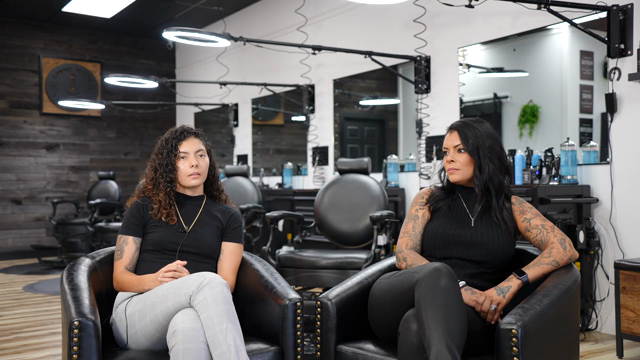
The raw material, exactly as it arrived:
- 3 interviews, 8:20, 24:59 and 30:38 — 1 hour 4 minutes total
- 13,675 words of transcript once processed
- 3 speakers identified across the three files, plus interviewers
That is a normal small-documentary load and a genuinely awkward amount of material: too much to hold in your head, not enough to justify a week of logging.
This is the same demo project that ships inside Eddie, so you can follow along with the identical footage rather than taking our word for any of it.
Step 1 — Connect ChatGPT to the editor
ChatGPT reaches outside tools through MCP connectors. Eddie's connector details:
- Name: Eddie AI
- URL:
https://mcp.heyeddie.ai/api/mcp - Auth: OAuth — you sign in with your Eddie account the first time you connect, no token to paste
Custom connectors need a paid ChatGPT plan (Plus, Pro, Business, Enterprise or Edu — Free can't add one) and Developer Mode turned on first, under Settings, in Connectors or Apps. That menu has moved more than once in 2026, so if "Add custom connector" isn't where you expect it, check Developer Mode before anything else.
The current click-path inside ChatGPT lives on our install page, which we keep up to date as the UI changes — we would rather point you at a maintained page than bake screenshots of a settings menu into an article that ages.
The fastest route is to paste this into ChatGPT and let it do the setup:
Read https://www.heyeddie.ai/mcp to install the Eddie AI MCP connector in ChatGPT and set up a new task for me.
Step 2 — Get the footage in
The connector lets ChatGPT read and cut a project; it does not upload your rushes. Import happens once, in Eddie — drag the files in, or pull them from Google Drive, Dropbox, Frame.io or iconik.
During import each file is transcribed and diarised. For this shoot that produced the 13,675 words and the speaker split above. Nothing is edited at this stage: import makes the footage legible, it does not make a cut.
Step 3 — Ask for the edit in plain language
Now the prompt does real work, because ChatGPT can see the transcript with timecode attached. The prompt we used on this footage:
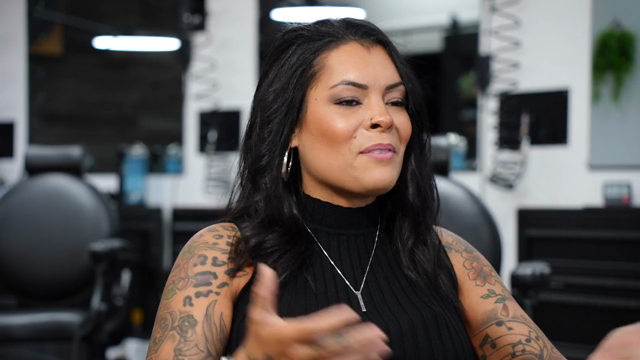
Create a story about Alizé's journey as a female barber in a mostly male field.
Note what is not in that prompt: no timecodes, no clip names, no structure. That is the point — the model reads the transcript, picks the moments that carry the story, and assembles them in an order that builds.
Prompts that work well on interview footage:
- "Cut a 90-second version for Instagram, vertical, captions on."
- "Find every moment where they talk about opening during covid."
- "Tighten this — remove the filler and the false starts."
- "Start with the strongest line in the whole shoot."
Prompts that work badly are the vague ones: make it good, make it cinematic. Say what the video is for and who it is for.
Step 4 — Watch it, then argue with it
The first cut is a draft, and treating it as one is the entire skill. You get a real timeline you can play, so react to it the way you would react to an assistant editor's pass:
- "The opening is slow — start on the line about her first day."
- "Cut 20 seconds."
- "You used the same story twice, keep the better take."
Each note is another prompt. Nothing is destructive, and you are not paying for a render each time you change your mind.
Step 5 — Take it into your NLE
This is where an AI video workflow usually collapses: you end up with a flat MP4 and no way to keep working. Export a timeline instead — FCPXML for Final Cut or Resolve, XML for Premiere, or OTIO — and your original camera files relink. The cut lands as clips on a timeline, not a baked file.
If you just want the video, an MP4 renders in the cloud too.
The honest limitations
Worth knowing before you plan a job around this:
- ChatGPT does not watch your footage frame by frame. It reads the transcript and can sample frames on request. It will not notice that a take is soft, or that someone walked through the background — you still watch the cut.
- Interview and dialogue footage works best. The story lives in what people say, so transcript-driven editing has something to work with. Silent b-roll montages are possible but you are steering much more.
- It is a first cut, not a final cut. Colour, sound mix, titles and the last 10% of taste still happen in your NLE. That is why the export path matters more than the render.
FAQ
Can ChatGPT edit a video by itself? No. It has no access to your media and cannot output a timeline. Connected to an editing tool over MCP, it can direct an edit that a human then finishes.
Do I need to paste my transcript into ChatGPT? No — and you should not. A pasted transcript loses timecode, so nothing you decide can be turned into a cut. Connecting the tool keeps the timing attached.
Does this work with Claude too? Yes. The same connector works in Claude — see how to edit video with Claude.
What happens to my original camera files? Nothing. The edit references them; the export relinks to them. You finish in Premiere, Resolve or Final Cut with your real media.
Is this good enough for client work? For the assembly and selects pass, in our experience yes — it removes the logging slog. The finish is still yours.
Want to try it on the same barbershop footage rather than your own? It is the demo project inside Eddie — open it and prompt it.


Edit video inside Claude & ChatGPT.
Add Eddie as a connector, sign in once, then ask for the cut.
Set up