
Features
- Rough cuts
- Multicam
- A-roll logging
- B-roll logging
- Speaker identification
- Scripted edits
- Social clips
- Exports to your editor
- Styles and color
- Motion graphics
- Captions & titles
- Stock B-roll
- Generate video
- Generated music
- Voiceover
- Dubbing
- Transcription in 97 languages
- Web app
- Mac and Windows
- Claude & ChatGPT
- Recipes
- Agents
- API + MCP
Solutions
Resources
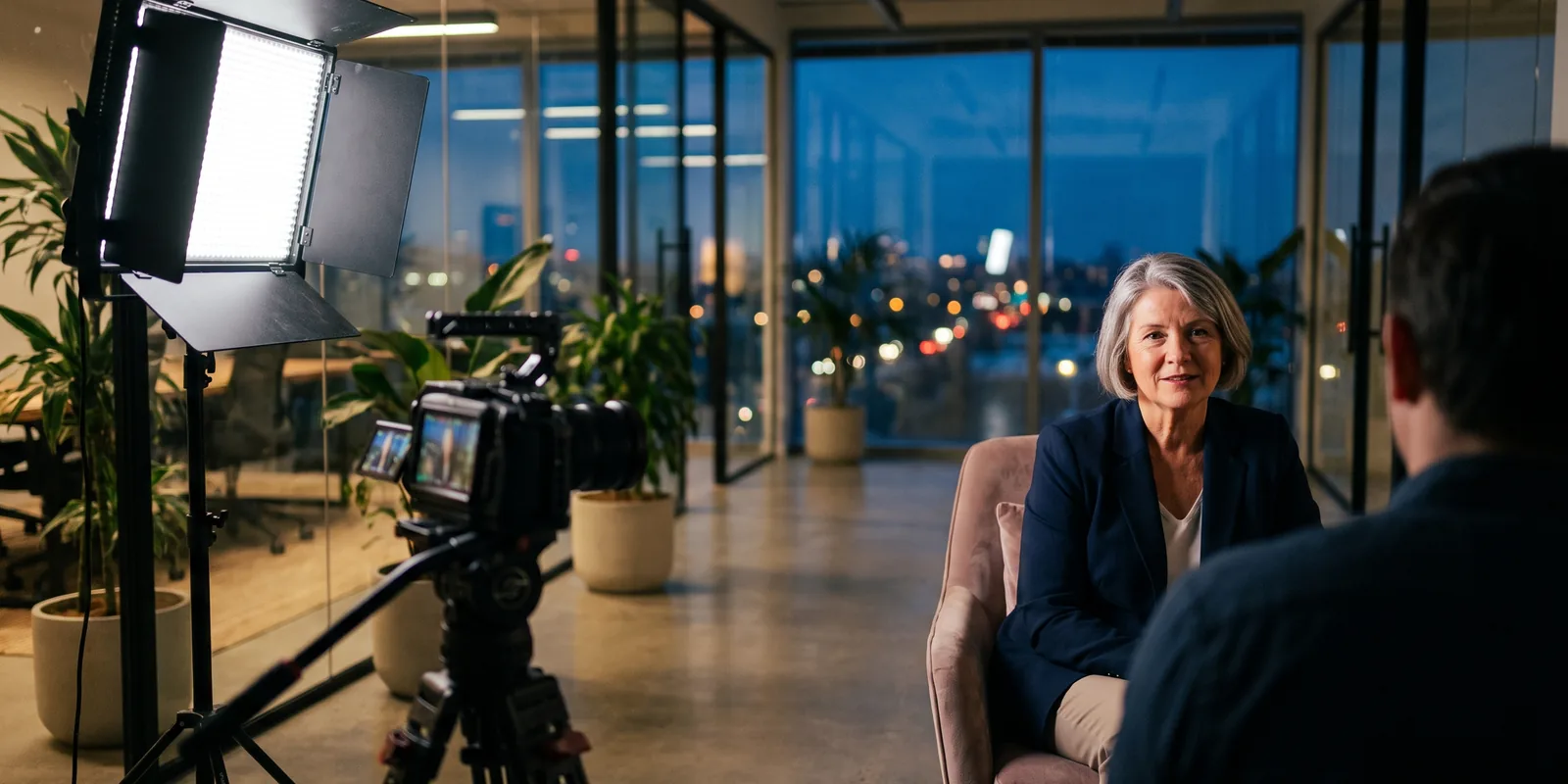
How to Edit a Brand Story Video
A brand story is not a product demo and not a testimonial. Nobody is selling a feature and no customer is vouching for you. It is the company explaining itself, which is why it goes wrong so easily: it turns into a list of values read to camera. The fix is to cut it like a short documentary, around one real story the founders tell. This guide covers about-us films, founder stories and the film that runs at the top of a home page or a pitch.
The short answer
A brand story video explains why a company exists, in the founders' own words, in two to three minutes. Find the origin moment in the interviews and build it in three acts: the problem the founders saw, what nearly stopped them, and what the company does about it today. Cover the cuts with footage of the work and of the early days, put a light music bed under it, and end on a line about the customer, not the company. Eddie finds the moments in the interviews, builds the story to your length, places the b-roll and music, and makes the short versions.
The deliverables
What you will end up with
- A two to three minute film built around one origin story, in three acts.
- The moments with the most feeling, including pauses a transcript cannot show.
- Footage of the work and the early days over the cuts, with a music bed ducked under the voices.
- A 60-second cut for the home page and a 9:16 version for social.
6 steps
Step by step
- 01Import the interviews and the old footage
- 02Find the origin story and the feeling
- 03Build the story in three acts
- 04Cover the cuts with the work and the early days
- 05Add music, names and the logo
- 06Get notes, cut the short versions and export
Step 1
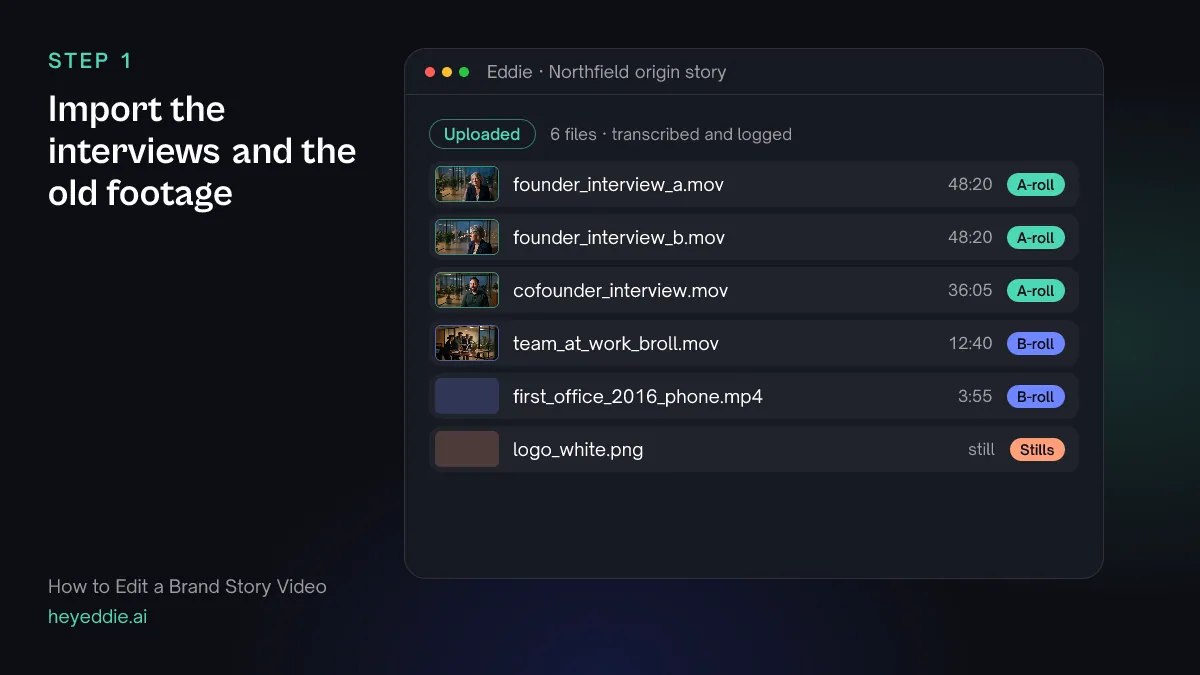
Import the interviews and the old footage
Upload both founder cameras, the co-founder interview, the b-roll of the team at work and any phone video from the early days. Old, rough footage is worth more here than polished b-roll, because it proves the story happened.
What Eddie does
- Transcribes the interviews and names the speakers, which you can correct.
- Syncs the two founder cameras by sound and groups them.
- Logs the b-roll and the early footage by what each shot shows.
What you get: Every interview searchable, and every shot described.
Step 2
Find the origin story and the feeling
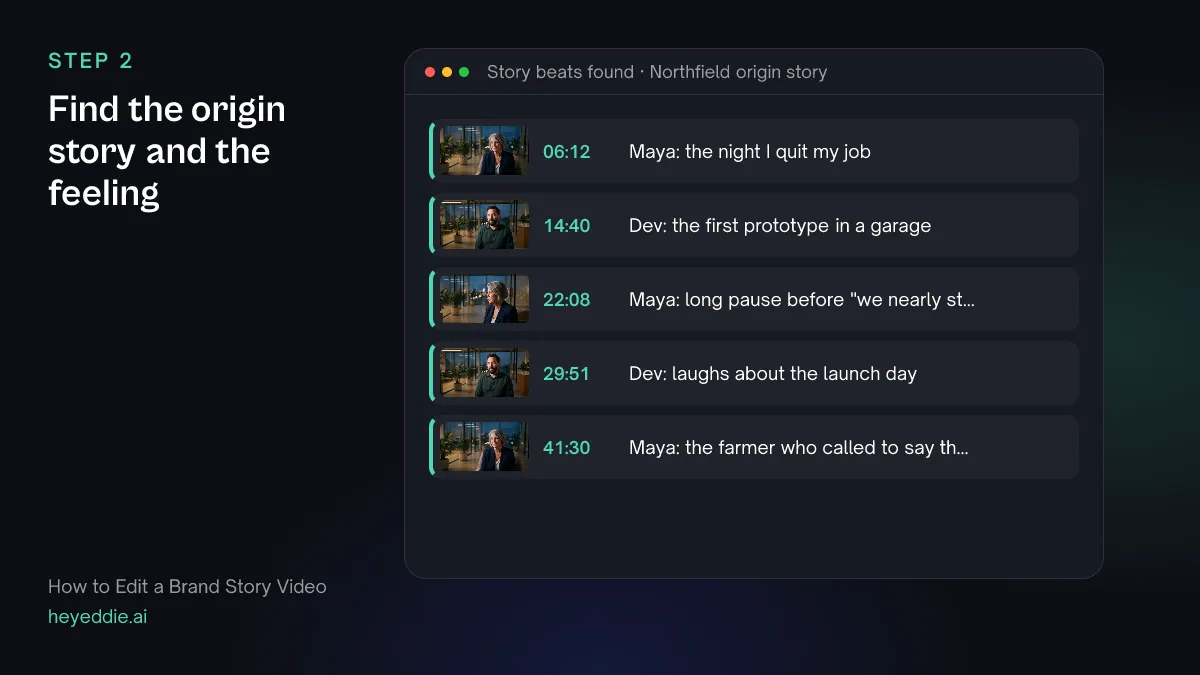
Founders tell their story many times, and the version on camera is often too smooth. Ask for the moments that are not smooth: the pause before a hard memory, the laugh at an old mistake. Then ask for the beats of the story itself.
What you type “Analyse the founder and co-founder interviews for emotional moments, then find where they describe the night they decided to start, the launch that failed, why they kept going, and what changed for their first customers. List each with a timestamp.”
What Eddie does
- Analyses the interview footage for observable moments, such as a long pause or a voice breaking, and records them with timestamps. This uses credits per hour of footage analysed.
- Searches the transcripts for each beat you named and returns the passages with their source, time and context.
What you get: The raw material of the story, with the moments that carry feeling marked.
Step 3
Build the story in three acts
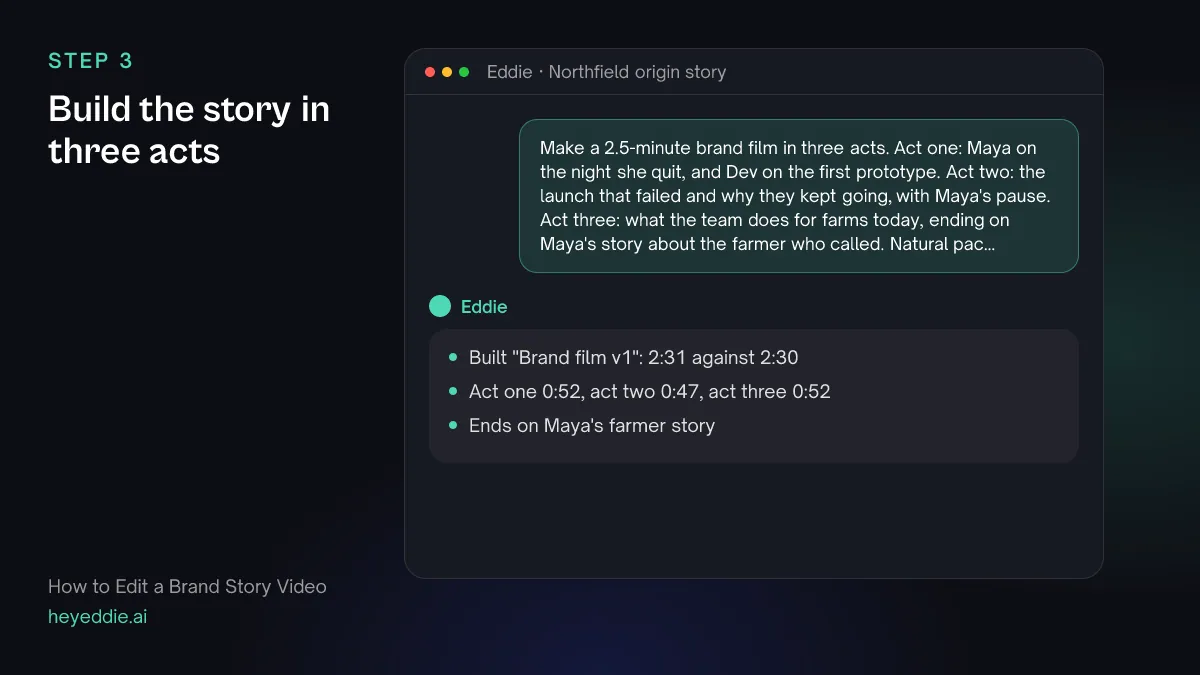
Give the film a shape in one prompt: where it starts, what goes wrong, and where it ends. Name the lines for each act and the line you want to end on. Keep answers whole; a brand story cut too tight sounds like an advert.
What you type “Make a 2.5-minute brand film in three acts. Act one: Maya on the night she quit, and Dev on the first prototype. Act two: the launch that failed and why they kept going, with Maya's pause. Act three: what the team does for farms today, ending on Maya's story about the farmer who called. Natural pacing, and keep answers whole.”
What Eddie does
- Builds a new edit from the soundbites you named, across both interviews, in the order you set.
- Cuts to the target length with natural pacing and reports the finished length.
What you get: A first cut with a beginning, a middle and an end.
Step 4
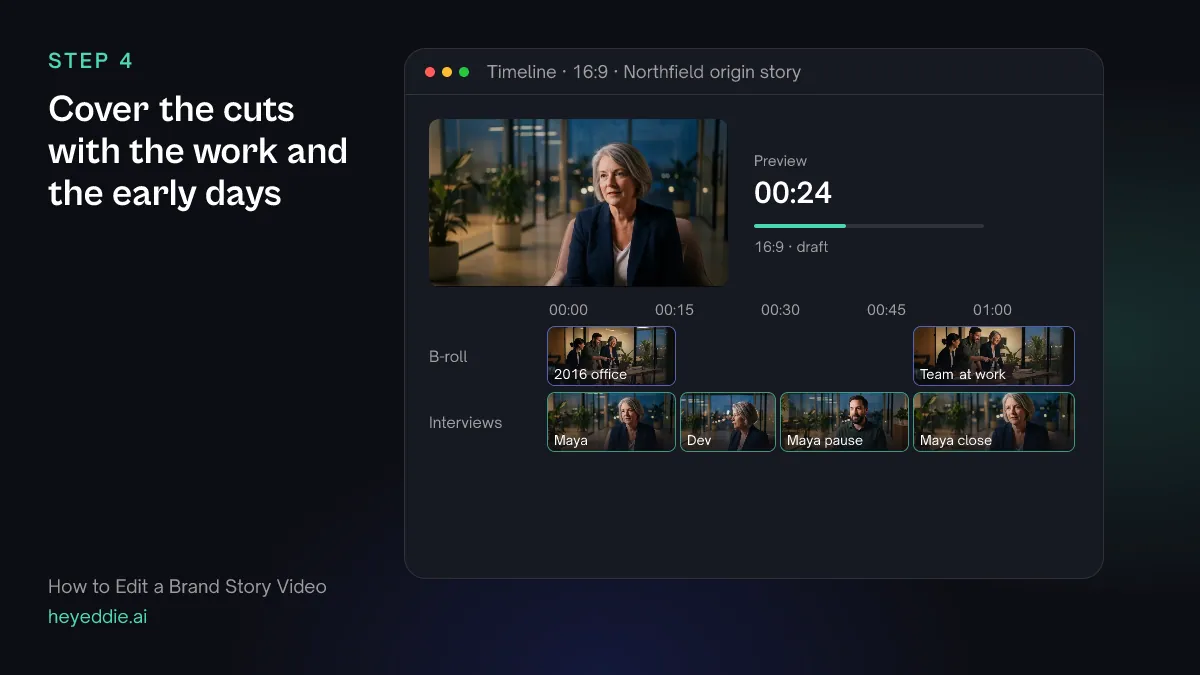
Cover the cuts with the work and the early days
Use the early footage where the founders talk about the start, and footage of the team today in act three. Leave the emotional moments on the speaker's face; covering a pause with b-roll throws it away.
What you type “Put the 2016 phone footage over Maya's story about the first office and the team b-roll over act three. Keep Maya on camera for her pause before "we nearly stopped", and cut between the two founder cameras on every trim.”
What Eddie does
- Places your b-roll over the interview at the moments you named.
- Switches camera angle at the cuts, so trims inside an answer do not jump.
What you get: A film that shows the story as well as telling it.
Step 5
Add music, names and the logo
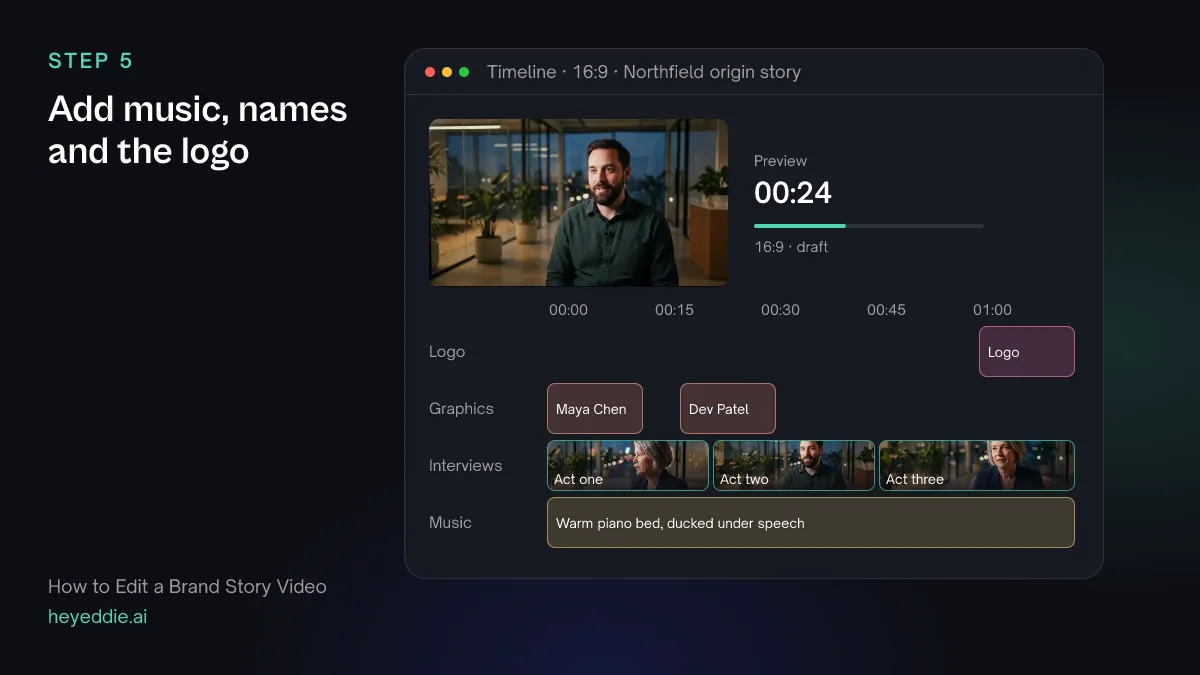
A brand film needs a quiet bed, not a soundtrack. Name each founder the first time they speak, fade in from black, and keep the logo for the end.
What you type “Put a warm piano track from our music library under the film, ducked under the voices. Fade in from black at the start, add lower thirds "Maya Chen, Co-founder" and "Dev Patel, Co-founder" the first time each speaks, and put our logo in the bottom right for the last 4 seconds.”
What Eddie does
- Attaches the track and lowers it automatically whenever someone speaks.
- Adds a fade-in on the first cut and lower-third graphics from its template set.
- Places the project's logo as a watermark for the span you named.
What you get: A finished brand film, ready for review.
Step 6
Get notes, cut the short versions and export
Watch it as a stranger would, then make the versions the website and social channels need. Cut the short ones from the long film so they keep its best lines.
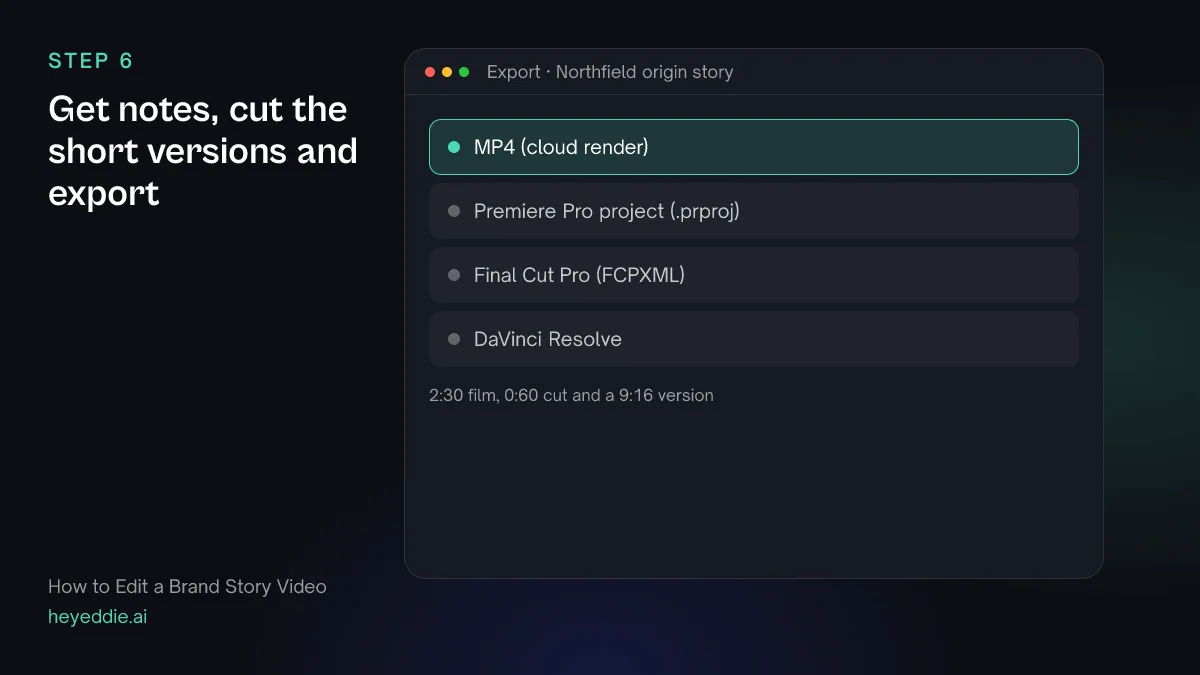
What you type “Review the brand film as a first-time visitor to our website: is the story clear in the first 15 seconds, and where does it drag? Then make a 60-second version that keeps the night Maya quit and the farmer story, and a 9:16 version of it cropped to the speakers' faces. Export all three as 1080p MP4s.”
What Eddie does
- Renders the film and returns notes on the hook, story and pacing with timestamps.
- Builds each shorter cut as its own edit and reports its length.
- Sets a 9:16 canvas on the vertical version, crops each shot to the speaker's face and renders the MP4s in the cloud.
What you get: The full film, a home-page cut and a social cut.
Craft
What makes it work
- One story, not a list of values
- Viewers remember a night in a garage, not the word "innovation". Pick the one story that explains the company and cut everything that does not serve it.
- Keep the rough edges
- A founder who stumbles over a hard memory is more believable than one who delivers a perfect line. Do not trim every pause; ask Eddie to leave the ones that carry feeling.
- Old footage is proof
- Phone video and photos from the early days show the story is true. Ask the founders for them before the shoot, not after.
- End on the customer
- The last line should be about someone the company helped. A film that ends on the founders sounds like a speech; one that ends on a customer sounds like a reason.
- Interview for stories, not answers
- Ask "tell me about the day you..." rather than "what is your mission". Stories cut together; mission statements do not.
FAQ
Questions
- How long should a brand story video be?
- Two to three minutes for a website or a pitch, and 60 seconds or less for social. Cut the long version first and make the shorter ones from it.
- What is the difference between a brand story and a corporate video?
- A corporate video usually delivers a message, such as a launch or an update. A brand story explains why the company exists, through one story the founders tell. The corporate video guide covers announcements and internal films.
- Can I make a brand story from one interview?
- Yes. One founder telling the story well is enough. Cover the cuts with b-roll of the work, and ask Eddie to switch angles if you filmed with two cameras.
- Should a brand story have a narrator?
- Usually not. The founders telling it in their own words is the point. Use titles for dates and places the interviews do not say.
- What if we have no footage from the early days?
- Eddie can search free stock footage for themes you describe, and quotes the credits before it places anything. Use it sparingly: stock cannot prove your story the way your own footage does.
- Can our agency finish the film?
- Yes. Export a Premiere Pro, Final Cut Pro or DaVinci Resolve timeline that points at the original media, and the agency finishes it in their own editor.

Edit your brand story with Eddie
Sign up, add your footage and type the first prompt above. New accounts start with free credits.