How-to guidesWeddings
How to Edit Wedding Videos
A wedding day produces hours of footage and maybe four minutes the couple will watch a hundred times. The work is finding those four minutes: the vow that made the room go quiet, the best man's one good joke, the father's voice breaking. This guide covers the highlight film and the long-form deliverables from the same project.
The short answer
Build the wedding film on what people said: the vows, the toasts and the private words. Sync the ceremony cameras, find the emotional moments, cut a three to five minute highlight carried by those lines over the best coverage of the day, and time it to music. Then deliver the full ceremony and speeches as separate edits. Eddie finds the moments by their words and by how they were said, then builds each edit from a prompt.
What you will end up with
- A highlight film of three to five minutes built around vows and toasts, cut to music.
- The full ceremony as a multicam edit with clean audio from the officiant's microphone.
- Each speech as its own edit.
- A one-minute vertical teaser for the couple to share.
Step by step
Step 1
Import the day and sync the ceremony
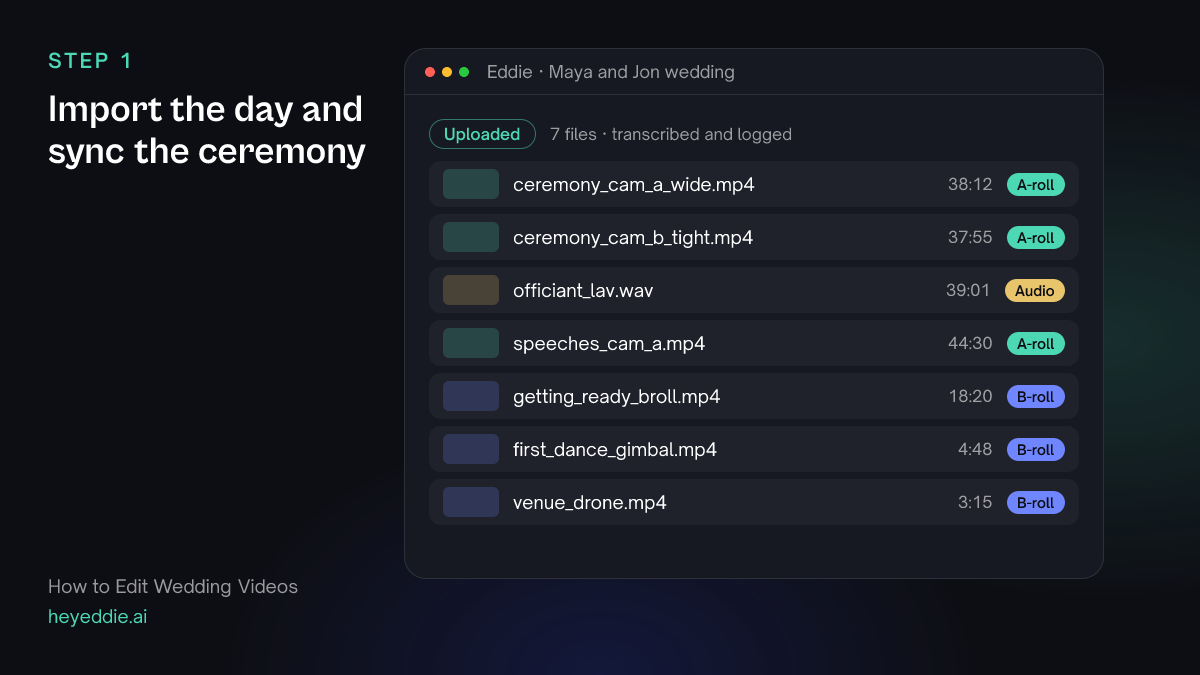
Upload every camera and audio recorder. Group the ceremony cameras with the officiant's microphone, so the vows are heard clearly from every angle.
What you type “Sync the two ceremony cameras and the officiant lav as one multicam group, and use the lav audio for the ceremony.”
What Eddie does
- Transcribes the ceremony and the speeches, and logs the coverage as b-roll.
- Syncs the ceremony files by sound and sets the lav as the audio.
What you get: A ceremony you can cut between angles with clear vows throughout.
Step 2
Find the moments that carry the film
Ask for the lines and the emotional moments together. The transcript finds what was said; the emotional analysis finds the pauses and breaking voices the transcript cannot show.
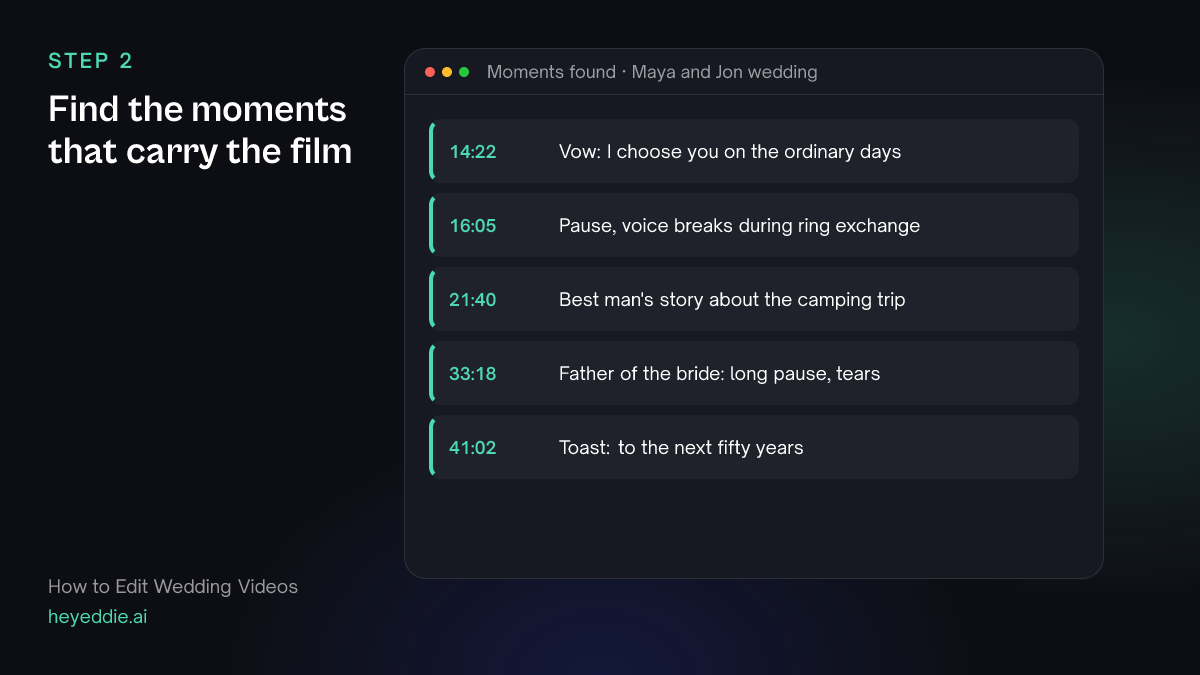
What you type “Find the strongest lines from the vows and the speeches, and the moments where someone's voice breaks or the room goes quiet. List them with timestamps before you cut.”
What Eddie does
- Searches the transcripts for the vows and toasts.
- Analyses the footage for emotional moments such as a breaking voice or a long pause, after quoting the credits, and records them with timestamps.
What you get: A shortlist of the moments the film should be built on.
Step 3
Cut the highlight film
Tell Eddie the length, the shape and the moments to build on. Let the vows and toasts carry the story and the day's coverage play over them.
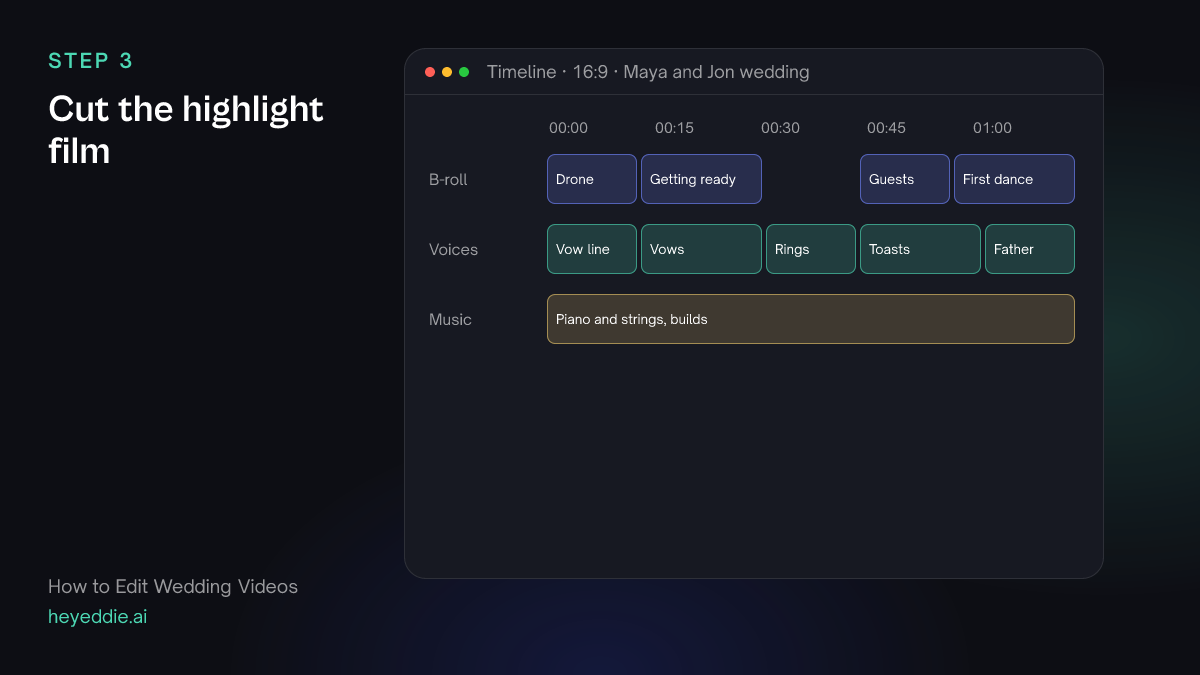
What you type “Make a 4-minute highlight film. Open on the venue drone shot with the first vow line over it, build through the ceremony and the speeches using the moments we found, and end on the first dance. Use the getting-ready and dance footage as b-roll over the voices, and breathy pacing.”
What Eddie does
- Builds the edit from the moments you chose, in the shape you described.
- Lays your coverage over the vows and toasts as b-roll, so the words carry the picture.
- Keeps more of each pause with breathy pacing, which suits emotional material.
What you get: A first highlight film to refine.
Step 4
Score it and cut on the music
Use the couple's song if you have the rights, or a track from your library, or ask Eddie to generate one. Then move the cuts in the montage sections onto the beat.
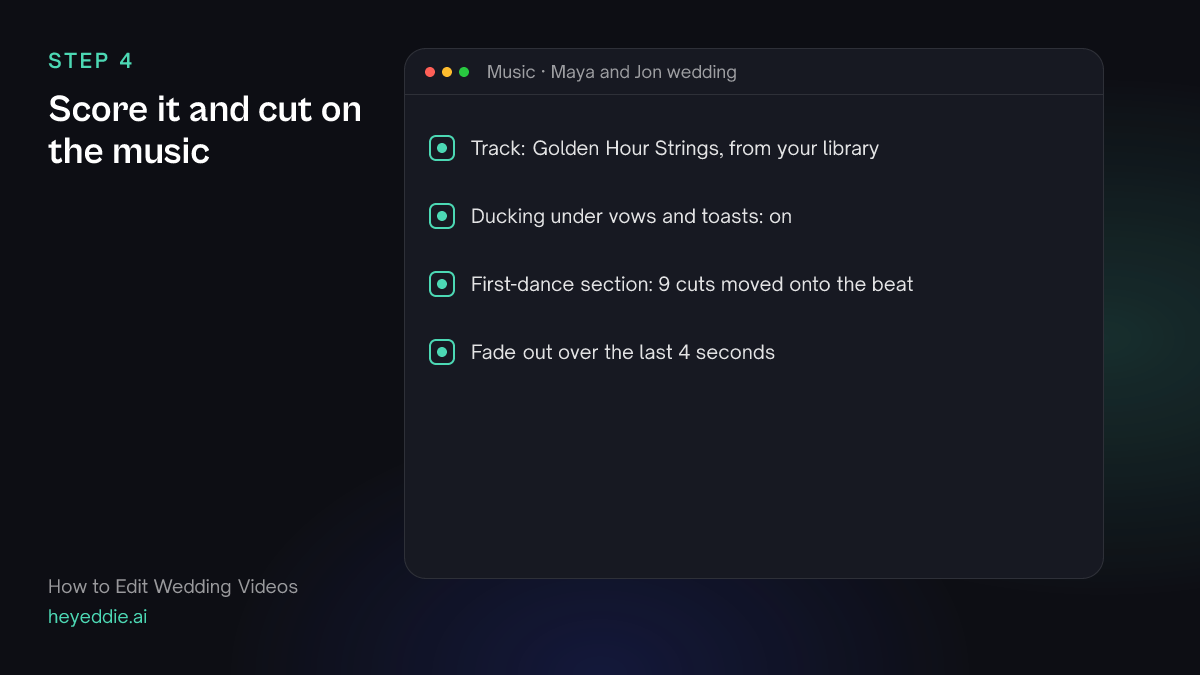
What you type “Add my track "Golden Hour Strings" under the highlight, ducked under the vows and toasts, and snap the cuts in the first-dance section to the beat.”
What Eddie does
- Attaches the track from your library and lowers it under speech.
- Measures the beat and moves the montage cuts onto it, never into the middle of a spoken word.
What you get: A highlight that breathes with its music.
Step 5
Build the long-form deliverables
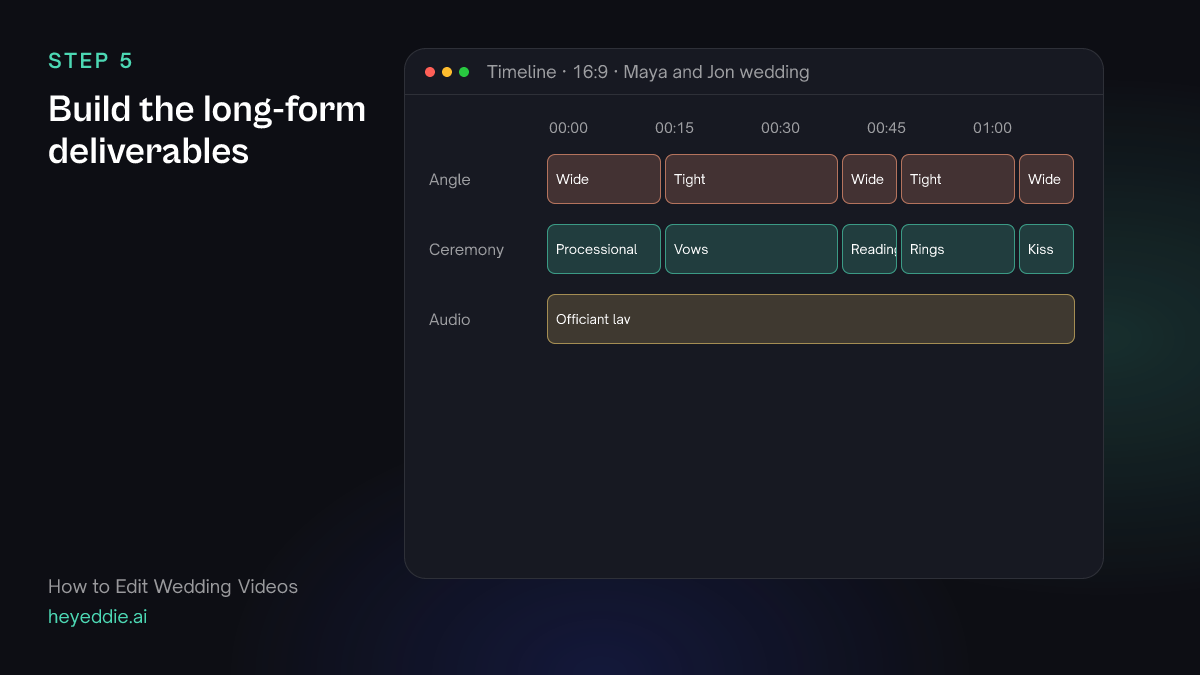
Couples also want the whole ceremony and every speech. Ask for each as its own edit so the highlight film stays separate.
What you type “Make a full ceremony edit from the multicam group: wide shot for the processional, cut to the tight camera for the vows and rings. Then make each speech its own edit, trimmed from the first word to the applause.”
What Eddie does
- Builds the ceremony edit and assigns angles section by section.
- Creates one edit per speech, trimmed at the start and end.
What you get: The ceremony and every speech as separate, tidy files.
Step 6
Export for delivery or finishing
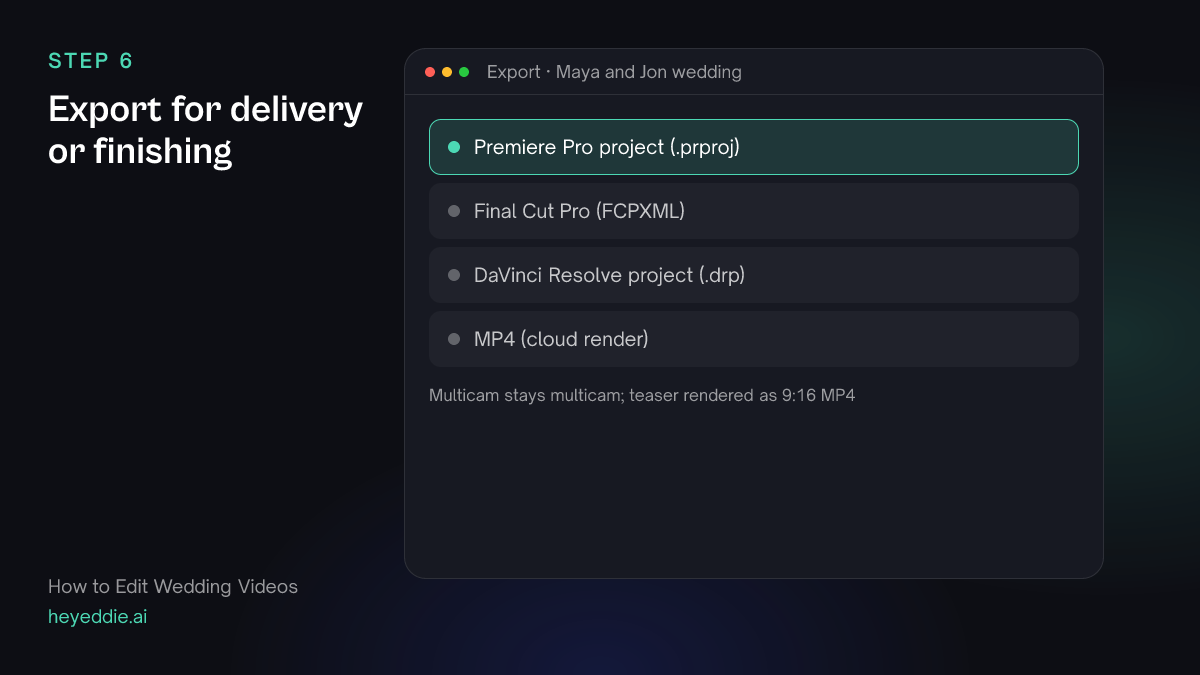
Deliver MP4s directly, or send the edits to your editing app to grade and finish.
What you type “Export the highlight film and the ceremony as Premiere Pro projects with the multicam kept as multicam, and make a 1-minute vertical teaser of the highlight as an MP4.”
What Eddie does
- Writes native Premiere Pro projects that keep the multicam clips and point at your original media.
- Builds and renders the vertical teaser.
What you get: Editable timelines for finishing, and a teaser for the couple to post.
What makes it work
- Mic the officiant and the couple
- Vows recorded on a camera at the back of the room are hard to use. A lav on the officiant or the groom, synced as the group's audio, makes every vow usable.
- Let the words lead
- Highlight films that run on music alone feel generic. One real vow line over the opening shot tells viewers this film is about these two people.
- Choose breathy pacing for emotion
- Tight pacing suits talking heads. Wedding speeches need the laugh and the pause after the line, so ask for breathy pacing.
- Deliver the long versions separately
- Keep the highlight film short and give the full ceremony and speeches as their own files. Couples watch both, for different reasons.
Questions
- Can Eddie find the vows without me scrubbing through the ceremony?
- Yes. Eddie transcribes the ceremony, so you can ask for "the vows" or for a line you remember, and it returns the passage with timestamps.
- Can Eddie tell which moments were emotional?
- Eddie can analyse interview and ceremony footage for moments a transcript cannot carry, such as a voice breaking, a long pause or someone looking away. The analysis uses credits, and Eddie quotes them first.
- Is there an agent that edits weddings in a particular style?
- Yes. The Eddie agent marketplace has a wedding video editor agent that builds a film from what people said, carried over the day's b-roll.
- Can I use the couple's own song?
- You can add any audio file you have the rights to. Eddie attaches it to the edit and ducks it under speech.