How-to guidesNews
How to Edit a News Package
News packages are built against the clock, to a fixed duration, with rules about what can be shown. The structure is standard: track, bite, track, bite, stand-up or sign-off. This guide speeds up the parts that take the longest on deadline: finding the bites, laying pictures under the track and checking that nobody is shown who should not be.
The short answer
A package alternates the reporter's voice track with short sound bites from the people in the story, covered with pictures of what the voice describes. Pick the two or three strongest bites, lay the voice track around them, cover the voice with b-roll, add name supers, and blur anyone who must not be identified. Eddie finds the bites, builds the alternating structure, places your b-roll, adds the supers and handles the blurring, then hands the timeline to your edit system.
What you will end up with
- A package of a fixed length, such as 1:45, alternating voice track and sound bites.
- Your own pictures under every line of track.
- Name supers on each interviewee.
- Faces or plates blurred where the story requires it, and a timeline for your edit system.
Step by step
Step 1
Ingest the shoot and the track
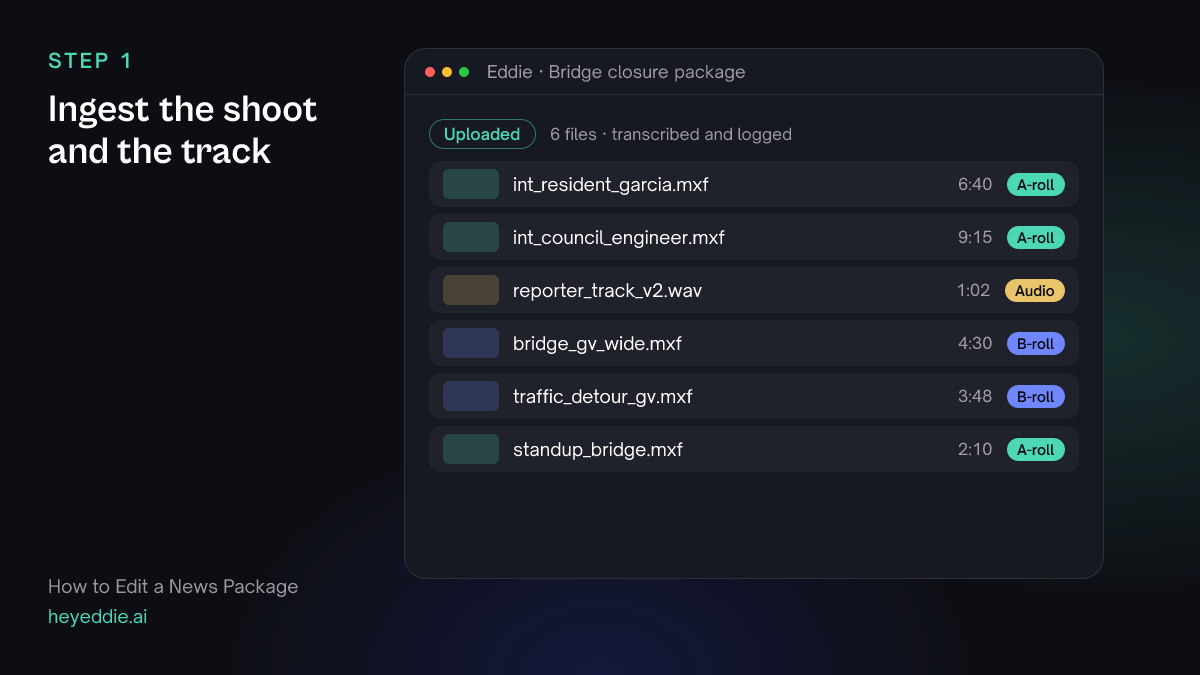
Upload the interviews, the general views and the reporter's recorded voice track. Eddie transcribes the interviews and the track, so you can work from the words.
What Eddie does
- Transcribes the interviews, the stand-up and the voice track.
- Logs the general views by what they show.
What you get: The whole shoot, searchable by what was said and filmed.
Step 2
Pick the sound bites
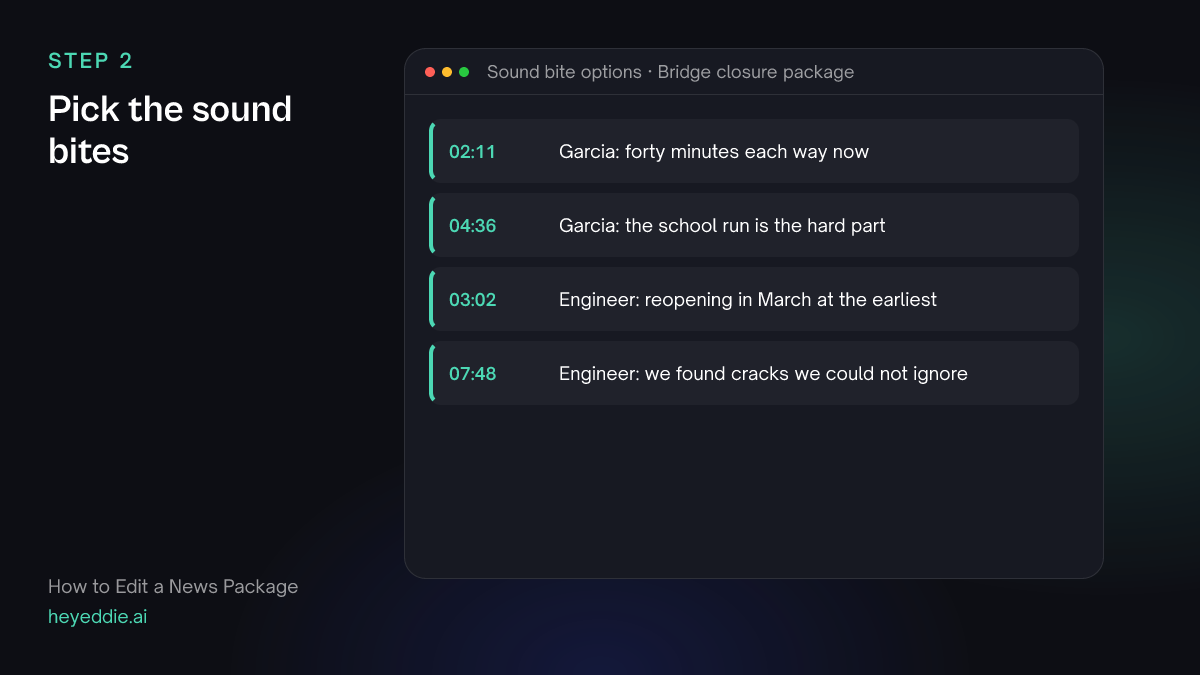
Ask for short bites that carry a view or a fact the track cannot say. Two or three are enough for a package under two minutes.
What you type “Find the best 8 to 12 second bites: one from the resident about what the closure means for her commute, and one from the engineer on when the bridge reopens. Give me two options for each, with timestamps.”
What Eddie does
- Searches the interview transcripts for each subject.
- Returns short, complete bites with timestamps so you can choose.
What you get: Bite options you can choose between in a minute.
Step 3
Build track, bite, track, bite
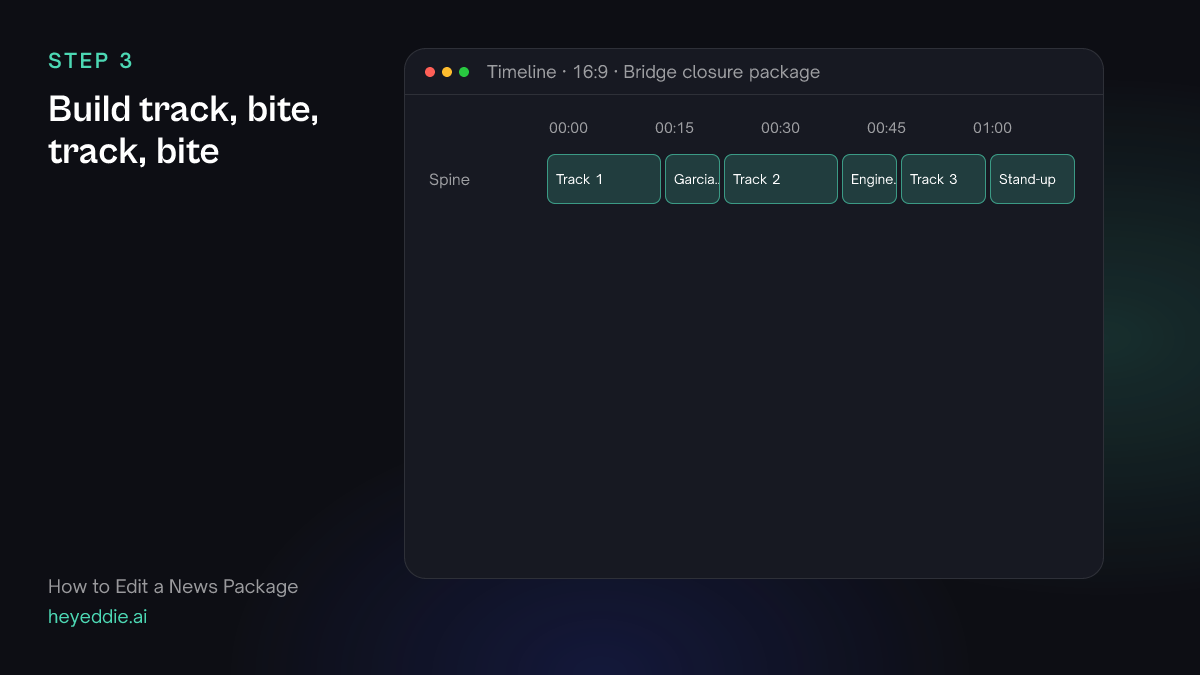
Ask for the structure and the duration in one prompt. Eddie lays the voice track paragraphs between the bites and ends on the stand-up.
What you type “Build a 1:45 package: track paragraph 1, the Garcia commute bite, track paragraph 2, the engineer March bite, track paragraph 3, then the stand-up to close. Use the reporter track for the voice sections.”
What Eddie does
- Builds the edit in the order you named, with the voice track as the spine of the voice sections.
- Reports the duration against the 1:45 slot.
What you get: The package structure, timed to the slot.
Step 4
Cover the track with your pictures
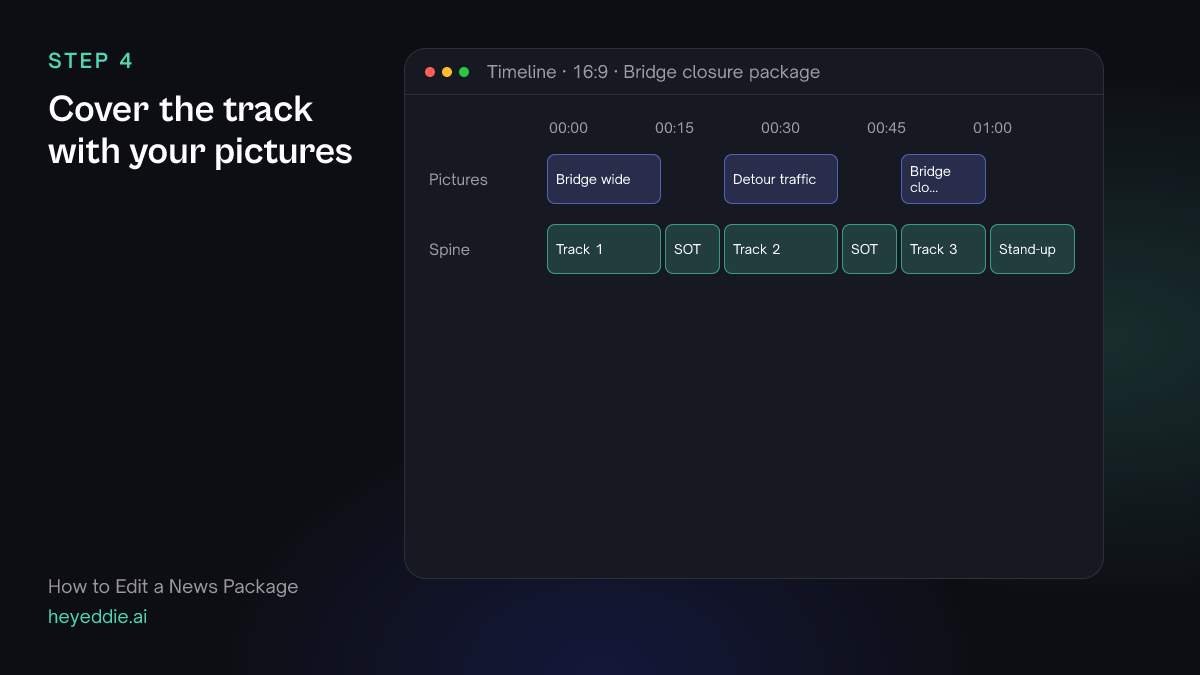
Every line of track needs a picture of what it says. Use your own general views only; news packages should not use stock or generated footage as if it were shot on the day.
What you type “Cover all three track sections with our own general views, matched to what the track says: the bridge wide shots over the closure, the detour traffic over the commute line. Use only our footage, no stock and nothing generated.”
What Eddie does
- Places your general views over the track sections where they match the words.
- Keeps to your own footage when you say so.
What you get: A package with pictures under every line.
Step 5
Add supers and blur what must be hidden
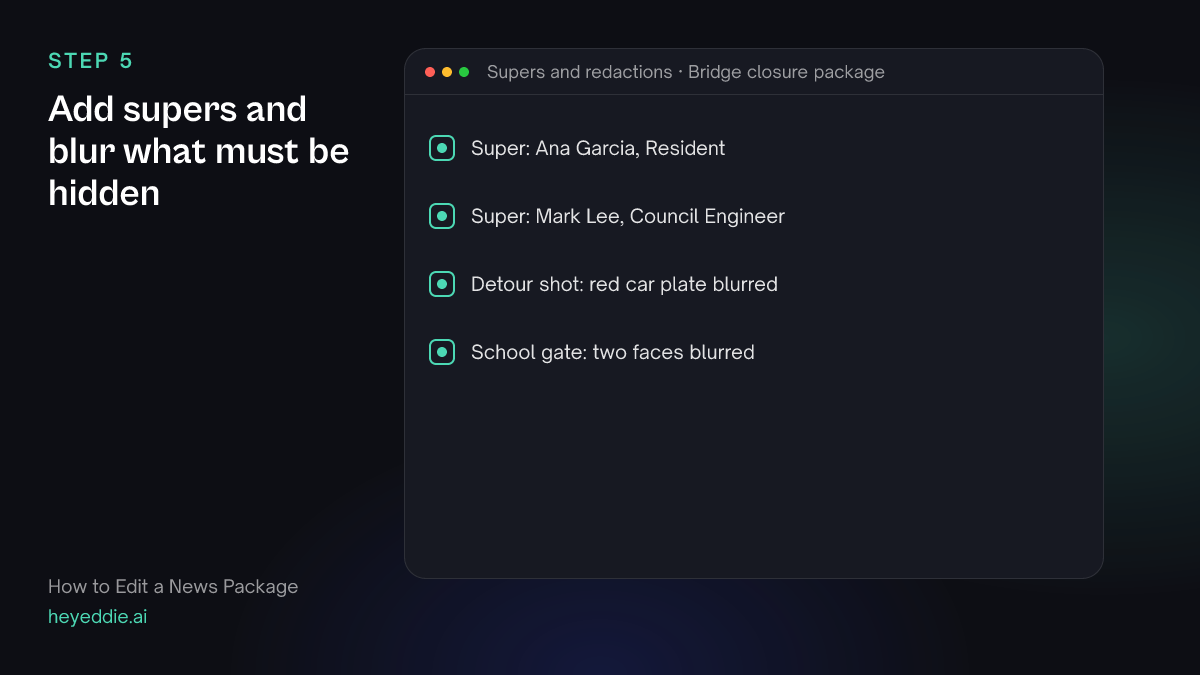
Name every interviewee on screen. Blur faces of children, private licence plates and anything the story must not identify.
What you type “Add supers "Ana Garcia, Resident" and "Mark Lee, Council Engineer" on each bite. In the detour traffic shot, blur the licence plate of the red car, and blur the children's faces at the school gate shot.”
What Eddie does
- Adds a lower third on each bite.
- Blurs each region you described for as long as it is on screen.
What you get: A package that meets your editorial rules.
Step 6
Send it to your edit system
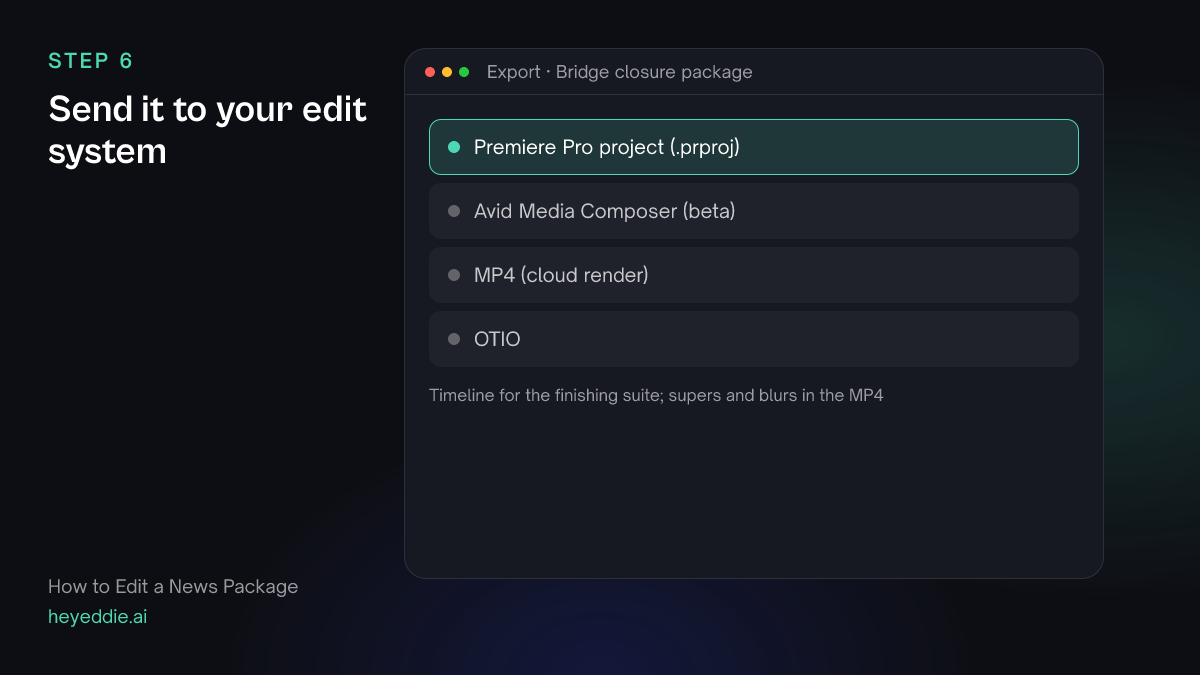
Most newsrooms finish and play out from their own system. Export a timeline to conform there, and an MP4 for the web.
What you type “Export the package as a Premiere Pro project for the finishing suite, and as a 1080p MP4 for the website.”
What Eddie does
- Writes a Premiere Pro project with the cuts, pointing at your original files.
- Renders the MP4 in the cloud with the supers and blurs.
What you get: A package ready for finishing and for the web.
What makes it work
- Write track to pictures you have
- Before recording the track, check the general views. A line about a closed school with no picture of the school forces a cover shot that does not match.
- Bites carry what track cannot
- Use bites for opinion, emotion and expertise. Facts the reporter can say faster belong in the track.
- Keep news pictures real
- Do not cover a news package with stock or generated footage presented as the scene. Tell Eddie to use only your own footage.
- Check redactions on every frame
- Play every blurred shot through once after export. A face that turns into frame late is the one that gets missed.
Questions
- Can Eddie use a reporter track I recorded separately?
- Yes. Import the track as an audio file and ask Eddie to use it for the voice sections between the bites.
- Are the supers and blurs in the MP4?
- Yes. The cloud MP4 render carries the supers and blurs. For a timeline, export a Premiere Pro project or a Resolve FCPXML.
- Can I export to Avid Media Composer?
- Avid Media Composer support is in beta: the cut goes into your open Media Composer project through the Eddie extension, with access from a waitlist. Eddie also exports Avid ALE logs for your bins.
- Can Eddie hit an exact duration?
- Eddie builds to the target you name and reports the finished duration, so you can see whether the package fits the slot before you export.