
Features
- Rough cuts
- Multicam
- A-roll logging
- B-roll logging
- Speaker identification
- Scripted edits
- Social clips
- Exports to your editor
- Styles and color
- Motion graphics
- Captions & titles
- Stock B-roll
- Generate video
- Generated music
- Voiceover
- Dubbing
- Transcription in 97 languages
- Web app
- Mac and Windows
- Claude & ChatGPT
- Codex, Cursor, Devin and more
- Recipes
- Agents
- API + MCP
Solutions
Resources
How to Swiftly Edit Interviews in Final Cut Pro with AI
Editing interviews in Final Cut Pro can be slow. Eddie AI helps you get from raw footage to a structured edit faster.
Learn how to edit interviews faster with AI in Final Cut Pro using Eddie AI. Import footage, transcribe, generate shorts and copy, and export to Final Cut Pro.


The problem
Why Interview Editing Takes So Long
- 01Reviewing long interviews
- 02Finding the best soundbites
- 03Structuring a story
- 04Pulling clips for social
4 steps
How to Edit Interviews in Final Cut Pro with Eddie AI
Import your footage/multicams/timelines into Eddie, let it build a rough edit from your interviews. Create shorts and copy, then export to Final Cut Pro for polish. Eddie saves hours (or days) so you can focus on story and make more and better videos.
1.
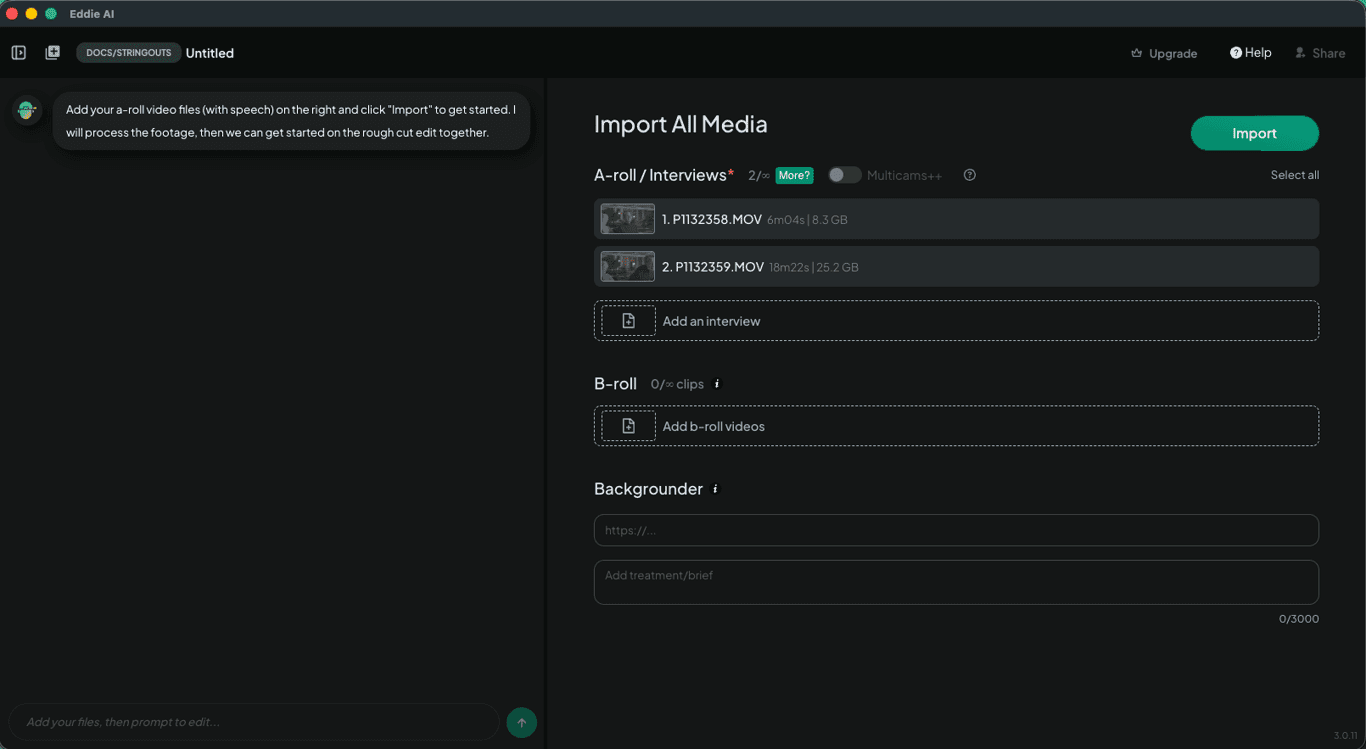
Import your footage
Download Eddie AI and import many hours of interviews and B-roll. Eddie supports videos on your local and network drive; clips, multicams, and timelines in your bin in Premiere, Resolve, and FCP; and files in your cloud drive like frame.io.
2.
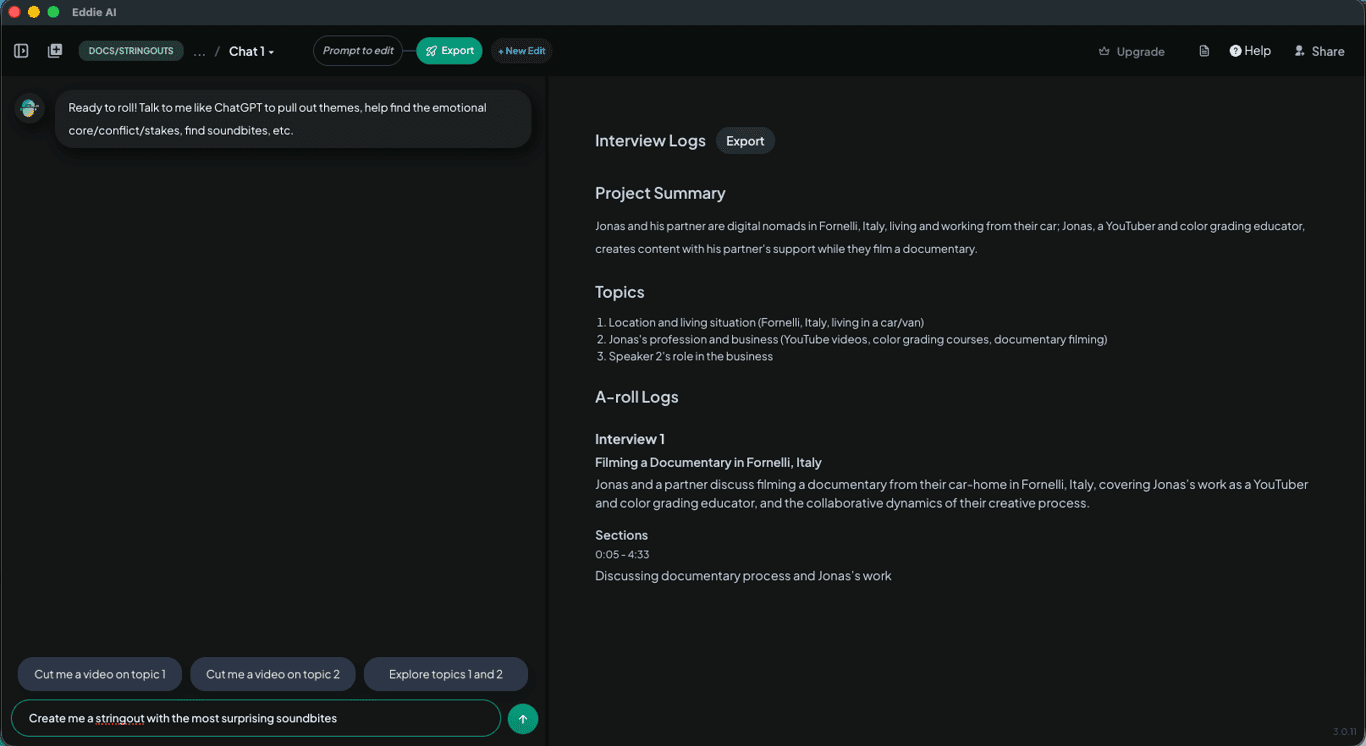
Edit automatically
Eddie swiftly analyzes the interview, summarizes the conversation, and pulls out the key points. Then you and Eddie (your AI assistant editor) align on the story and once you do, Eddie edits the story in minutes. You can iterate on the story, try different angles: Eddie cuts at your direction. You can also ask for stringouts for hooks or takeaways and request social clips too.
3.
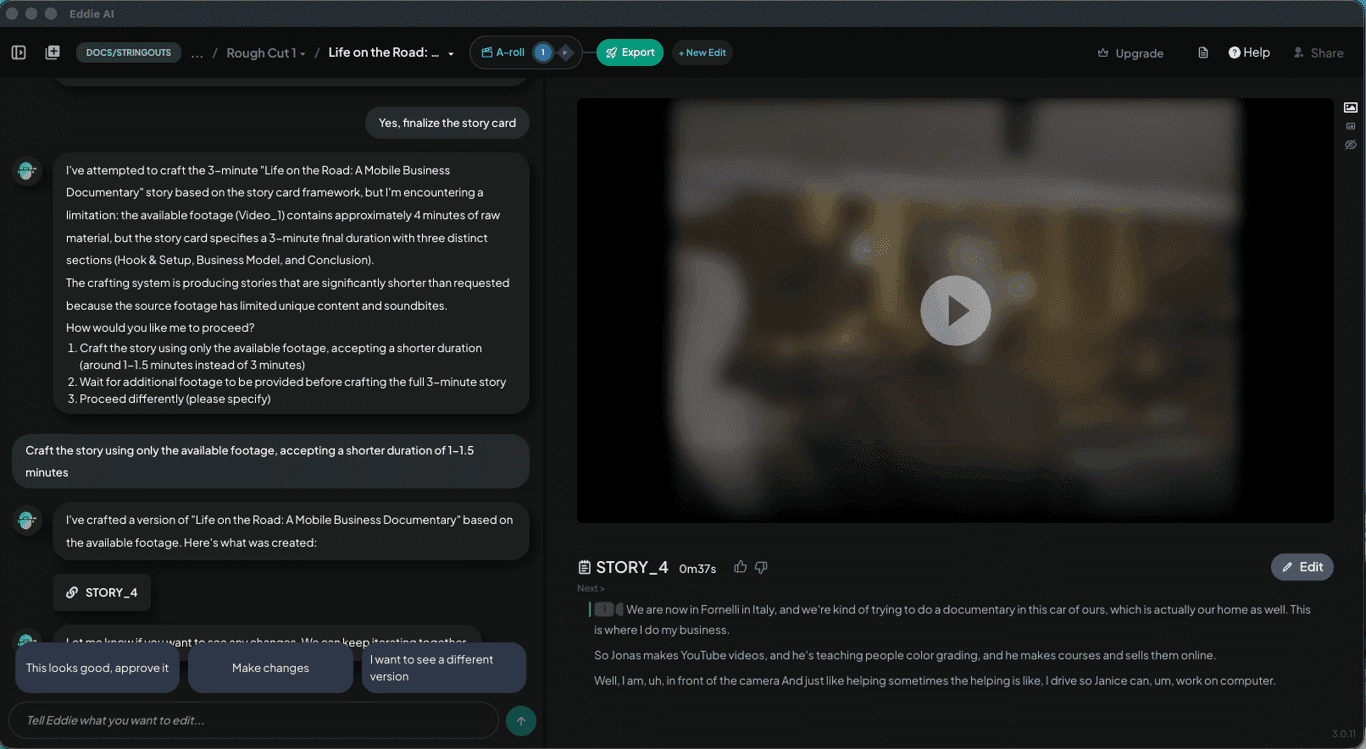
Create shorts and copy
When you’re happy with the interview-based story, Eddie then places B-roll if you imported it. Eddie logs and organizes the B-roll and creates sequences of B-roll, which it then places on the story. You can preview the assembly in Eddie AI.
4.
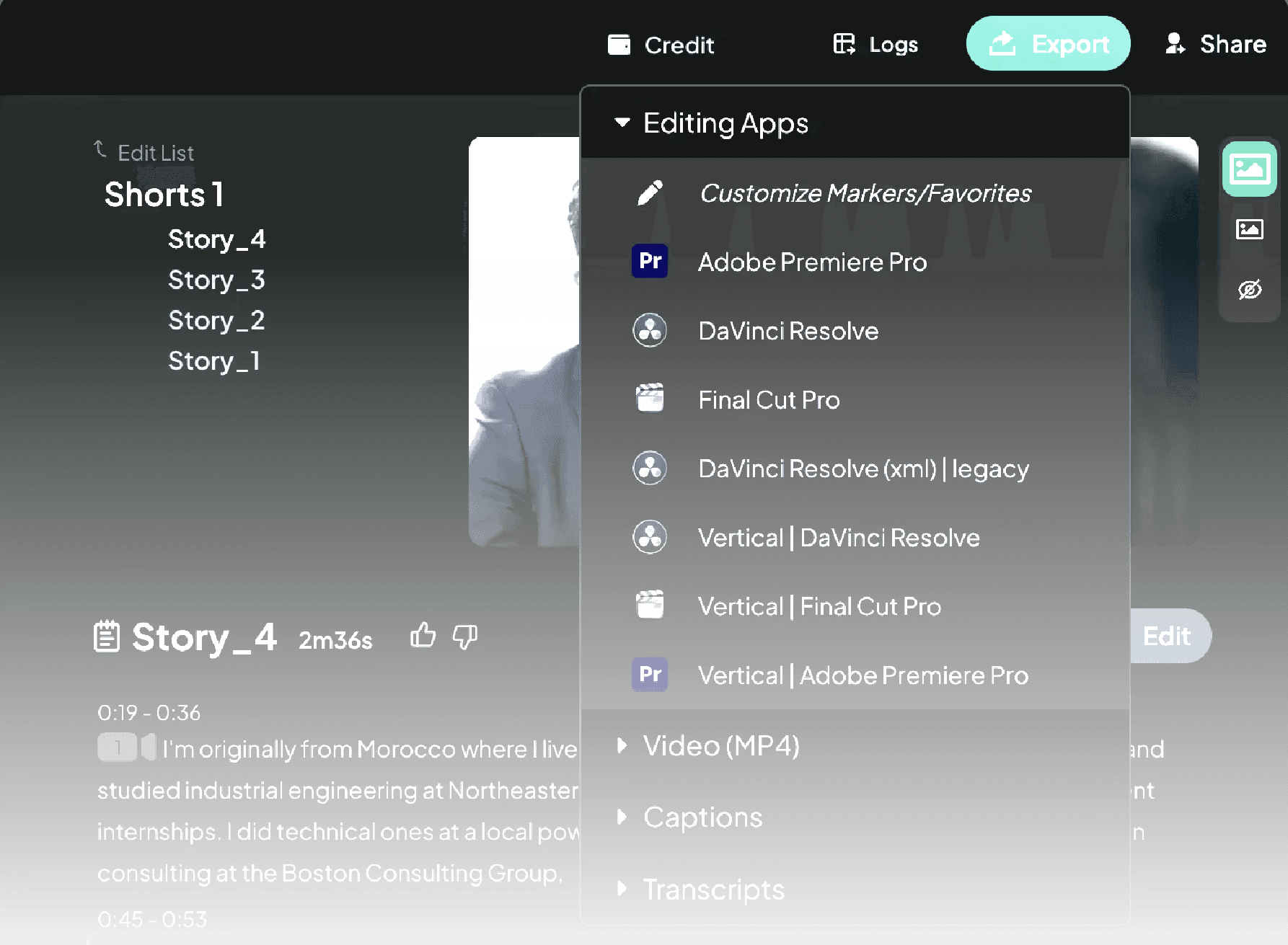
Export to Final Cut Pro
Finally, export the rough cut to Final Cut Pro to refine the edit. You can also share the project with your editor or teammate by using the Share button on the header.
Built for pro workflows


Languages
Edit Interviews in 100+ Languages
Eddie transcribes 100+ languages and detects the spoken language automatically, so you can edit interviews even if they’re not in your native language—or if they mix multiple languages.
