
Features
- Rough cuts
- Multicam
- A-roll logging
- B-roll logging
- Speaker identification
- Scripted edits
- Social clips
- Exports to your editor
- Styles and color
- Motion graphics
- Captions & titles
- Stock B-roll
- Generate video
- Generated music
- Voiceover
- Dubbing
- Transcription in 97 languages
- Web app
- Mac and Windows
- Claude & ChatGPT
- Recipes
- Agents
- API + MCP
Solutions

How to Edit a Short Film
A short film is shot out of order, in many takes, from a script you know by heart. That is the trap: you remember what you meant, not what is on the card. The first job is a faithful assembly of the script. The real editing starts when you see what the scenes do once they sit next to each other. This guide covers a dialogue-led short of five to twenty minutes, finished in your own editor.
The short answer
Organize the footage by scene, shot and take, then assemble every scene as written, using the best take of each line. Watch the whole assembly once without stopping, then tighten it: trim the air before and after lines, cut dialogue the picture already says, and move scenes if the middle drags. Lay in temp music, get notes from someone who has not read the script, and only then lock picture and send it to the grade and the sound mix. Eddie tags the takes, cuts the dialogue scenes to your script with the best take of each line, gives timestamped notes and hands the cut to Premiere Pro, Resolve or Final Cut Pro.
The deliverables
What you will end up with
- Every file tagged with its scene, shot and take, so you can ask for footage the way it was slated.
- An assembly that follows the script, with the best take of each line and a list of lines it could not find.
- A tighter cut, shaped by timestamped notes on pacing and story.
- A timeline in your editor, pointing at the original media, ready for the grade and the mix.
6 steps
Step by step
- 01Import the rushes and the script
- 02Assemble the dialogue scenes to the script
- 03Place the inserts and silent shots
- 04Get notes on the assembly
- 05Tighten the cut
- 06Add temp music and send it to your editor
Step 1
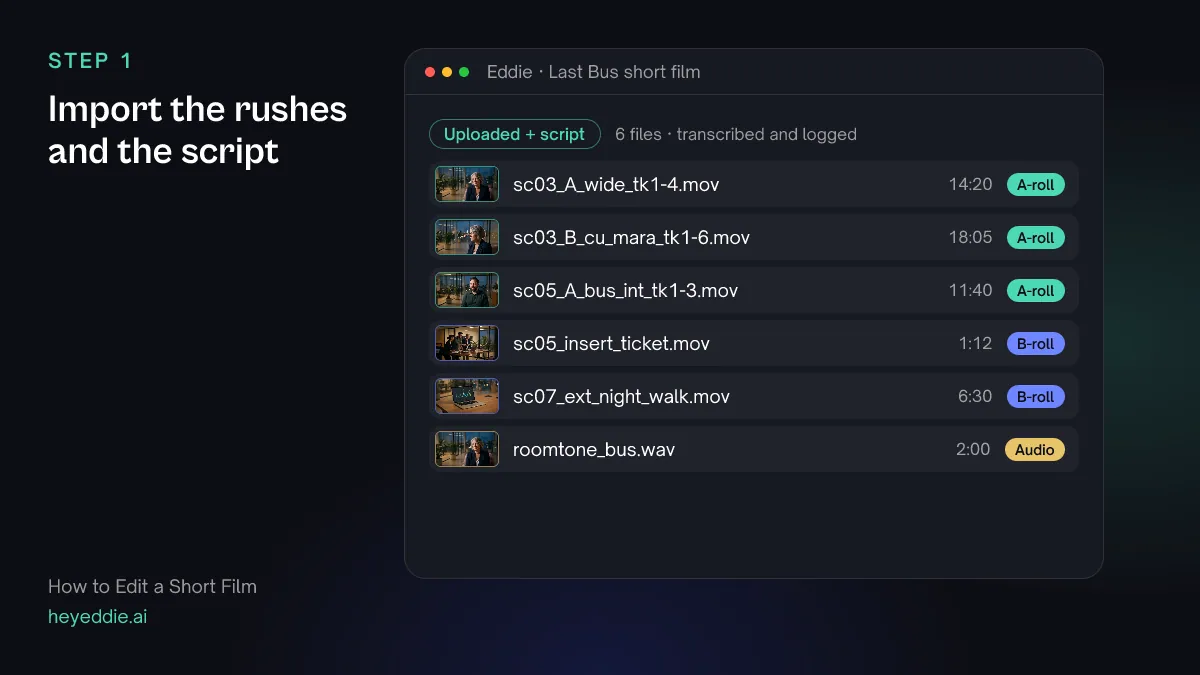
Import the rushes and the script
Upload the camera files, or send a bin from Premiere Pro, Resolve or Final Cut Pro through the desktop app. Attach the shooting script. If your files are named by scene, shot and take on set, Eddie can use those names to tag them.
What you type “Tag every file with its scene, shot and take from the file names, mark the ticket insert and the night walk as b-roll, and list the files by scene so I can see if any scene in the script has no footage.”
What Eddie does
- Transcribes the dialogue in every take and reads the attached script so it can match lines to takes.
- Writes the scene, shot and take into each file's metadata, and reclassifies the inserts as b-roll.
- Lists the files scene by scene, so a gap in the coverage shows before you start cutting.
What you get: Rushes you can ask for the way they were slated: "scene 5, take 3".
Step 2
Assemble the dialogue scenes to the script
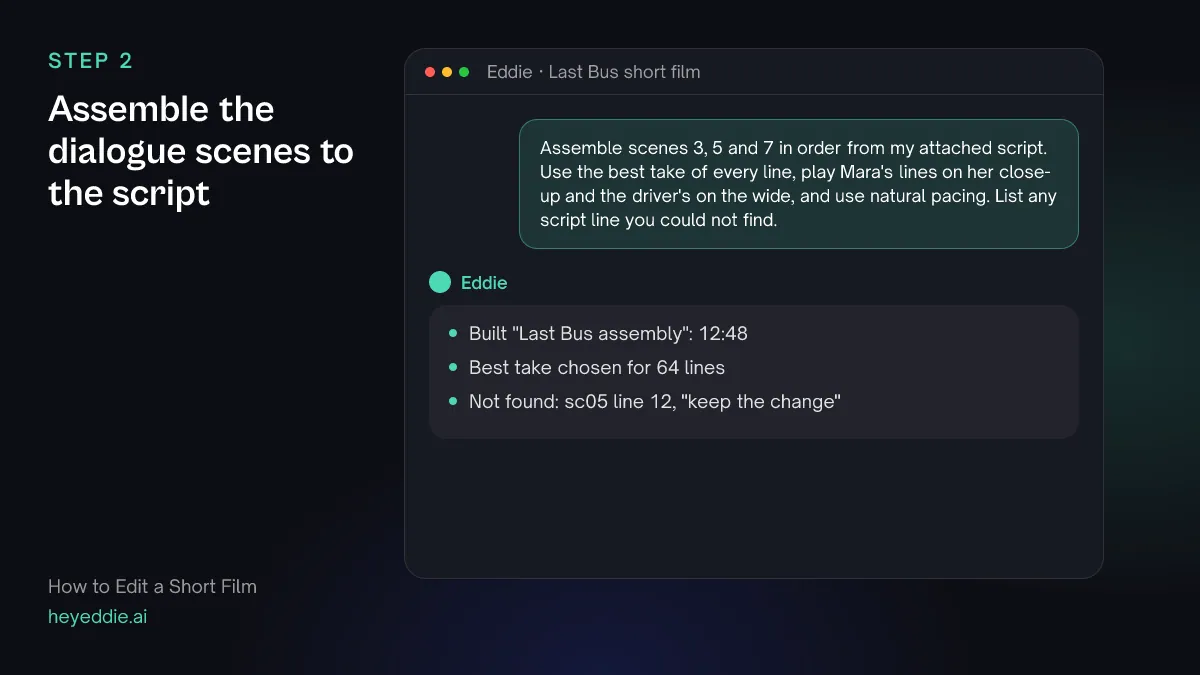
Ask for the scenes in script order with the best take of each line. Use natural pacing for a first assembly; you will tighten later, and it is easier to cut air than to put it back.
What you type “Assemble scenes 3, 5 and 7 in order from my attached script. Use the best take of every line, play Mara's lines on her close-up and the driver's on the wide, and use natural pacing. List any script line you could not find.”
What Eddie does
- Matches each scripted line to its takes and picks the cleanest delivery.
- Builds the scenes in script order from the setups you named, with natural pacing.
- Reports the length of the assembly and any script line it could not find in the footage.
What you get: A faithful assembly of the script to watch from start to finish.
Step 3
Place the inserts and silent shots
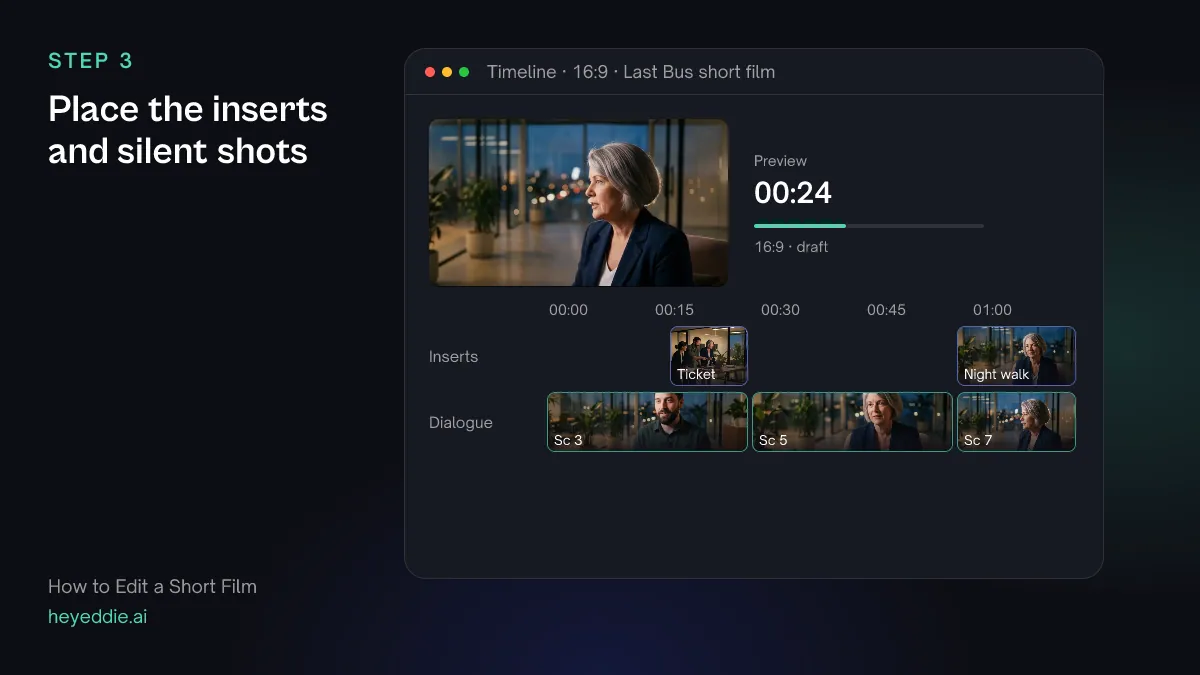
Shots with no dialogue, such as an insert of a ticket or a night exterior, have no words to match to the script. Put them in by naming the line they belong to.
What you type “Lay the ticket insert over Mara's line "I only have a twenty", and open scene 7 on the night walk shot over the driver's first line.”
What Eddie does
- Places the inserts as picture-only clips over the lines you named, with the dialogue audio playing underneath.
- Anchors each insert to its line, so it moves with the line if you reorder scenes later.
What you get: Scenes that cut away where the script calls for it.
Step 4
Get notes on the assembly
You know what every line is meant to do, so you cannot see where the film loses a stranger. Ask for notes before you start trimming.
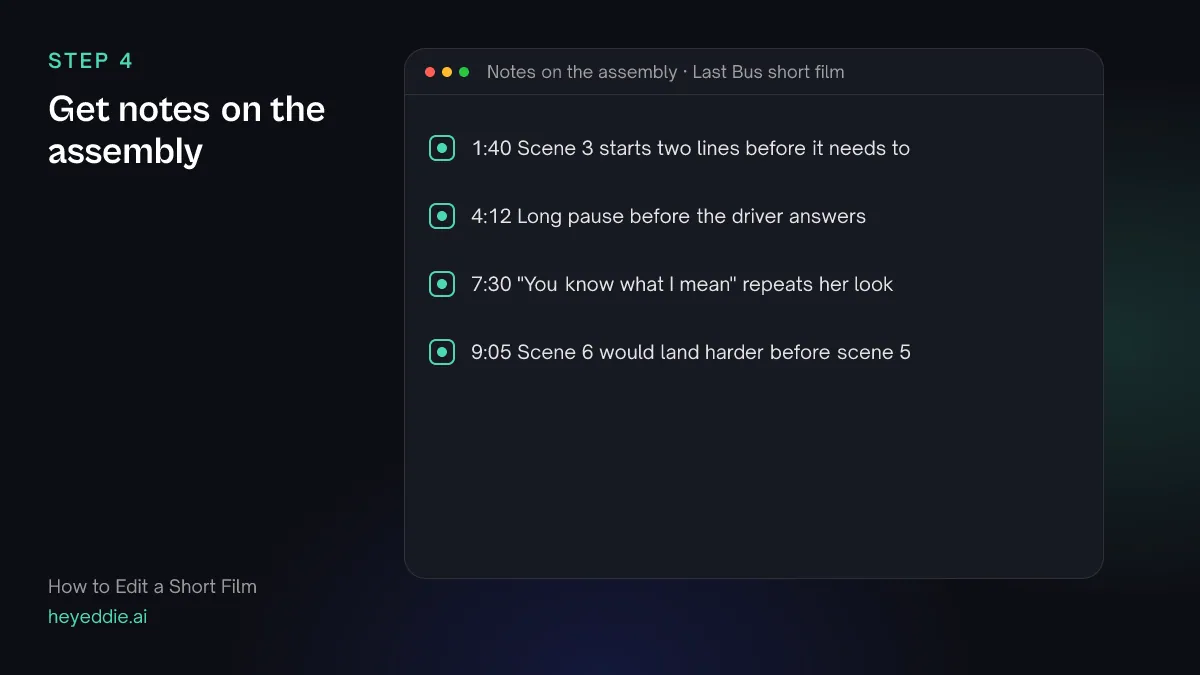
What you type “Watch the assembly and give me notes on pacing and story with timestamps: where it drags, where a line repeats what the picture already shows, and where the audience could get lost. Leave the notes as comments on the timeline.”
What Eddie does
- Renders the cut and has a video-understanding model review story, pacing and the opening.
- Leaves timestamped comments on the timeline that you can resolve as you work through them.
What you get: A list of problems to solve in the next pass.
Step 5
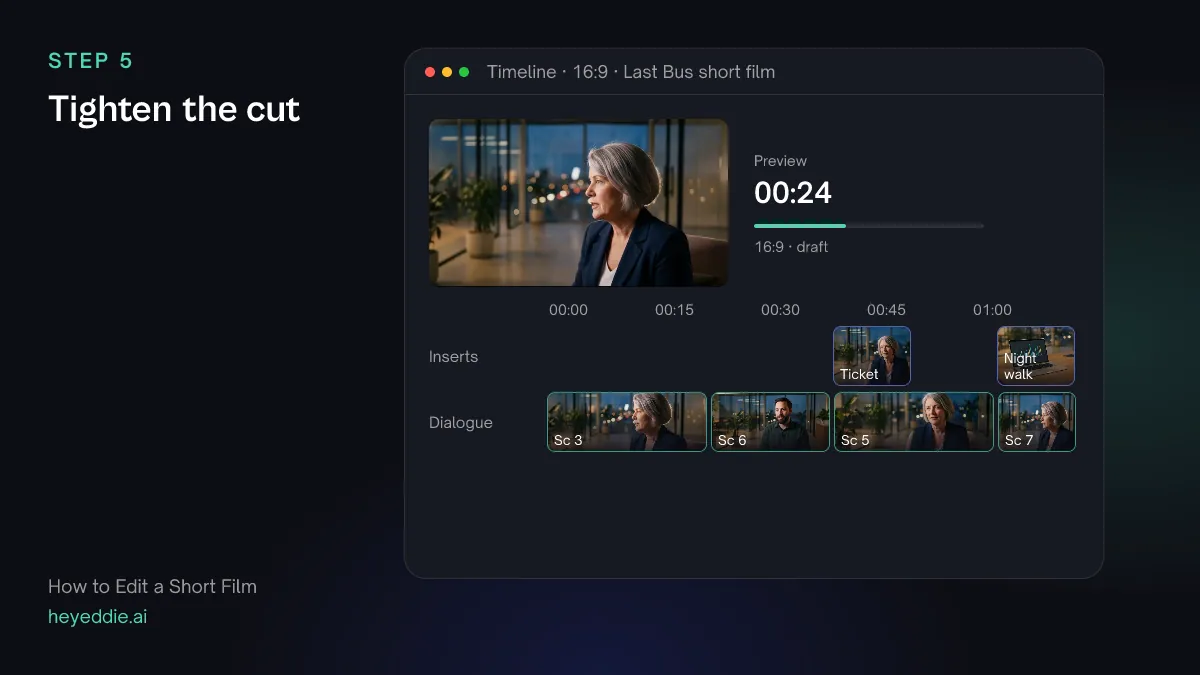
Tighten the cut
Work through the notes. Trim the heads and tails of lines, cut what the picture already says, and try moving a scene before you decide it does not work.
What you type “Shorten the pause before the driver's answer at 4:12, cut the line "you know what I mean" at 7:30, and move scene 6 so it plays before scene 5.”
What Eddie does
- Trims or cuts out the ranges you named without changing the source files.
- Moves the scene with its inserts attached, so the cutaways stay on the right lines.
What you get: A tighter cut with the structure you chose.
Step 6
Add temp music and send it to your editor
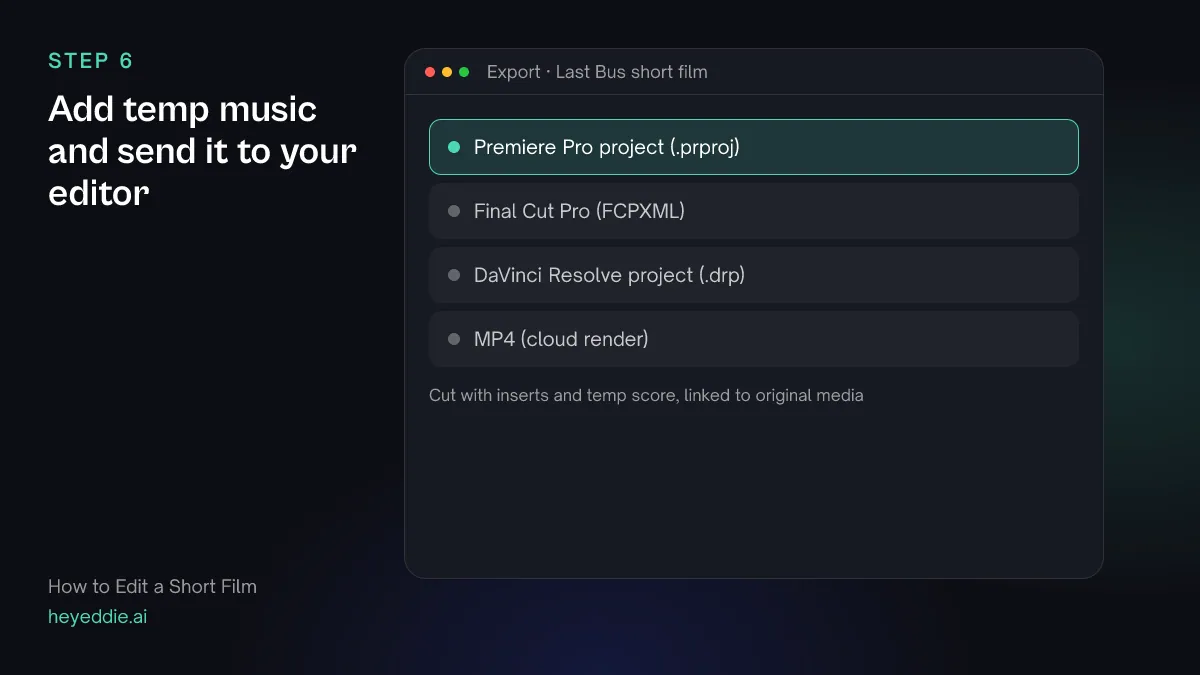
Temp music tells you whether a scene's pace works. Then export the cut to the application where you will grade, design the sound and mix.
What you type “Put a sparse piano track from our music library under the cut as temp score, ducked under the dialogue, then export it as a Premiere Pro project for the grade and the mix.”
What Eddie does
- Attaches the track to the music lane and lowers it whenever someone speaks.
- Writes a native Premiere Pro project with the cut, pointing at your original media.
What you get: Your cut, open in your editor, ready to lock and finish.
Craft
What makes it work
- Name files by the slate
- Scene, shot and take in the file name costs nothing on set. In the edit it lets you ask for "scene 5, take 3" instead of scrubbing through cards.
- Assemble first, judge second
- Cut every scene as written before you change anything. You need to see what the script does on screen before you can decide what to lose.
- Check the alternates of key lines
- Eddie picks the cleanest delivery of each line. For the few lines the film hangs on, watch the other takes yourself; a quieter or slower read is sometimes the right one, and you can ask for it by take number.
- Let the picture do the work
- If the actor's face already tells us she is scared, the line saying so can usually go. Short films get better when the dialogue does less.
- Lock picture before the mix
- Grade and mix after the cut is locked. Every picture change after the mix means reconforming the sound, which costs time and money.
FAQ
Questions
- How long should a short film be?
- The Academy and many festivals define a short as 40 minutes or less including credits, but shorter films are easier to program. Most festival shorts run under 15 minutes. Cut to what the story needs, then try cutting another minute.
- What order do you edit a short film in?
- Organize and sync the rushes, assemble the script, make a rough cut, then a fine cut. Lock picture, then do sound design, the mix, the colour grade and the titles and credits.
- Can Eddie choose the best take of each line?
- Yes. Attach the script and Eddie matches each line to its takes and picks the cleanest delivery. You can ask for a different take of any line afterwards.
- What about shots with no dialogue?
- There are no words to match to the script, so Eddie does not place silent shots on its own. Mark inserts and exteriors as b-roll and tell Eddie which line each one goes over, or place them yourself in your editor.
- Can I edit a short film without a script?
- Yes. Describe each scene and the order you want, and Eddie builds it from the transcript. A script makes the first assembly closer to what you shot.
- Can I finish the film in DaVinci Resolve or Final Cut Pro?
- Yes. Export the cut as a DaVinci Resolve project or a Final Cut Pro timeline. Both point at your original media, so you grade and mix from the full-quality files.

Cut your short film with Eddie
Sign up, add your footage and type the first prompt above. New accounts start with free credits.