
Features
- Rough cuts
- Multicam
- A-roll logging
- B-roll logging
- Speaker identification
- Scripted edits
- Social clips
- Exports to your editor
- Styles and color
- Motion graphics
- Captions & titles
- Stock B-roll
- Generate video
- Generated music
- Voiceover
- Dubbing
- Transcription in 97 languages
- Web app
- Mac and Windows
- Claude & ChatGPT
- Recipes
- Agents
- API + MCP
Solutions
How to Edit a Panel Discussion
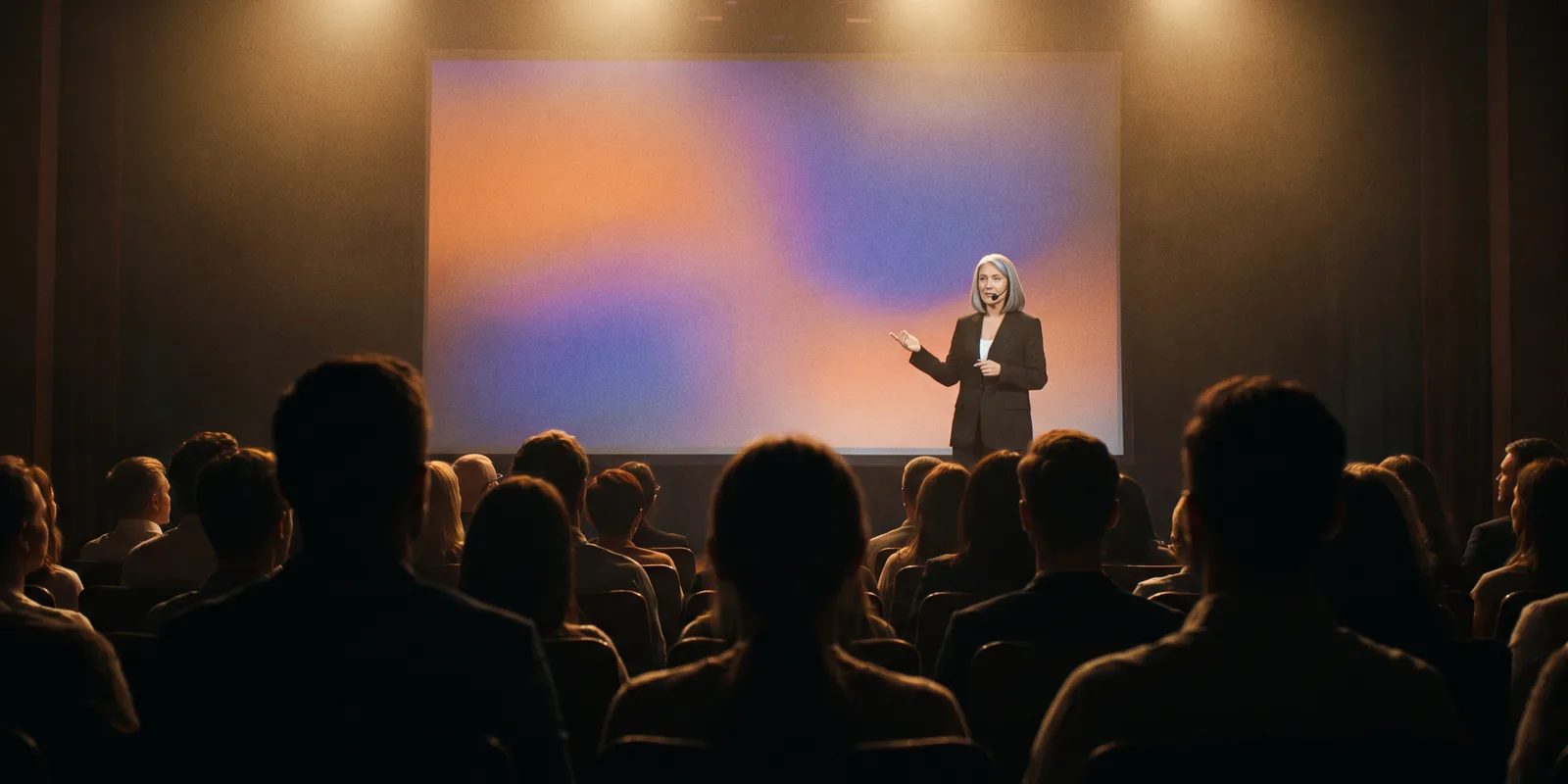
A panel is five people, three or four cameras and one sound desk, and the edit has to keep track of all of them. The hard part is not the cutting, it is knowing who is talking at every moment and giving each panelist a fair share of the screen. This guide edits a recorded panel into a full session and a clip for each speaker.
The short answer
Sync the wide shot and the closer cameras, name every voice, then cut to whoever is speaking and go back to the wide when two people talk at once or the panel reacts. Trim the welcome, the sponsor thanks, the microphone handovers and the time checks, but keep the questions that set up each answer. Put each panelist's name on screen at their first answer, and pull one short clip per panelist so every speaker has something to share. Eddie syncs the cameras, names the speakers, switches angles by who is talking and builds the clips from prompts.
The deliverables
What you will end up with
- Every camera synced to the desk audio, with each speaker named.
- The welcome, sponsor thanks, handovers and time checks removed.
- A cut that follows whoever is speaking, with the wide shot for crosstalk.
- Name titles, topic titles and one vertical clip per panelist.
7 steps
Step by step
- 01Import and sync the cameras
- 02Name all five voices
- 03Trim the housekeeping
- 04Cut to whoever is speaking
- 05Add names and topic titles
- 06Pull one clip per panelist
- 07Export
Step 1
Import and sync the cameras
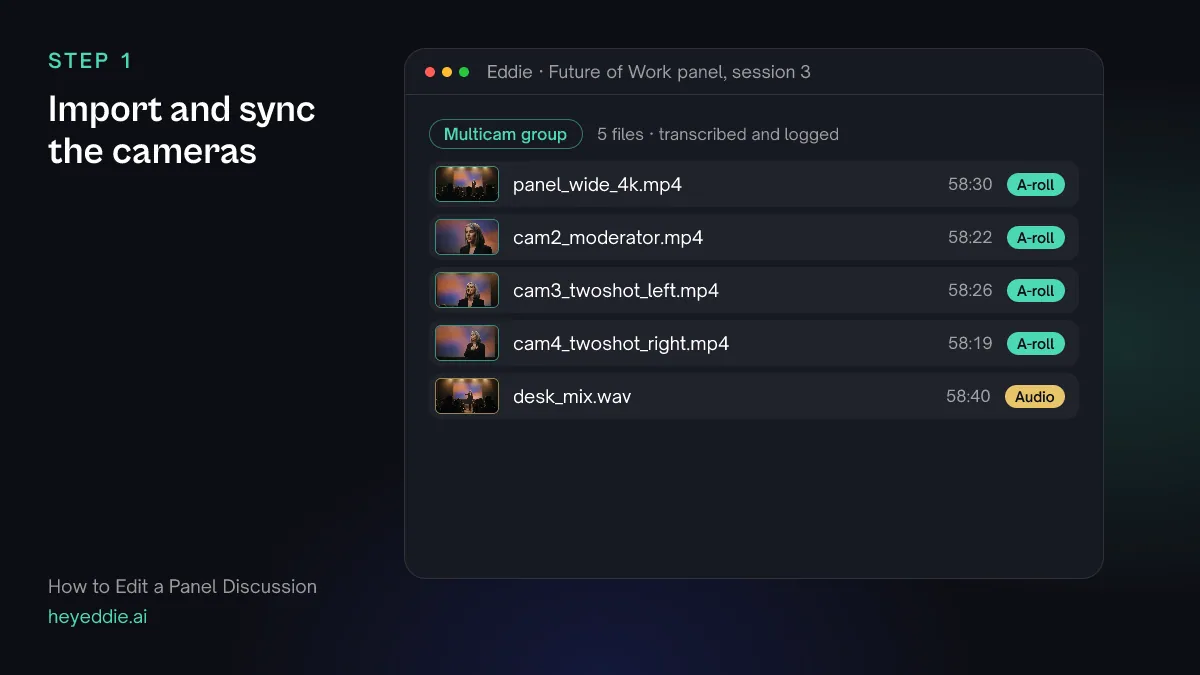
Upload every camera and the sound desk recording. Panels are often shot with two-shots rather than a camera per seat; that is enough if each two-shot is sharp.
What you type “Group the wide camera, the moderator camera, both two-shot cameras and the desk mix as one multicam recording, synced by sound, with the desk mix as the audio.”
What Eddie does
- Measures each camera's sync offset and groups the files as one recording.
- Sets the desk mix as the audio for the group, and transcribes the panel.
What you get: One synced panel instead of five files.
Step 2
Name all five voices
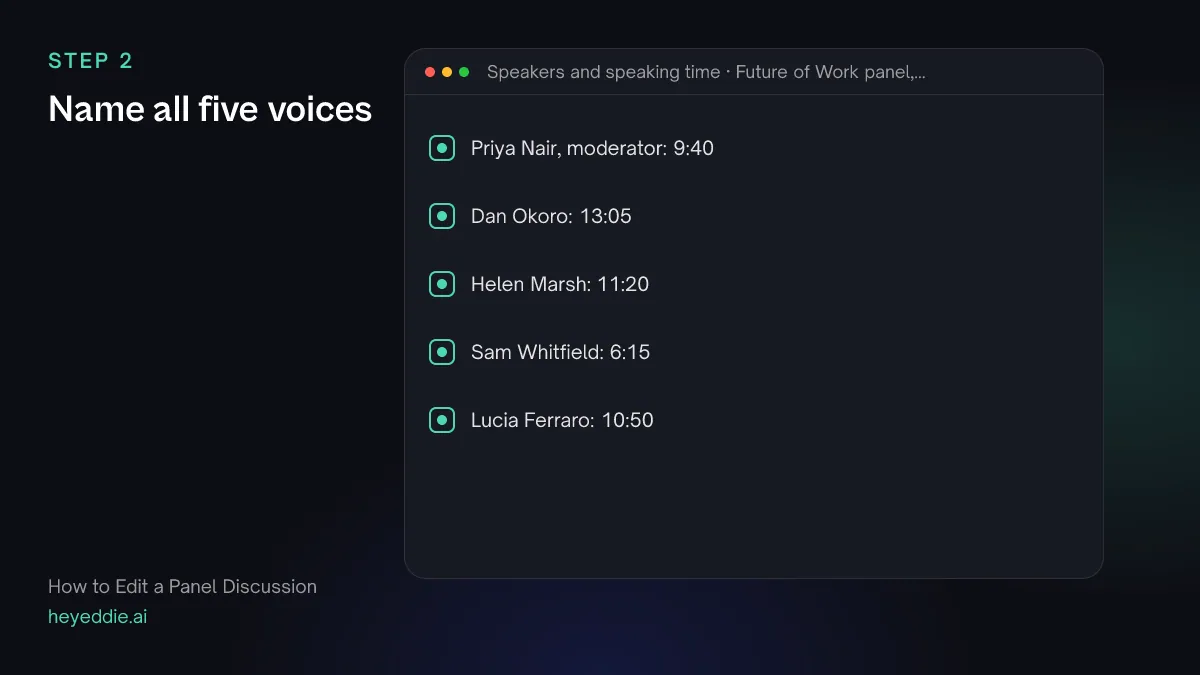
Name the moderator and every panelist before anything else. Ask for speaking time too: it shows straight away whether one panelist dominated and another barely spoke.
What you type “Name the speakers: the moderator is Priya Nair, and the panelists from left to right are Dan Okoro, Helen Marsh, Sam Whitfield and Lucia Ferraro. Then tell me how long each person speaks in total.”
What Eddie does
- Renames each speaker across every camera and the desk recording.
- Adds up each person's speaking time from the transcript.
What you get: A transcript with names, and a picture of the balance.
Step 3
Trim the housekeeping
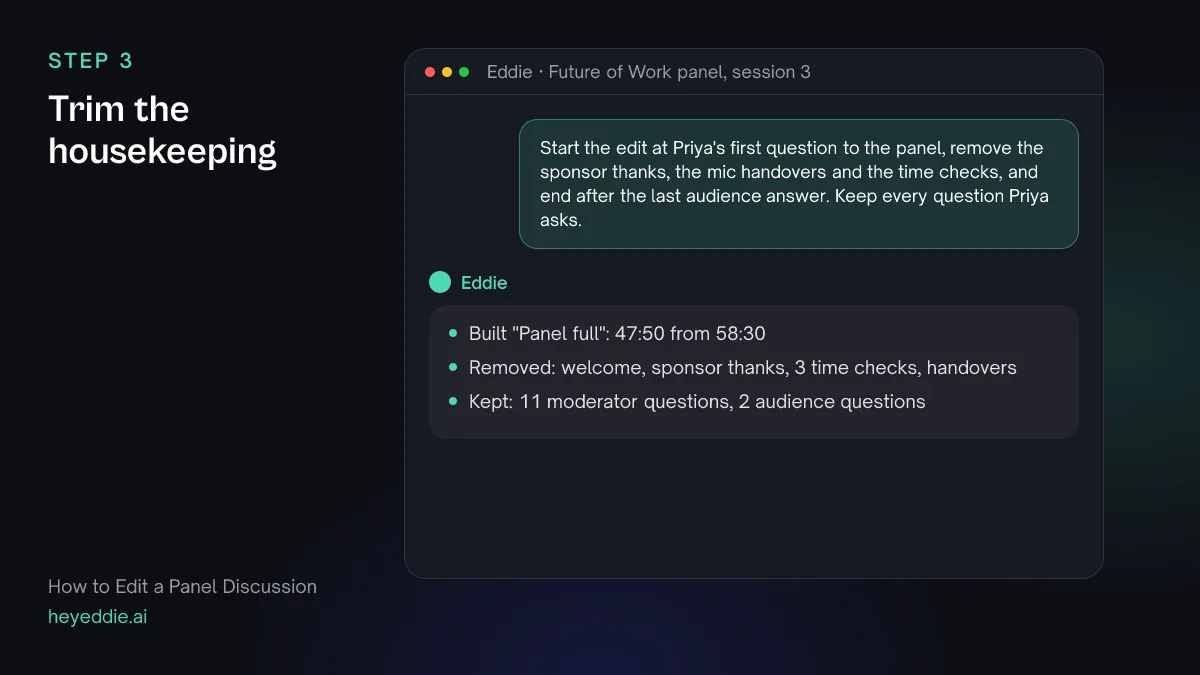
Remove what was for the room: the welcome, the sponsor thanks, microphone handovers and "we have five minutes left". Keep every question, shortened if the moderator took a long run-up, because the answers make no sense without them.
What you type “Start the edit at Priya's first question to the panel, remove the sponsor thanks, the mic handovers and the time checks, and end after the last audience answer. Keep every question Priya asks.”
What Eddie does
- Finds the first question, the thanks, the handovers and the time checks in the transcript.
- Builds the edit without them and reports the new length.
What you get: The panel without the event around it.
Step 4
Cut to whoever is speaking
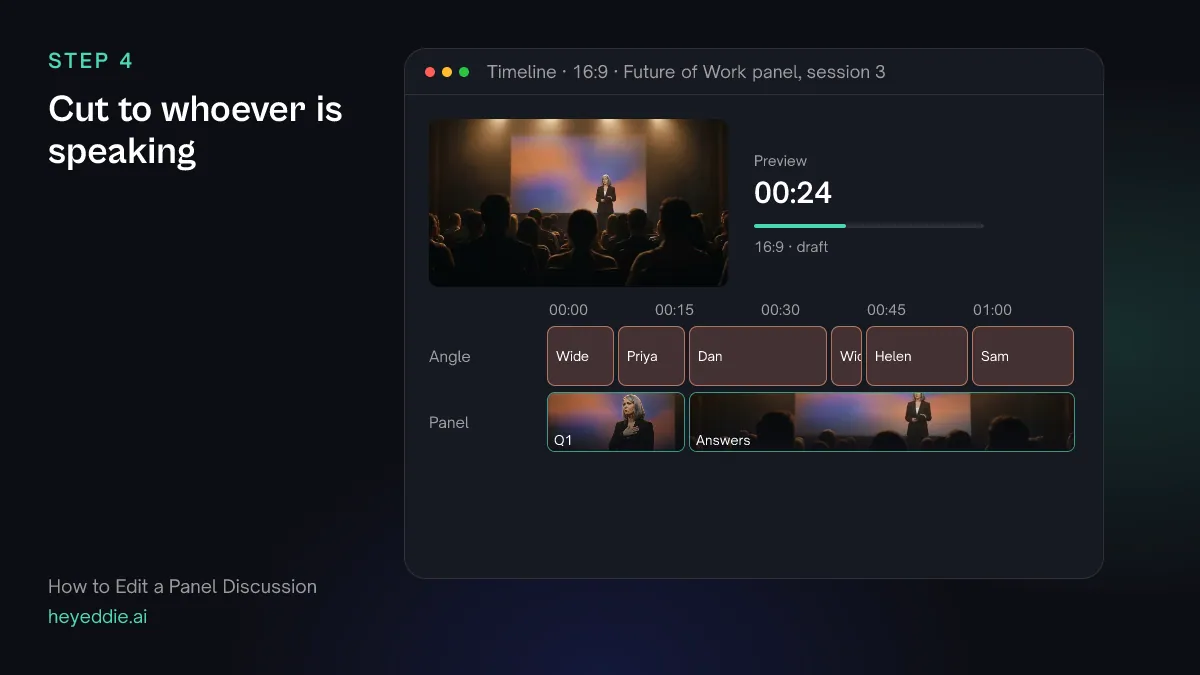
Switch to the camera on the person talking, use the moderator's camera for questions, and go back to the wide shot when two people talk at once or the whole panel reacts. With two-shots, crop to the half that holds the speaker.
What you type “Cut to whoever is talking: crop the two-shot cameras to the left or right half for each panelist, use the moderator camera for Priya's questions, and use the wide shot when two people talk at once and for the first few seconds after each new question.”
What Eddie does
- Assigns a camera angle to each segment from who is speaking.
- Crops the two-shot cameras to the half of the frame that holds that panelist.
What you get: A cut that keeps up with the conversation.
Step 5
Add names and topic titles
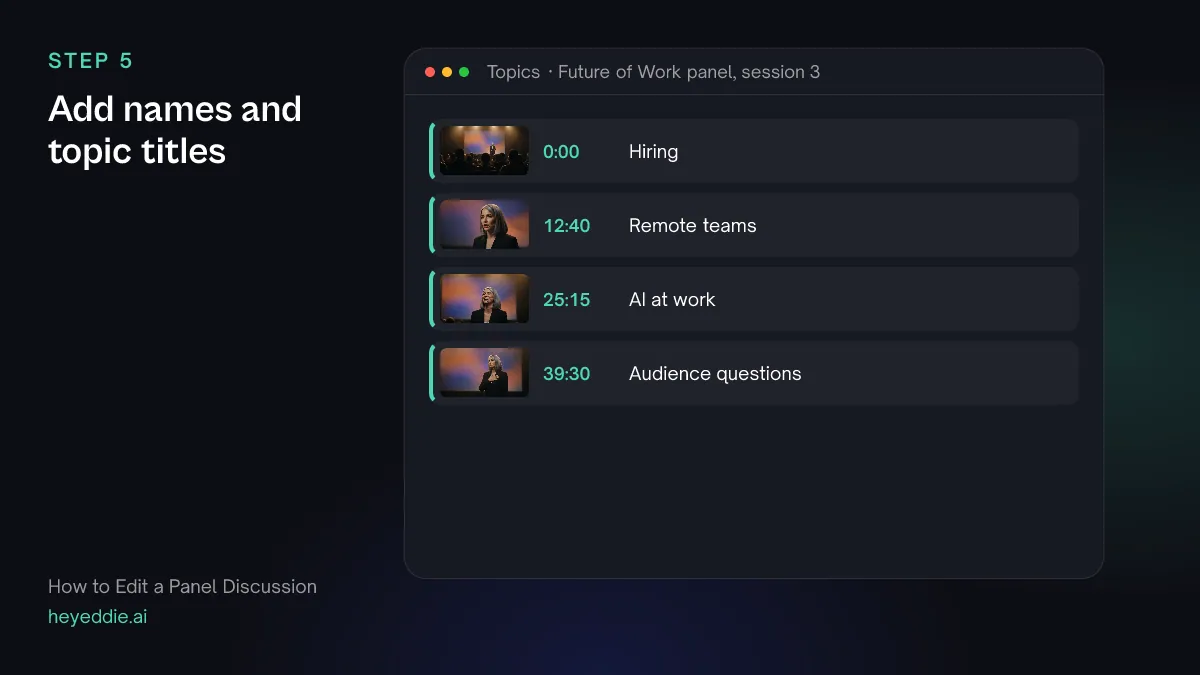
Viewers join a panel video halfway through. Name each panelist at their first answer and put a short topic title at each new question, so anyone can find their place.
What you type “Add a lower third with name and job title at each panelist's first answer, and a topic title at each new question: "Hiring", "Remote teams", "AI at work" and "Audience questions". List the topics with their timestamps.”
What Eddie does
- Adds lower-third graphics from its template set at each panelist's first answer.
- Places a title at the start of each topic and reads back the times for the video description.
What you get: A panel viewers can navigate.
Step 6
Pull one clip per panelist
Every panelist will share a clip of themselves, which is free promotion for the event. Pick each person's strongest answer that makes sense without the question.
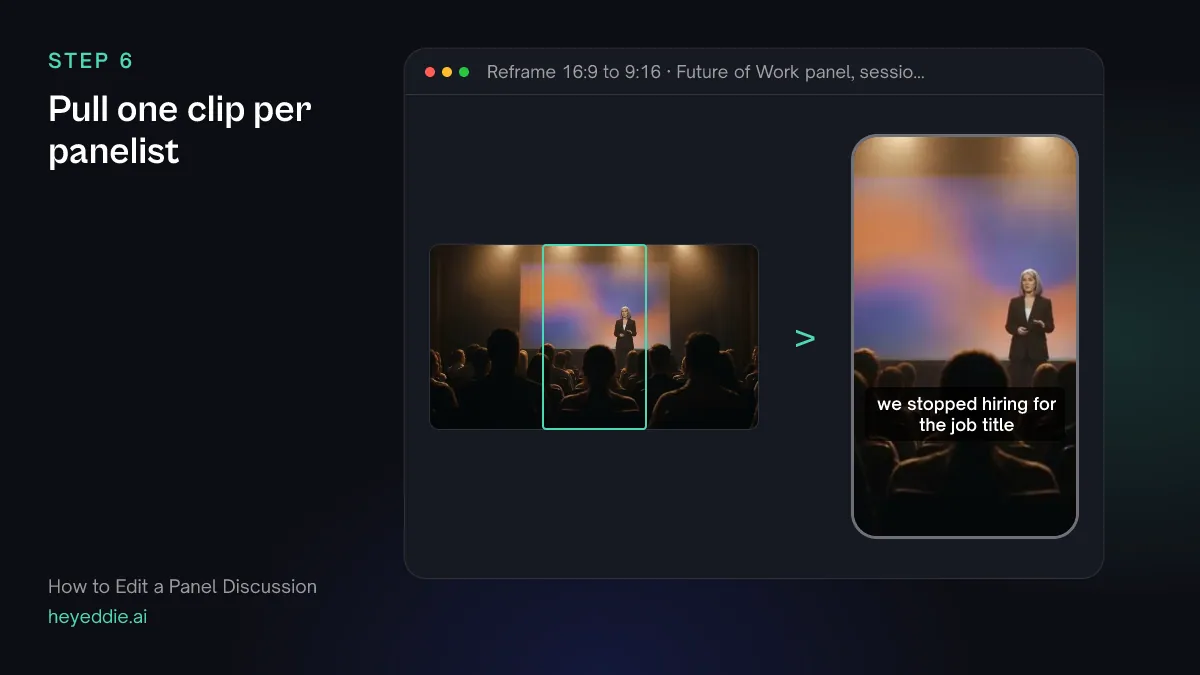
What you type “Make one 60-second vertical clip for each panelist from their strongest answer that works without the question, cropped to them, with social captions and their name at the top.”
What Eddie does
- Searches each panelist's answers and picks one that stands on its own.
- Builds a separate 9:16 edit per panelist, cropped to them, with captions and a title.
What you get: Four clips, one per speaker.
Step 7
Export
Render the clips for posting, and take the full panel into your editor if it needs a grade or a sound pass.
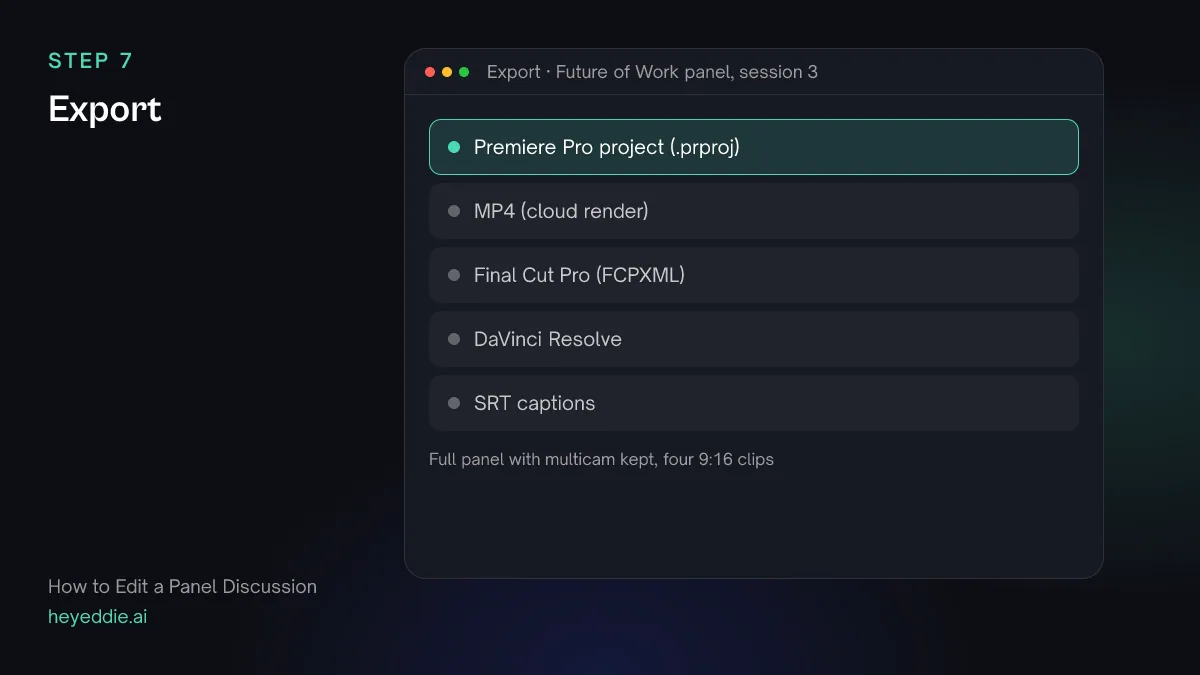
What you type “Export the full panel as a Premiere Pro project with the cameras kept as multicam, and render the four panelist clips as MP4s.”
What Eddie does
- Writes a native Premiere Pro project pointing at your original files, with the cameras as multicam clips.
- Renders each clip in the cloud.
What you get: The full session and four clips.
Craft
What makes it work
- Shoot the wide in 4K
- A 4K wide shot can be cropped into singles and two-shots when a closer camera missed someone. It is the cheapest insurance a panel shoot can have.
- Record the sound desk
- Every panelist on their own microphone, mixed at the desk, sounds better than any camera microphone. Record the desk output and use it for the whole edit.
- Hold the wide for crosstalk
- When two people talk at once, a fast cut between them looks frantic. The wide shot shows both and lets the exchange play out.
- Shorten the questions, do not cut them
- A moderator's long run-up can lose its preamble, but the question itself has to stay. An answer without its question is a clip, not a panel.
- Watch the balance
- If one panelist barely spoke, give them a clip from their best answer anyway. Panelists remember how they were treated in the edit.
FAQ
Questions
- How do you edit a panel discussion with one camera?
- Record the wide shot in 4K and crop it into singles and two-shots as people speak, then return to the full wide for reactions and crosstalk. One sharp wide shot and good audio make a watchable panel.
- Should I cut the moderator's questions?
- Cut the moderator's housekeeping, not the questions. Shorten a long preamble, but keep the question itself, or the answers lose their context.
- How long should an edited panel be?
- The full session minus the housekeeping, for people who want the whole conversation, plus short clips for everyone else. Most panels lose several minutes of welcome, thanks and handovers without losing any content.
- Can Eddie tell which panelist is speaking?
- The transcript separates the voices, and you name each one once. Where two people talked over each other, you can move lines to the right person, so captions, titles and clips credit them correctly.
- What do I do when panelists talk over each other?
- Use the wide shot so the viewer sees both, and keep the exchange if it is lively. If it is just two people starting at once, cut to whoever continues.
- Can I make a highlight reel of the whole panel?
- Yes. Ask for a highlight of a few minutes with the strongest answer from each panelist, in the order of the discussion, and Eddie builds it as a separate edit.

Edit your next panel with Eddie
Sign up, add your footage and type the first prompt above. New accounts start with free credits.