
Features
- Rough cuts
- Multicam
- A-roll logging
- B-roll logging
- Speaker identification
- Scripted edits
- Social clips
- Exports to your editor
- Styles and color
- Motion graphics
- Captions & titles
- Stock B-roll
- Generate video
- Generated music
- Voiceover
- Dubbing
- Transcription in 97 languages
- Web app
- Mac and Windows
- Claude & ChatGPT
- Recipes
- Agents
- API + MCP
Solutions

How to Make a Sizzle Reel
A sizzle reel sells something that has not happened yet: the next season of a show, a company to investors or new hires, a venue to the next client. The footage usually comes from years of shoots in different formats, and nobody has watched all of it. The work is finding the few seconds in each clip that carry energy, and then building them into something that rises to a peak.
The short answer
Gather every shoot you have, pull the strongest two to four seconds from each clip, and arrange them by energy rather than by date: a cold open, a build, a peak and a closing title. Cut it to a driving track on the beat, add a few bold title cards and one or two short soundbites, and keep it between 60 and 120 seconds. Then make shorter cuts from the same edit. In Eddie you describe the moments you want across all the footage, then ask for the structure, the beat cuts, the titles and each length.
The deliverables
What you will end up with
- The best few seconds of every shoot, found and cut into short clips.
- A 90-second reel that builds from a cold open to a peak.
- Cuts on the beat, risers into the peaks and slow motion on the biggest moment.
- Bold title cards in your brand style and your logo at the end.
- 60 and 30 second cutdowns and a vertical version from the same work.
6 steps
Step by step
- 01Import every shoot and label it
- 02Pull the best moments from every clip
- 03Build it to a peak
- 04Cut it to the music
- 05Add title cards and the logo
- 06Make the cutdowns and export
Step 1
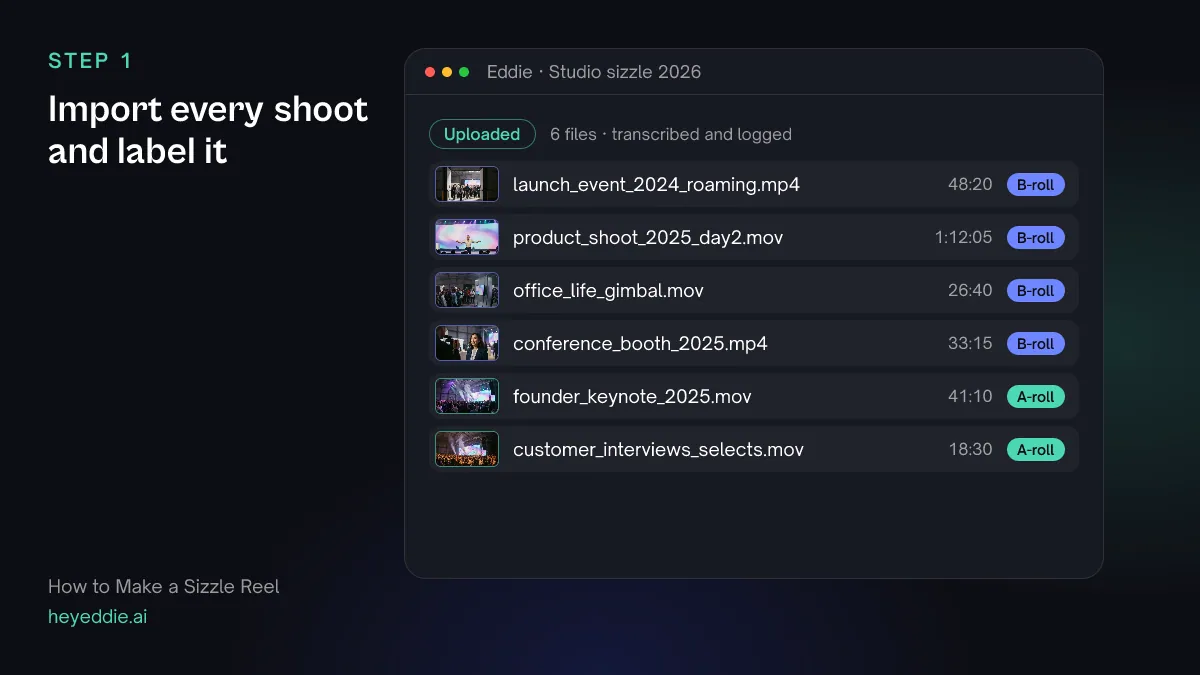
Import every shoot and label it
Upload everything you might use, from every year and every camera. Do not pre-select; the point is to find moments nobody remembers. Label sources by shoot so you can ask for a mix.
What you type “Label the 2024 launch and the 2025 conference as "events", the product shoot as "product" and the office gimbal footage as "team".”
What Eddie does
- Logs every clip by what it shows and rates the strongest stretches inside each file.
- Adds the labels you named to the source files.
What you get: Hours of footage, described, rated and grouped.
Step 2
Pull the best moments from every clip
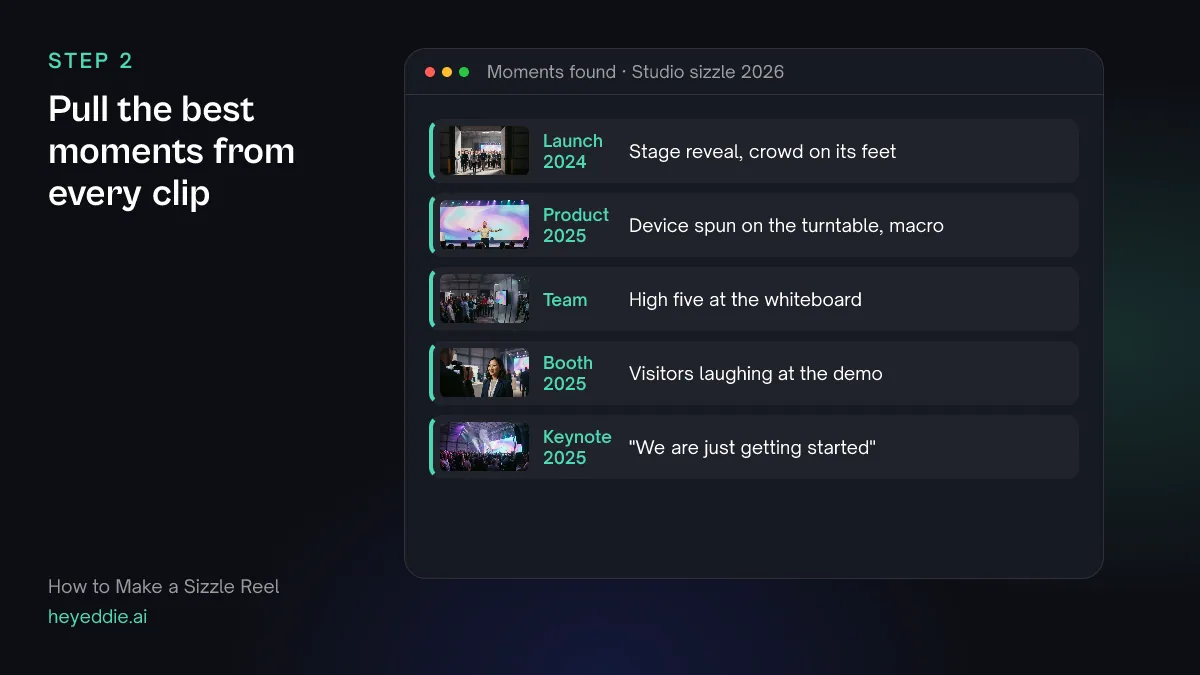
A sizzle reel is made of two-to-four-second peaks: a reveal, a laugh, a crowd reaction, a product in motion. Ask for those by description, across every source, and let Eddie cut them out.
What you type “Across all the footage, find the high-energy moments: crowds reacting, people laughing, hands-on product shots in motion, the stage reveal at the 2024 launch, and team high fives. Cut each one into a 2 to 4 second subclip and tell me the price first.”
What Eddie does
- Watches the picture and sound for the moments you described, and reads the ratings in the b-roll logs.
- Quotes the price, then cuts the moments into subclips and adds them to the b-roll library when you confirm.
What you get: A bin of short, strong moments, without scrubbing every hour.
Step 3
Build it to a peak
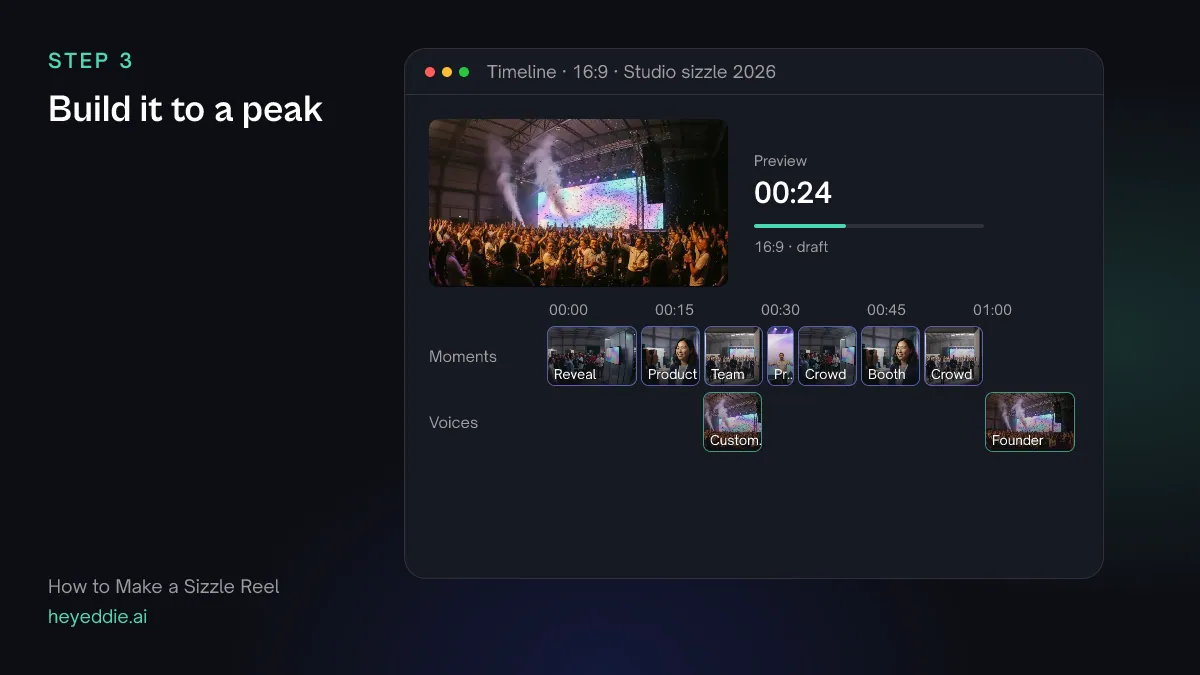
Order the moments by energy, not by date. Open cold on one striking shot, build with faster cuts, hit the peak around two thirds in, then land on a line and the logo. One or two short soundbites give it a voice.
What you type “Build a 90-second sizzle from those moments. Cold open on the stage reveal, then a build of product and team shots getting faster, a peak of crowd and booth reactions, and end on the founder saying "we are just getting started". Add one customer line of under 5 seconds in the build.”
What Eddie does
- Builds a sequence of the moments in the order you described, trimmed to their strongest seconds.
- Adds the soundbites you named and reports the finished length.
What you get: A first cut with a shape: open, build, peak, button.
Step 4
Cut it to the music
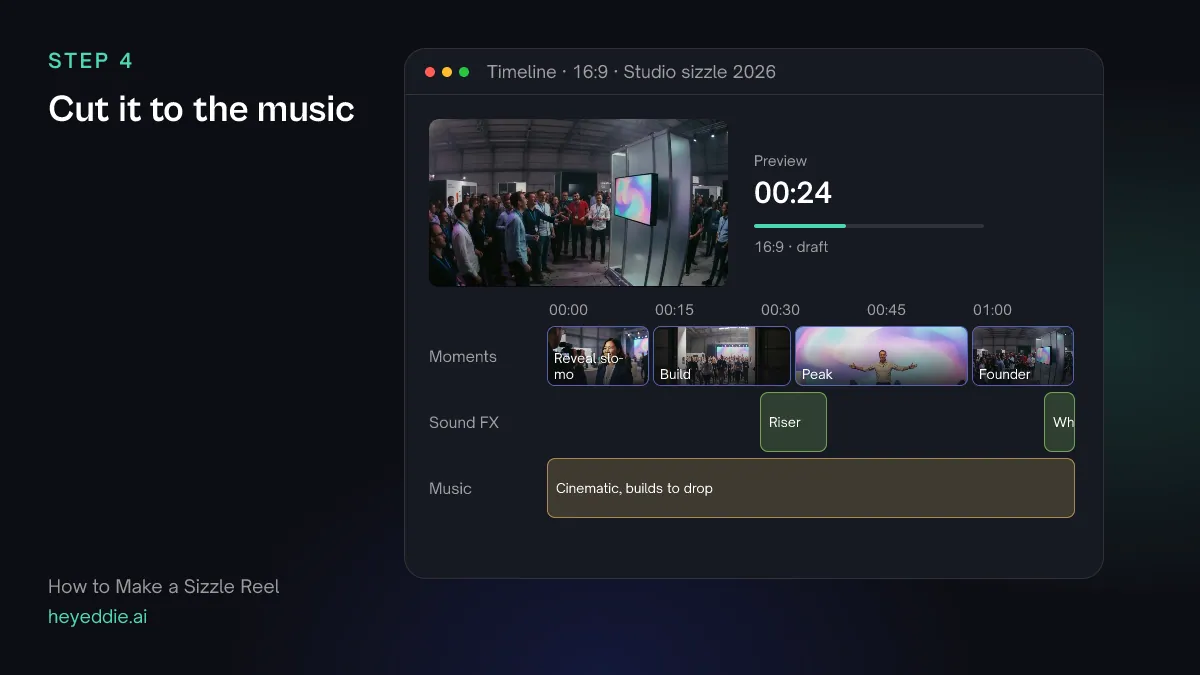
The music decides the pace of a sizzle. Pick a track that builds, put the cuts on the beat, slow down the single biggest moment, and use a riser to push into the peak.
What you type “Add a driving cinematic track that builds to a drop, snap every cut to the beat, ramp the stage reveal to slow motion and back, and put a riser into the peak and a whoosh on the cut to the logo.”
What Eddie does
- Attaches or generates the track, measures its beat grid and moves the cuts onto beats without cutting into speech.
- Applies the speed ramp and places the sound effects at the cuts you named, under the dialogue.
What you get: A reel that hits with its music.
Step 5
Add title cards and the logo
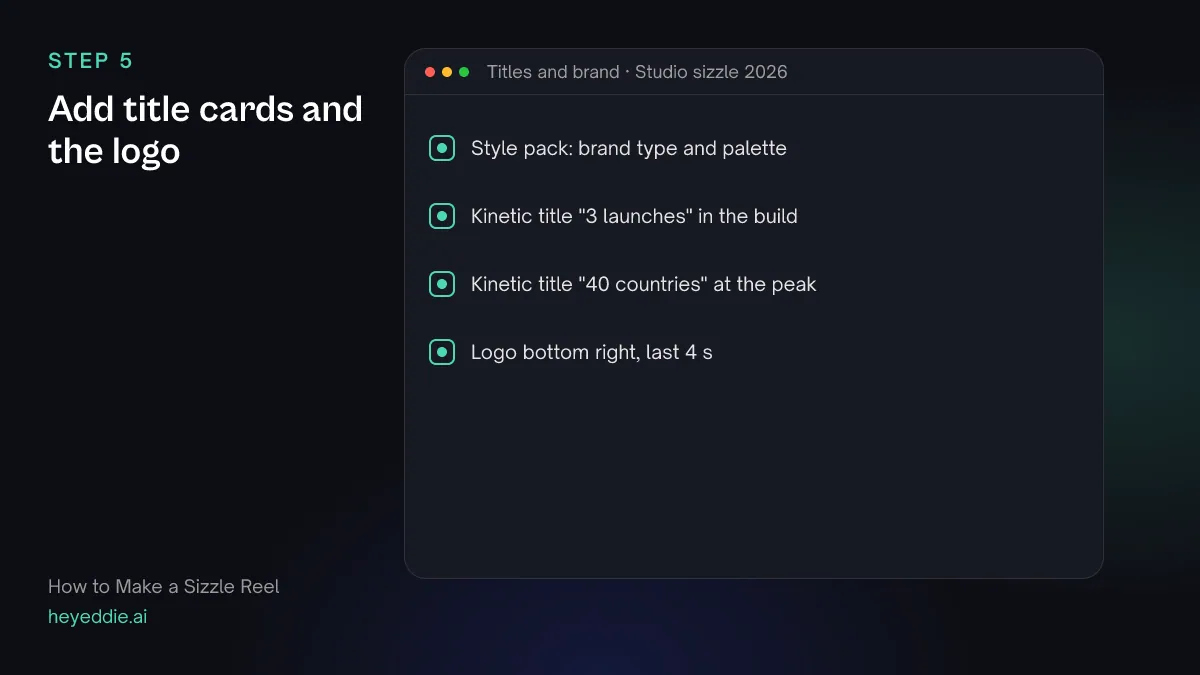
A few big words do the selling between shots: what this is, a number that impresses, the ask. Keep every card in one style and finish on your logo.
What you type “Use our brand style pack. Add kinetic titles "3 launches" in the build, "40 countries" at the peak, and "Join us" before the founder line, then put our logo in the bottom right for the last 4 seconds.”
What Eddie does
- Sets one style pack and places kinetic title graphics from its template set at the moments you named.
- Places the Brand kit logo as a watermark over the timed span you chose.
What you get: A reel that says what it is selling.
Step 6
Make the cutdowns and export
You will need the reel at several lengths: the full version for a pitch or a stage, a minute for the website, thirty seconds for social. Build each as its own edit from the same moments.
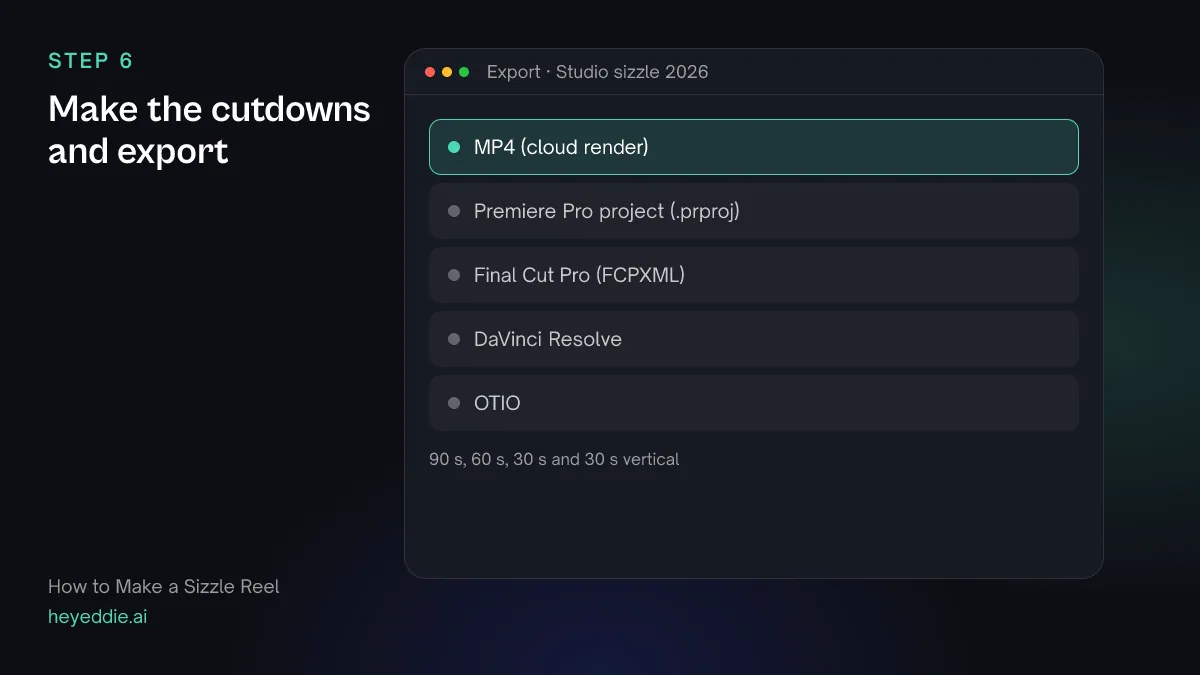
What you type “Make a 60-second and a 30-second version from the same moments, each keeping the cold open and the founder line, and a 9:16 version of the 30-second cut. Export all four as MP4s.”
What Eddie does
- Builds each shorter version as its own edit, and a vertical version of the 30-second cut.
- Renders every version in the cloud with titles, music and logo.
What you get: One sizzle reel in every length you need.
Craft
What makes it work
- Energy beats chronology
- Nobody watching a sizzle needs to know what happened first. Order shots by how they feel, so the reel rises to a peak instead of wandering through a calendar.
- Two seconds is often enough
- Most sizzle shots work at one to three seconds. Hold longer only for the opening shot and the single biggest moment.
- Mix wide, close and faces
- A run of wide shots looks like a venue tour. Alternate scale, and put people's faces and reactions between the big shots.
- Match the footage before you show it
- Shoots from different years and cameras rarely match. A consistent grade across the reel makes it feel like one story.
- Write the ask before you edit
- Decide what the viewer should do at the end: book a call, join, commission the show. The titles and the last shot should point at that.
FAQ
Questions
- How long should a sizzle reel be?
- Sixty to 120 seconds for the main reel, and 15 to 30 seconds for social. For a TV pitch, a sizzle of two to three minutes is common. Shorter is almost always stronger.
- What is the difference between a sizzle reel and a highlight video?
- A highlight video tells what happened at one event, usually in order. A sizzle reel pulls the best moments from many shoots to sell what comes next, and is ordered by energy rather than by time.
- Can Eddie find good moments in footage with no talking?
- Yes. Eddie can search video by watching the picture with its sound for moments you describe, such as a crowd reacting, and it rates the strongest stretches inside b-roll files when it logs them. It quotes the credits before it starts.
- What music works for a sizzle reel?
- A track that builds and has a clear beat, so cuts can land on it. Use a track you have the rights to, one from your workspace music library, or ask Eddie to generate one from a description.
- Can I make a sizzle reel for a TV show pitch?
- Yes. Import the test shoot, any talent footage and reference material you have the rights to, and build the reel the same way: cold open, build, peak, then the show title. Keep the tone of the show in the music and pacing.
- Can my editor finish the reel in Premiere Pro or Final Cut Pro?
- Yes. Export the reel as a Premiere Pro project, a Final Cut Pro timeline or a DaVinci Resolve timeline pointing at your original files, and finish the grade and sound there.

Make your sizzle reel with Eddie
Sign up, add your footage and type the first prompt above. New accounts start with free credits.