
Features
- Rough cuts
- Multicam
- A-roll logging
- B-roll logging
- Speaker identification
- Scripted edits
- Social clips
- Exports to your editor
- Styles and color
- Motion graphics
- Captions & titles
- Stock B-roll
- Generate video
- Generated music
- Voiceover
- Dubbing
- Transcription in 97 languages
- Web app
- Mac and Windows
- Claude & ChatGPT
- Recipes
- Agents
- API + MCP
Solutions
How to Edit Street Interviews
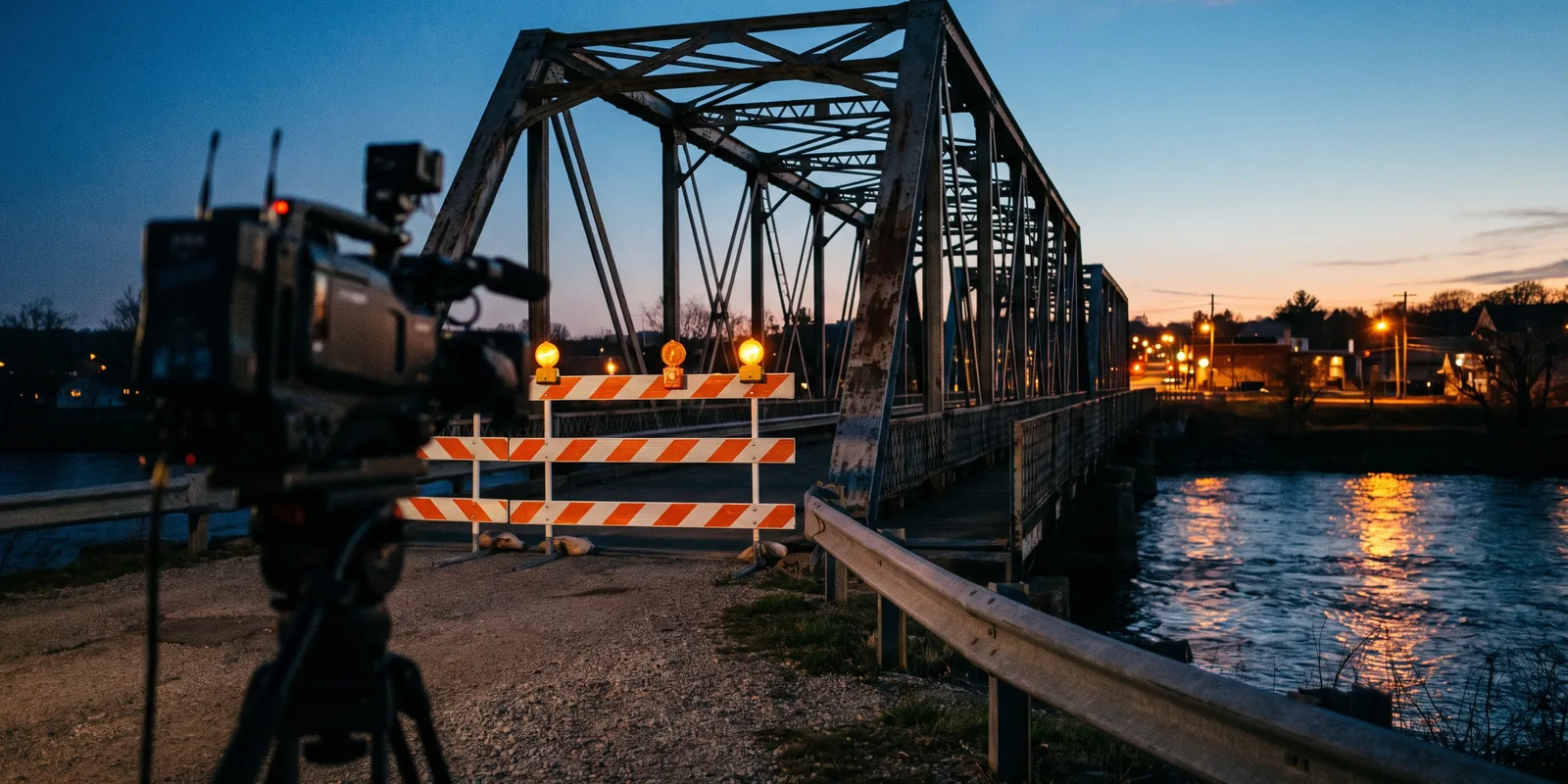
Vox pops look easy and take an afternoon: forty strangers, the same question, and most of the answers unusable. The edit is mostly sorting. Who answered, what they said, whether they agreed to be filmed, and which few seconds of each are worth keeping. This guide covers man-on-the-street pieces for news, social and brand channels.
The short answer
Transcribe every answer, keep the interviewer's question once at the start, and group the answers by what they say: yes and no, or two or three themes. Keep only the clearest five to ten seconds of each person and alternate between people and locations so the sequence feels like a crowd. Caption everything, because street audio is noisy, and leave out or blur anyone who did not agree to be filmed. Eddie transcribes and labels the answers, builds the grouped sequence at tight pacing, cleans the voices, adds captions and blurs the regions you name.
The deliverables
What you will end up with
- Every answer transcribed and labelled by what it says, so you can ask for "all the no answers".
- A tight sequence that alternates people and builds from one side to the other.
- Cleaner voices and captions corrected for street noise.
- Anyone without a release left out or blurred, and a vertical version for social.
7 steps
Step by step
- 01Import the cards and name the reporter
- 02Sort the answers
- 03Leave out anyone without a release
- 04Build the sequence
- 05Clean the voices and caption every word
- 06Blur faces in the background
- 07Make the vertical version and export
Step 1
Import the cards and name the reporter
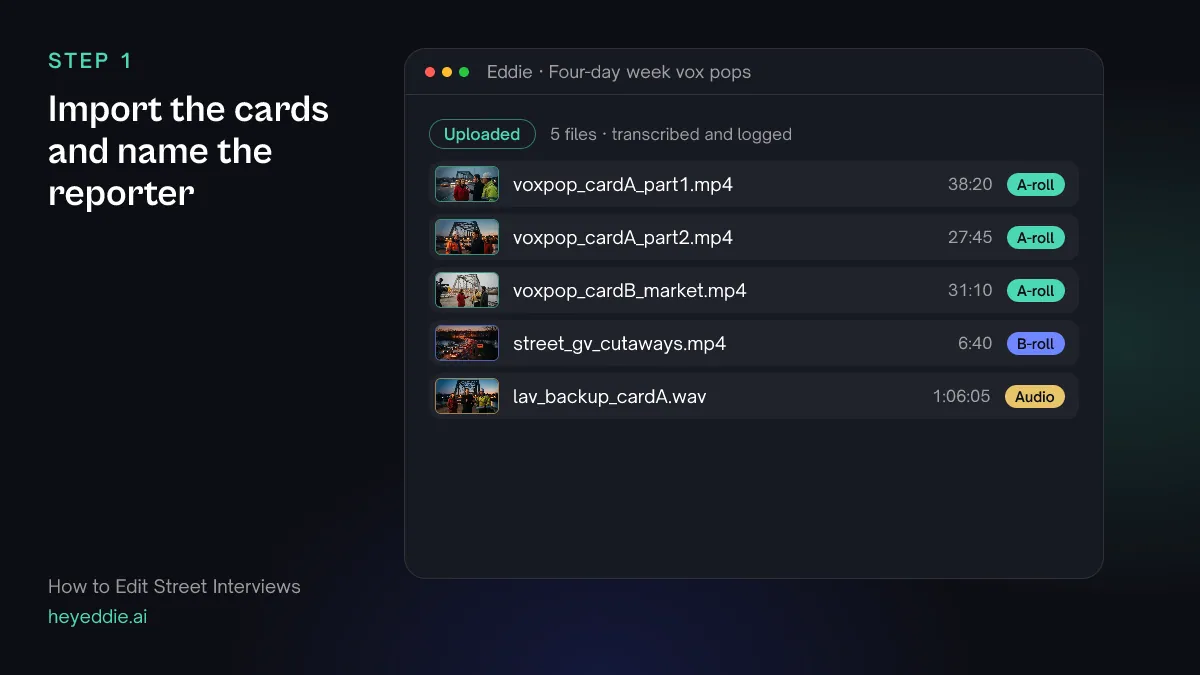
Upload every card as it came off the camera. Long continuous recordings are fine. Eddie transcribes each one with speaker labels, so every stranger becomes a separate voice you can search.
What you type “Rename the person asking the questions to "Reporter" on all three cards, so I can tell the questions from the answers.”
What Eddie does
- Transcribes every card with speaker labels and logs the street cutaways by what they show.
- Renames the speaker you named on each card, across every line they speak.
What you get: Hours of street recording you can read and search like a document.
Step 2
Sort the answers
Label every answer by what it says before you build anything. Yes and no works for a simple question; for an open one, use two or three themes.
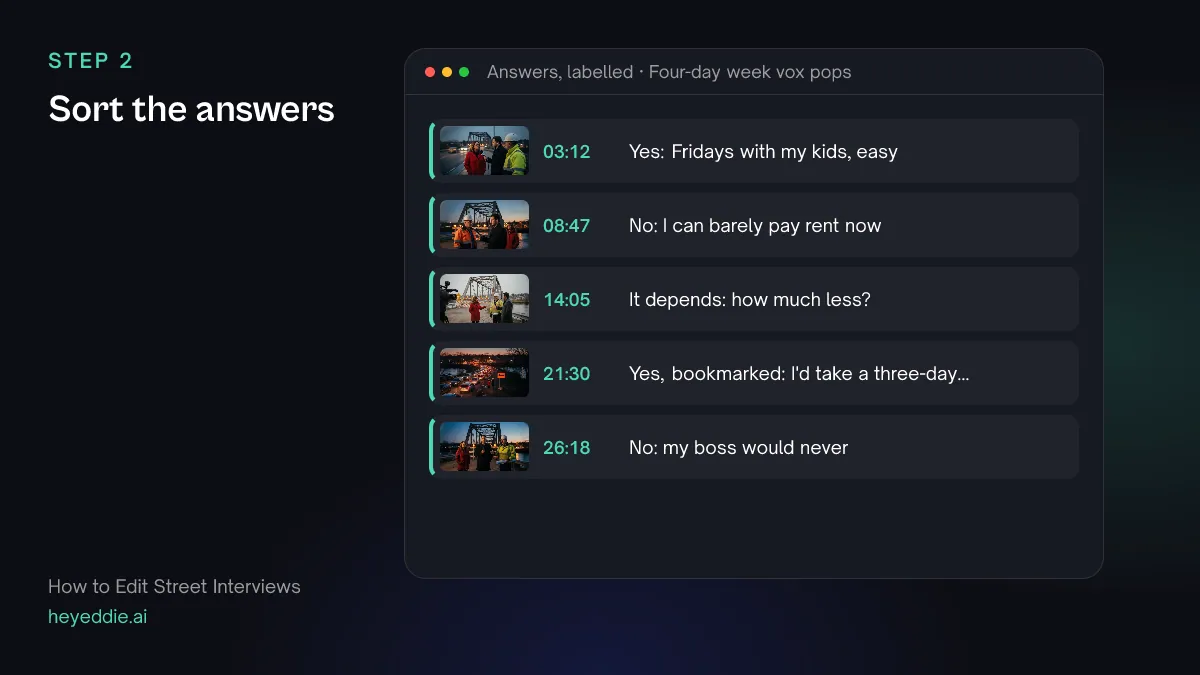
What you type “Find every answer to "would you take a four-day week for less pay?" and label each one yes, no or it depends. Skip one-word answers, and bookmark the three funniest.”
What Eddie does
- Searches the transcripts for the answers and applies your labels to the segments.
- Bookmarks the answers you singled out so you can find them again.
What you get: Every usable answer, sorted, before you cut a frame.
Step 3
Leave out anyone without a release
Deal with consent before you build the piece. Anyone who did not agree to be filmed, or who changed their mind, should not appear identifiable.
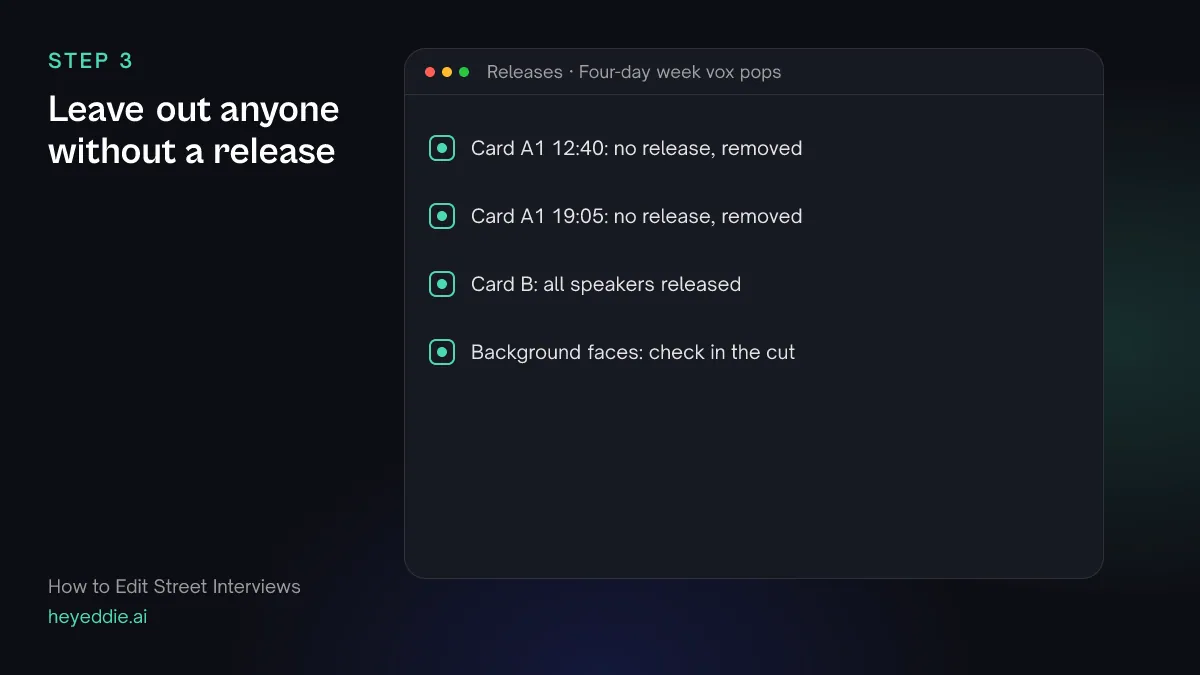
What you type “Label the answers at 12:40 and 19:05 on card A part 1 as "no release" and remove them, so they never end up in an edit.”
What Eddie does
- Applies the label to those answers, so the reason stays on record.
- Marks them as removed from the transcript, so future edits skip them. You can restore them later if a release arrives.
What you get: A project where unreleased answers cannot slip into a cut.
Step 4
Build the sequence
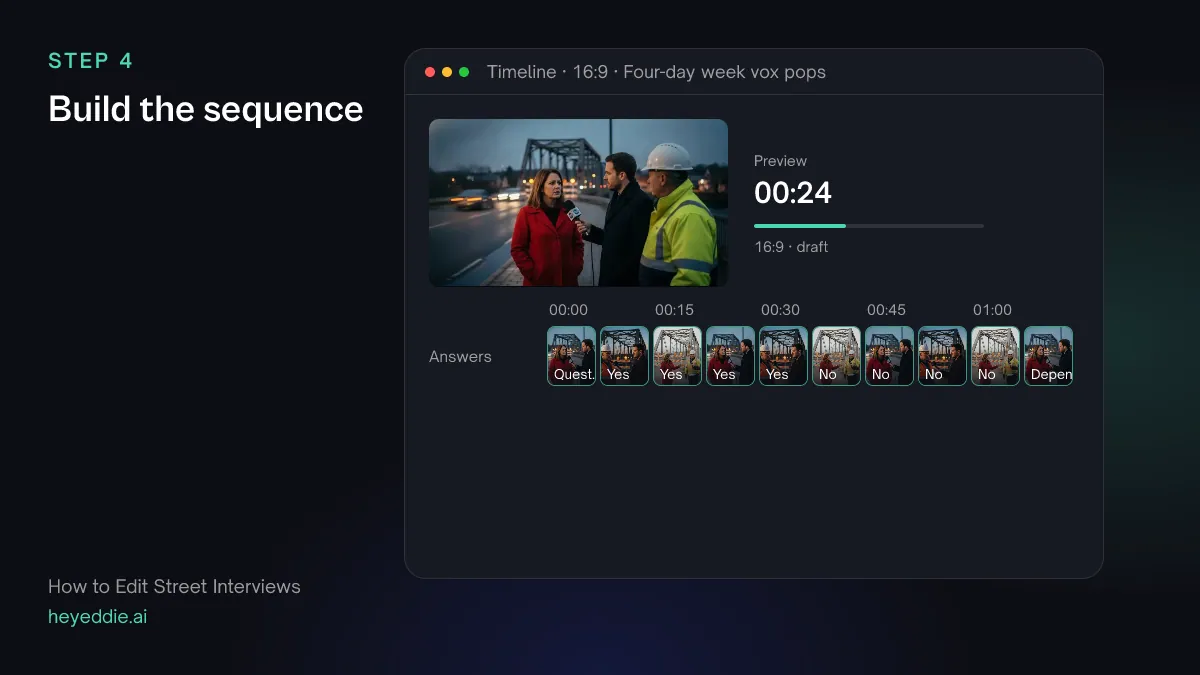
Ask for the structure in one prompt: the question, then each group of answers, then a closer. Tight pacing suits vox pops; nobody needs the breath before an answer.
What you type “Build a 75-second vox pop: open with the reporter asking the question once, then four yes answers, four no answers, and end on the best it-depends answer. Leave out the reporter after the first question, switch between the three cards where you can so the background changes, and use tight pacing.”
What Eddie does
- Builds the sequence from the labelled answers in the order you named, at tight pacing.
- Keeps the question once at the top and leaves the reporter out of the rest.
- Reports the finished length against 75 seconds.
What you get: A vox pop that reads as a range of opinion, not a queue of strangers.
Step 5
Clean the voices and caption every word
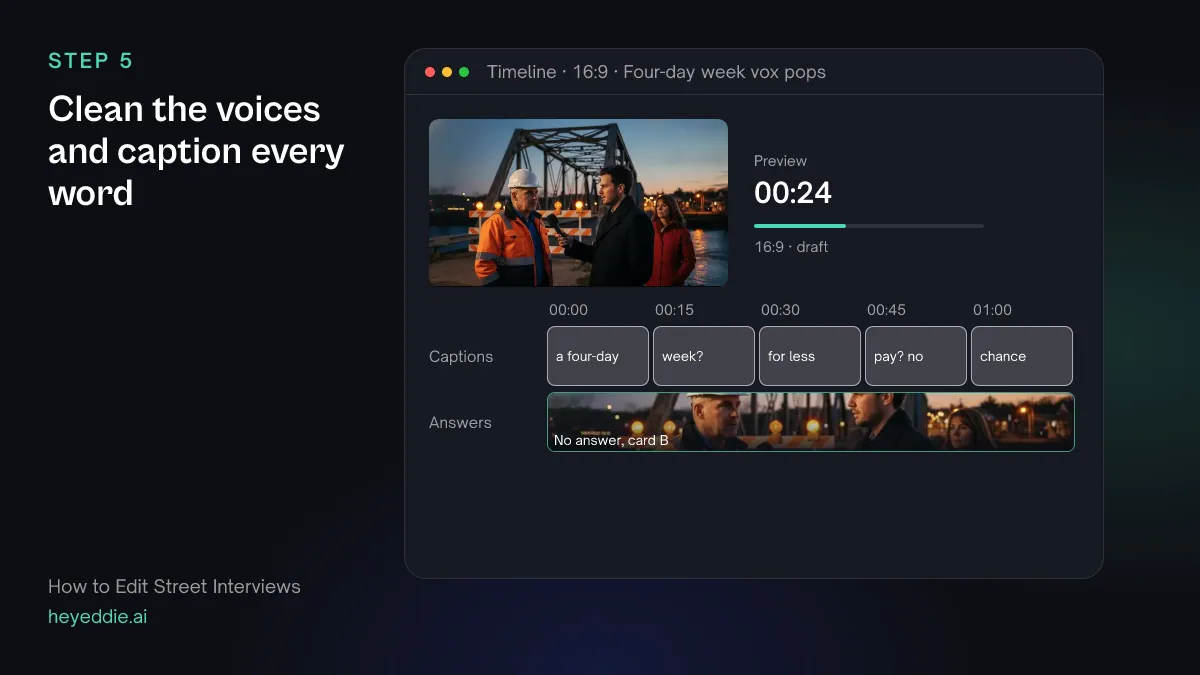
Street audio has traffic, wind and other voices. Clean the voices first, fix any word the transcript misheard, then caption every answer.
What you type “Take the traffic noise out from under the voices, change "for day week" to "four-day week" everywhere in the transcripts, and add punchy captions, two or three words at a time, in the lower third.”
What Eddie does
- Runs a voice-isolation model on the answers to take the traffic out from under the voices.
- Replaces the misheard phrase everywhere it appears and rebuilds the captions from the corrected transcript.
- Times the captions from the words and leaves out filler words.
What you get: Answers you can follow with the sound up or off.
Step 6
Blur faces in the background
Passers-by behind your interviewee did not agree to anything. Blur faces and anything private, such as a shop's name if it is not part of the story.
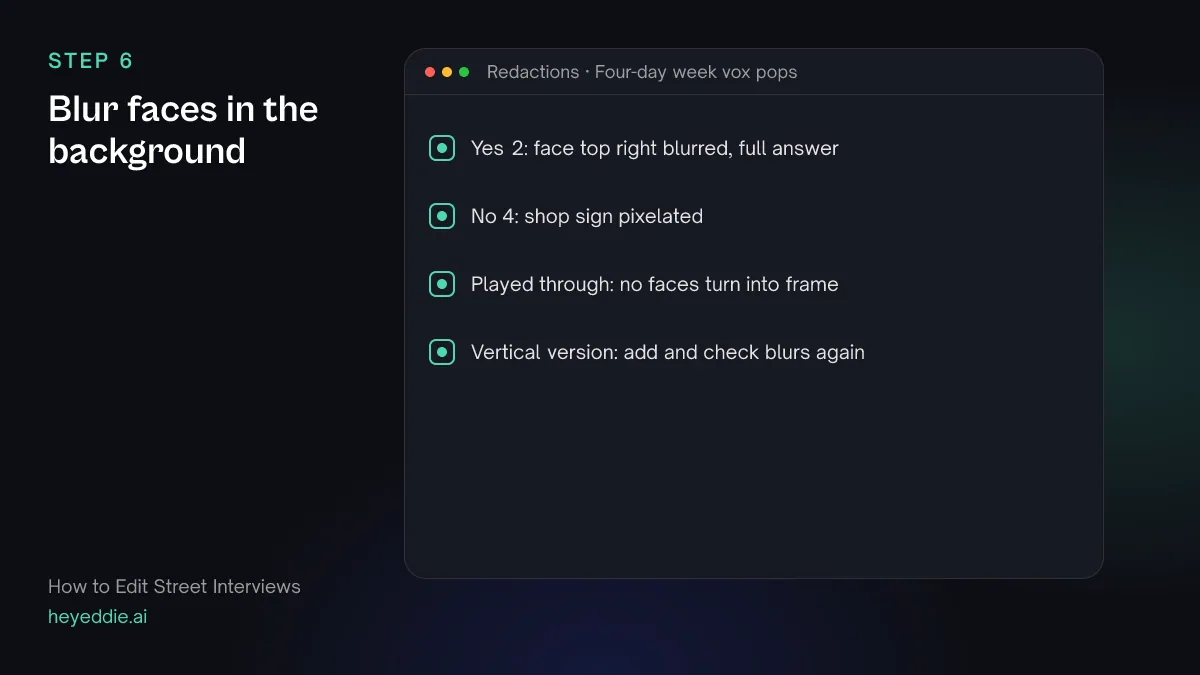
What you type “Blur the face of the man in the grey coat behind the second yes answer, top right of the frame, for the whole answer, and pixelate the shop sign behind the last no answer.”
What Eddie does
- Adds a blurred or pixelated rectangle to the regions and times you name, and bakes it into the rendered video.
- Keeps each region where you put it; it does not follow someone who walks across the frame.
What you get: Nobody identifiable who should not be.
Step 7
Make the vertical version and export
Vox pops do well as vertical clips. Make one as its own edit, add the same blurs to it, since blurs belong to one edit, and export both.
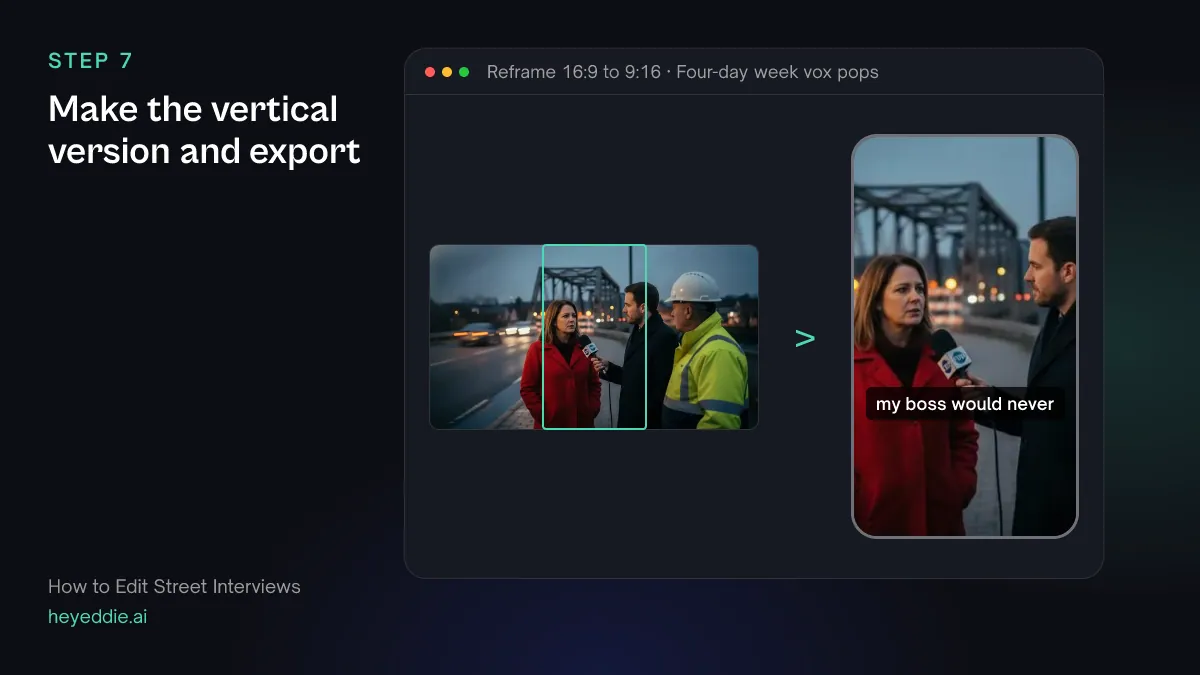
What you type “Make a 9:16 version for Reels cropped to each person's face, repeat the two blurs from the landscape cut, put the question as a title at the top for the whole clip, then export both versions as MP4.”
What Eddie does
- Sets a vertical canvas and crops each answer to a close-up on the face it detects, and reports any shot where it finds none.
- Adds the blurs to the vertical edit; check their position, since the crop changes the frame.
- Places the question on the title track and renders both versions in the cloud.
What you get: A landscape vox pop and a vertical clip, ready to post.
Craft
What makes it work
- Ask an open question
- "What would you do with a free Friday?" gets sentences. "Do you want a four-day week?" gets a yes and a walk-away. You can still label open answers yes or no in the edit.
- Alternate the eyeline
- Frame one person looking left of camera and the next looking right. Cut together, the answers feel like a conversation instead of a jump.
- Get agreement on camera
- Ask each person to say on camera that they are happy to be filmed, as well as signing a release. A spoken yes is easy to find later in the transcript.
- Check the blurs in every version
- Blurs belong to one edit. When you make a vertical or shorter version, check its blurs too, and play every blurred shot through once before you post.
- Start on the first strong word
- Cut the "um, well" at the start of each answer, but let people finish their sentence. A clipped ending sounds like you put words in their mouth.
FAQ
Questions
- What is a vox pop?
- Vox pop, from the Latin vox populi, "voice of the people", is a sequence of short answers from members of the public to the same question. News, documentaries and social channels use them to show a range of opinion quickly.
- Do I need permission to film street interviews?
- Anyone you interview should agree to it, and most broadcasters and brands want a signed release. The rules for filming bystanders in public differ by country, so check local law and your platform's policy. When in doubt, blur them or leave them out.
- How many people should I interview?
- Far more than you will use. A one-minute vox pop usually uses six to ten answers, and many answers are too short, too quiet or off topic.
- How do I fix noisy audio in street interviews?
- Record with a lavalier or a directional mic close to the speaker, and keep a backup. In the edit, isolate the voices from the background and caption every answer so nothing is lost.
- Can Eddie's blur follow a face that moves?
- No. Each blur is a fixed rectangle with its own time window. For someone who moves through the shot, use several short regions or one larger region, or cut the shot.
- Are the blurs kept when I export to Premiere Pro?
- No. Blurs are baked into Eddie's rendered MP4, but timeline and project files for other editing applications cannot carry them. Deliver the MP4, or redo the blurs in your editor.

Cut your next vox pop with Eddie
Sign up, add your footage and type the first prompt above. New accounts start with free credits.