Skip to content
See Eddie at Adobe MAX · Miami Beach · Nov 10–12 · Booth 418
Eddie AI
  • Features
  • Use Cases
  • Workflows
  • Resources
  • Contact Sales
  • Pricing
Try for Free
LearnResolve
Explore library
Resolve 21VIDEO TUTORIAL

DaVinci Resolve 21 STUDIO - Best features for Creators

M
Tutorial byMrAlexTech

Explore Resolve Studio 21 tools, including IntelliSearch.

intellisearchstudio21AI

STAY CURIOUS

Keep learning.

DaVinci Resolve 20 Audio - Ai Audio Assistant - Will it mix BETTER than a HUMAN? 🫣

Jason Yadlovski

20

DaVinci Resolve 20: How To Use AI Multicam Smart Switch

CREATE with JAY

20

DaVinci Resolve 20 for Beginners – Smart Switch Multicam Editing Made EASY!

Jason Yadlovski

20

DaVinci Resolve 20 Audio – AI EQ, AI Levels & AI Dialogue Matchers: Game-Changer or Gimmick?

Jason Yadlovski

20

5 Mistakes Slowing Down Your Editing (Fix These Now)

Jason Yadlovski

DaVinci Resolve 20 Quick Tip: Motion Graphics Made Easy in Resolve

Jason Yadlovski

20

DaVinci Resolve 20 Audio - This Tool Makes Sound Design EASY!

Jason Yadlovski

20

How To Use Resolve Key - Perfect Skin Tones*

Darren Mostyn

More Resolve tutorials

PUT IT INTO PRACTICE

Go a little deeper.

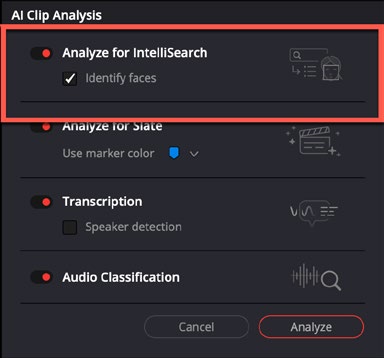
Choose the analysis options before indexing media.Written guide

How do I find footage with IntelliSearch in DaVinci Resolve Studio 21.1.2?

Read guide
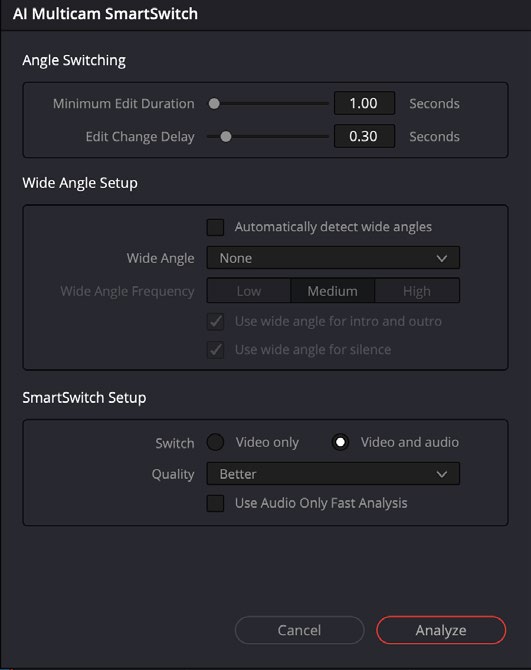
Set switching pace and analysis options.Written guide

How do I use Multicam SmartSwitch in DaVinci Resolve Studio 20?

Read guide
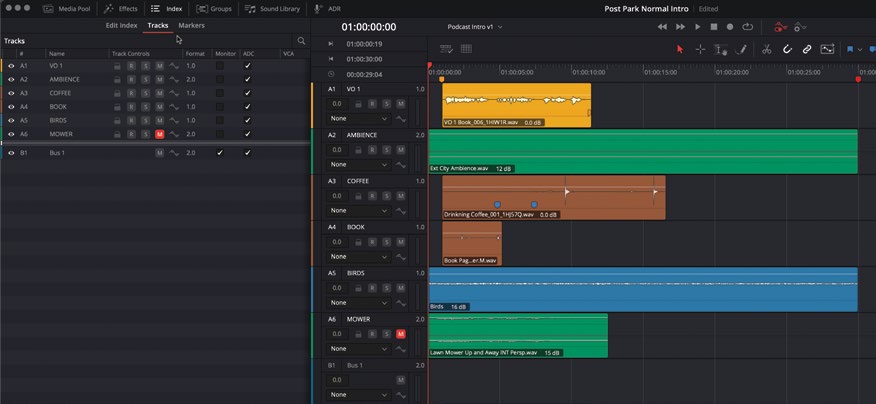
Keep dialogue, music and effects on separate tracks.Written guide

How do I use AI Audio Assistant in DaVinci Resolve Studio 20?

Read guide
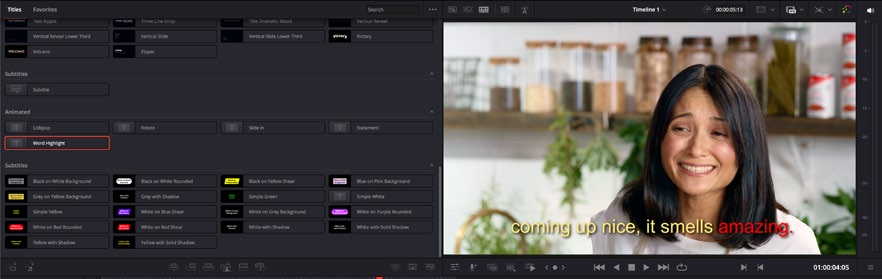
Apply an Animated title to the subtitle track.Written guide

How do I animate a subtitle track in DaVinci Resolve Studio 20?

Read guide

MAKE YOUR NEXT MOVE

Build your craft.

10LESSONS

Become a Resolve pro

Explore learning path

The Assistant Video Editor for Pros

Features

  • All Features
  • AgentsNEW
  • Rough Cuts
  • Multicam
  • Speaker IdentificationNEW
  • A Roll Logging
  • B Roll Logging
  • Scripted Edits
  • Social Clips
  • Generated MusicNEW
  • Generated VoiceoverNEW
  • Generated DubbingNEW
  • Stock B-RollNEW
  • Generate videoNEW
  • Captions & TitlesNEW

Links

  • Trust Center
  • Features
  • Export Formats
  • Styles
  • Recipes
  • Motion graphics
  • FAQ
  • Blog
  • Our Story
  • Privacy Policy
  • Terms & Conditions
  • DPA

Follow Us

  • LinkedIn
  • YouTube
  • X / Twitter
  • Instagram
  • TikTok

Use Eddie

  • Web App
  • For Mac
  • For Mac with Intel
  • For Windows
  • iPhone
  • Claude & ChatGPTNEW
  • API
  • CLI