Color grade
How to AI color grade the footage you shoot
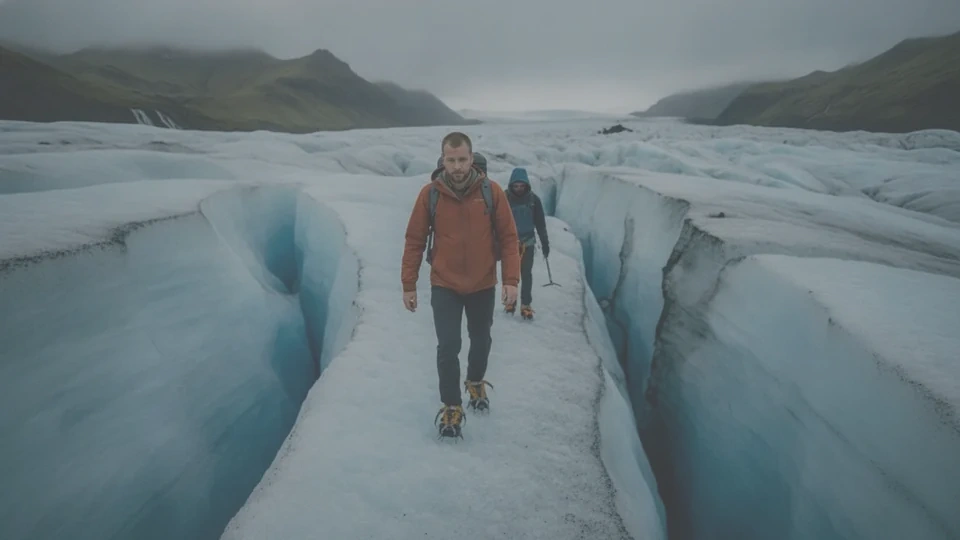 Your still
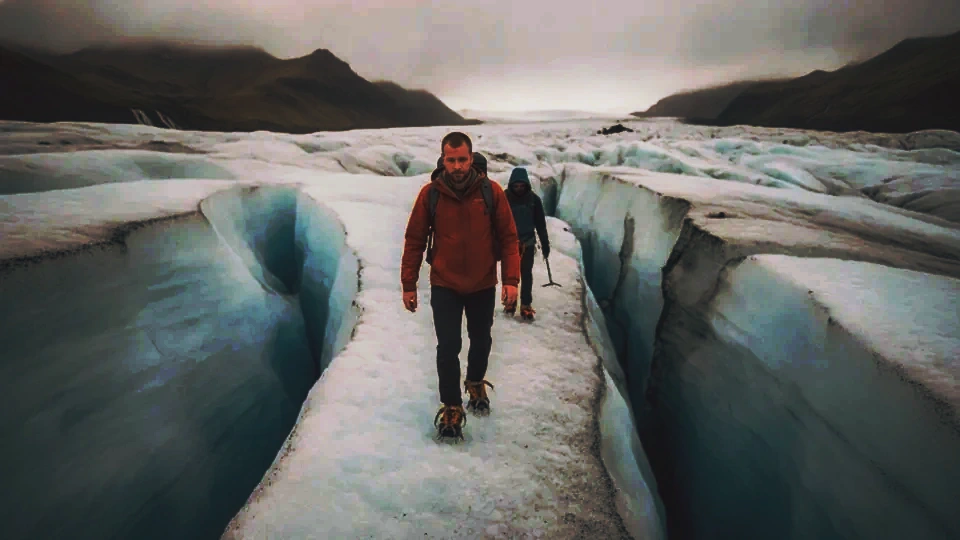 Matched
A real Eddie LUT on a sample still. The camera sections below show the flat log beside the restored picture.
Eddie converts Sony S-Log3, Canon Log 3, Panasonic V-Log, DJI D-Log and Apple Log to Rec.709 on an MP4 render and in the player, before a grade. Each row is that manufacturer's published curve and color space. The image-to-LUT matcher compares two sRGB stills, so export the still after this conversion and apply the .cube at that same stage. Pick the camera profile and the editor. Each guide is the same four steps, with that editor's LUT install.
Sony
Sony S-Log3
S-Log3/S-Gamut3.Cine
FX3, FX6, FX9, FX30, A7S III, A7 IV, ZV-E1, and other bodies set to S-Log3 / S-Gamut3.Cine.



Canon
Canon Log 3
Canon Log 3/Cinema Gamut
EOS C70, EOS C300 Mark III, EOS C500 Mark II, EOS R5 C, and other Cinema EOS bodies set to Canon Log 3 / Cinema Gamut.
Panasonic
Panasonic V-Log
V-Log/V-Gamut
S1H, S5 II, GH6, GH7, and other bodies set to V-Log / V-Gamut. V-Log L uses this same published V-Log formula.
DJI
DJI D-Log
D-Log/D-Gamut
A file whose metadata names D-Log. Picture-only DJI footage stays unconverted, because D-Log and D-Log M cannot be told apart from the image.
Apple
Apple Log
Apple Log/Rec.2020
iPhone 15 Pro and later models recording Apple Log.
Convert these in the editor first
These published curves stay on the manufacturer's input transform. Export an sRGB still from that stage, then match it.
Sony
S-Log2
Use Sony's S-Log2 input transform in the editor, then export an sRGB still.
Sony
S-Log3 / S-Gamut3
Eddie's S-Log3 conversion uses S-Gamut3.Cine primaries. S-Gamut3 is a different gamut, so convert that pair in the editor.
Canon
Canon Log and Canon Log 2
Use Canon's transform for that curve, then export an sRGB still.
Canon
Canon Log 3 in Rec.709 or BT.2020
Eddie's Canon conversion uses Cinema Gamut. Match the color space the camera recorded.
DJI
D-Log M
Air 3S, Mini 4 Pro and the Osmo Action range record D-Log M. Use DJI's D-Log M transform in the editor.
Fujifilm
F-Log and F-Log2
Use Fujifilm's published transform, then export an sRGB still.
Nikon
N-Log
Use Nikon's published transform, then export an sRGB still.
ARRI
LogC
LogC3 and LogC4 stay on ARRI's input transform in the editor.
RED
Log3G10
Use RED's published transform, then export an sRGB still.
Questions
- Which camera log curves does Eddie convert?
- Sony S-Log3 / S-Gamut3.Cine, Canon Log 3 / Cinema Gamut, Panasonic V-Log / V-Gamut, DJI D-Log / D-Gamut and Apple Log / Rec.2020. Eddie converts each pair to Rec.709 on an MP4 render and in the player, before a grade.
- Does the image-to-LUT tool decode log footage?
- The matcher compares two sRGB stills. It does not decode camera log. Export the still after the input conversion, then apply the .cube at that same stage.
- Which editors import the .cube?
- Premiere Pro, DaVinci Resolve and Final Cut Pro. Apply the file after the manufacturer's input transform.
- What about other log curves?
- Sony S-Log2, Sony S-Log3 / S-Gamut3, Canon Canon Log and Canon Log 2, Canon Canon Log 3 in Rec.709 or BT.2020, DJI D-Log M, Fujifilm F-Log and F-Log2, Nikon N-Log, ARRI LogC and RED Log3G10 stay in the editor. Convert with the manufacturer's transform, export an sRGB still, then match.