
Related tutorial.
Full tutorialSupplemental tutorial · Release compatibility unconfirmed. Follow the written steps for Final Cut Pro 12.4.
THE SHORT ANSWER
Here's the approach.
Final Cut Pro 12.4 creates Apple ProRes 422 Proxy or HEVC media while retaining the originals. Choose a size and codec that suit your storage and playback needs.
Step by step.
Final Cut Pro 12.4- 01
Generate proxy files
Select browser clips and choose File > Transcode Media. Enable Create proxy media, choose format and frame size, then click OK.
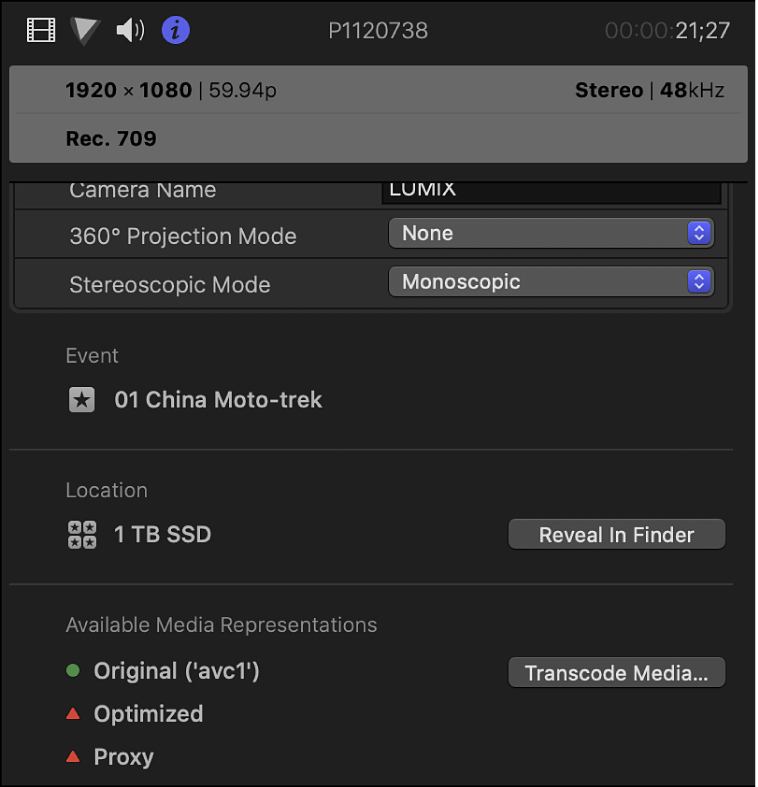
Transcode Media is available in the Info inspector.Final Cut Pro 12.4 · Apple - 02
Edit with proxies
Wait for Background Tasks to finish. Use the viewer View menu to select proxy playback.
- 03
Return to full quality
Switch playback to optimized/original media before sharing the project, then check the export.
Sources & version notes
Written for Final Cut Pro 12.4. Menu names and available features can differ in other versions.
Version reference: Final Cut Pro 12.4