In Summary Eddie AI now supports dirty multicams (synced timelines) from Premiere and DaVinci Resolve. Import timelines created natively or with tools like Syncaila and Tentacle Sync and start editing immediately—no flattening, re-syncing, or prep required.
Eddie AI Now Supports Dirty Multicams (Synced Timelines)
Editors don’t always work with clean multicam clips.
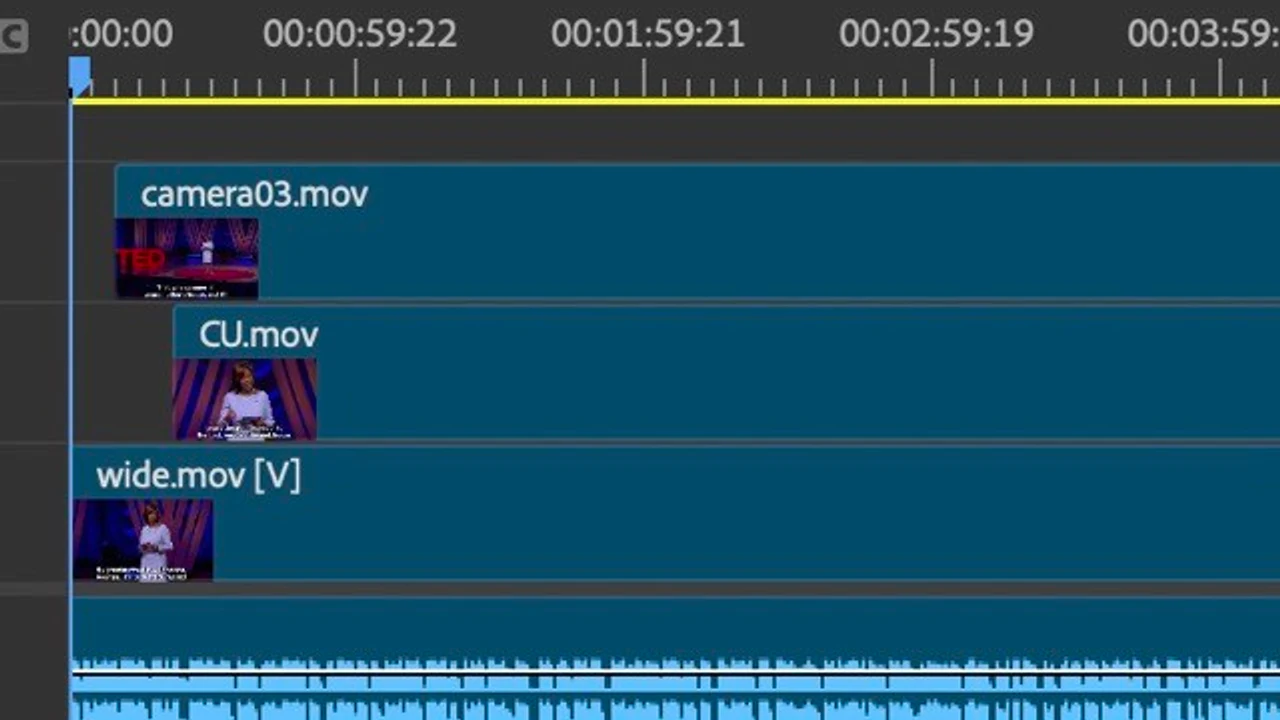
In practice, many workflows rely on synced timelines—often called dirty multicams—that were assembled quickly to align cameras and audio, make early switches, and preserve context before editorial decisions begin.
These timelines are commonly created:
-
Directly inside Adobe Premiere Pro or DaVinci Resolve, manually
-
Using dedicated syncing tools like Syncaila (waveform-based) or Tentacle Sync Studio (timecode-based)
Until now, those timelines had to be flattened, rebuilt, or re-synced before they could be used with Eddie.
That’s no longer the case.
What’s New
Eddie AI now supports importing synced timelines (dirty multicams) from:
-
Adobe Premiere Pro
-
DaVinci Resolve
Eddie reads the timeline structure as-is and enables editing workflows on top of it—without requiring users to reconstruct multicams or re-align source media.
This update reads clips on v1, v2, v3, vX, a1, a2, a3, aX, etc. And preserves this structure all the way to Eddie and its AI video editing through to export of the sequence back to Premiere/Resolve.
Why This Is Important
Synced timelines are often the first meaningful editorial artifact in post-production.
By supporting dirty multicams, Eddie can now:
-
Generate selects from real editorial timelines
-
Create rough cuts that respect existing structure
-
Apply scripted mode workflows without breaking sync
-
Eliminate redundant sync and prep steps
This was the most requested feature from Eddie users over the past month, particularly among editors working in documentary, interview-heavy, and multicam environments.
Typical Workflow
A common workflow now looks like this:
-
Sync footage using Premiere, Resolve, Syncaila, or Tentacle Sync
-
Make a rough synced timeline
-
Import that timeline/sequence into Eddie using the Eddie helper extension for Resolve and Premiere
-
Use Eddie to accelerate selects and rough cuts
-
Round-trip the result back to your NLE
No re-syncing. No flattening. No workaround timelines.
Availability
Dirty multicam import is available now for subscribers on the requisite plan and who use:
-
Adobe Premiere Pro
-
DaVinci Resolve
If you’re working with synced timelines and previously couldn’t bring them into Eddie, this update should remove that limitation entirely.