Skip to content
See Eddie at Adobe MAX · Miami Beach · Nov 10–12 · Booth 418
Eddie AI
  • Features
  • Use Cases
  • Workflows
  • Resources
  • Contact Sales
  • Pricing
Try for Free
LearnFinal Cut Pro
Explore library
Final Cut ProVIDEO TUTORIAL

Learn Final Cut Pro in Under 60 Minutes - Full Beginner Tutorial

RT
Tutorial byRipple Training

Creator-published Final Cut Pro tutorial: Learn Final Cut Pro in Under 60 Minutes - Full Beginner Tutorial. Metadata verified; watch the full tutorial for context.
getting started

STAY CURIOUS

Keep learning.

Ultimate guide to Keyframes in Final Cut Pro

Dylan Bates • The Final Cut Bro

FINAL CUT PRO 10.8 Is HERE | Here's what's NEW!

Dylan Bates • The Final Cut Bro

10.8

The Ultimate Guide To Automatic Subtitles // Final Cut Pro Update 12.3

Dylan Bates • The Final Cut Bro

Final Cut Pro 10.8 NEW Features... and How to Use Them

Brad West

10.8

Complete Guide To Final Cut Pro's Magnetic Timeline

Dylan Bates • The Final Cut Bro

Final Cut Pro Just Got AI Features...And They're Actually Good

Dylan John

Final Cut Pro 12.3

Best Final Cut Pro Export Settings in 2026

Dylan John

MBS 469: Top 10 Multicam Editing Tips

Ripple Training

More Final Cut Pro tutorials

PUT IT INTO PRACTICE

Go a little deeper.

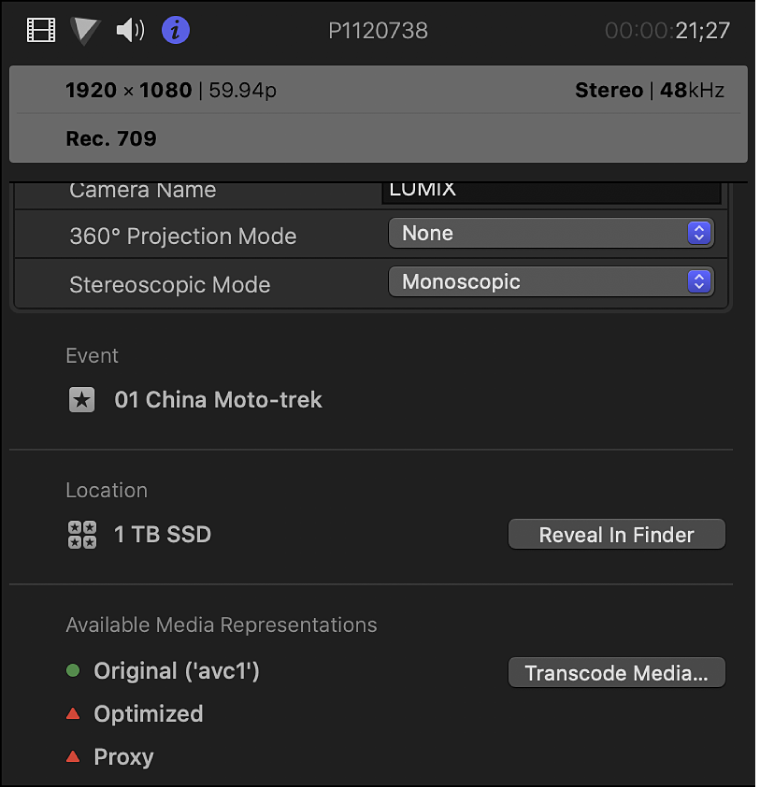
Generate proxy media from the Info inspector.Written guide

How do I create proxy media in Final Cut Pro 10.8?

Read guide
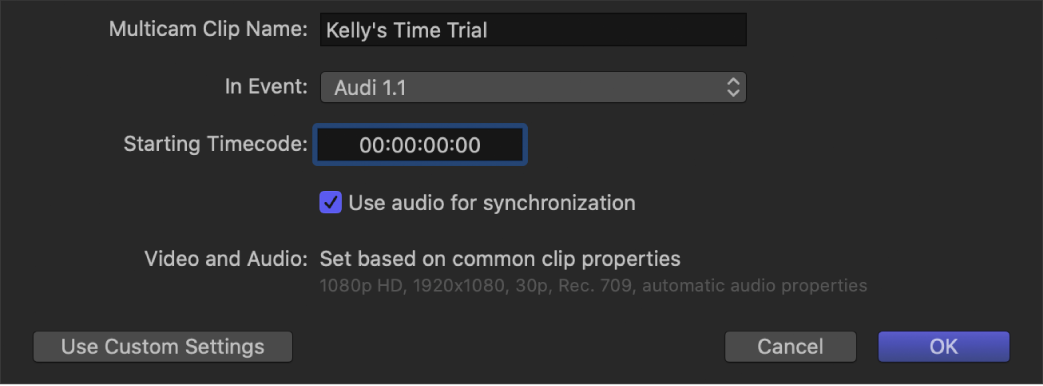
Choose the multicam synchronization settings.Written guide

How do I sync camera angles into a multicam clip in Final Cut Pro 10.8?

Read guide
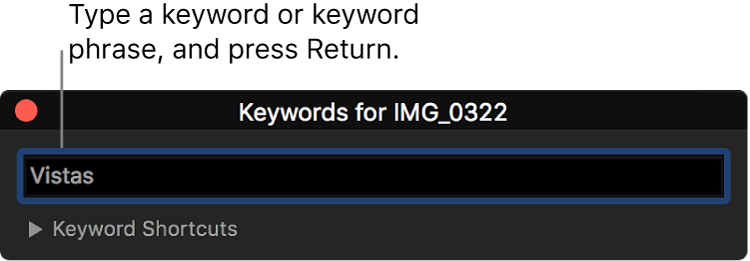
Apply a keyword to the selected material.Written guide

How do I tag clips and ranges with keywords in Final Cut Pro 10.8?

Read guide
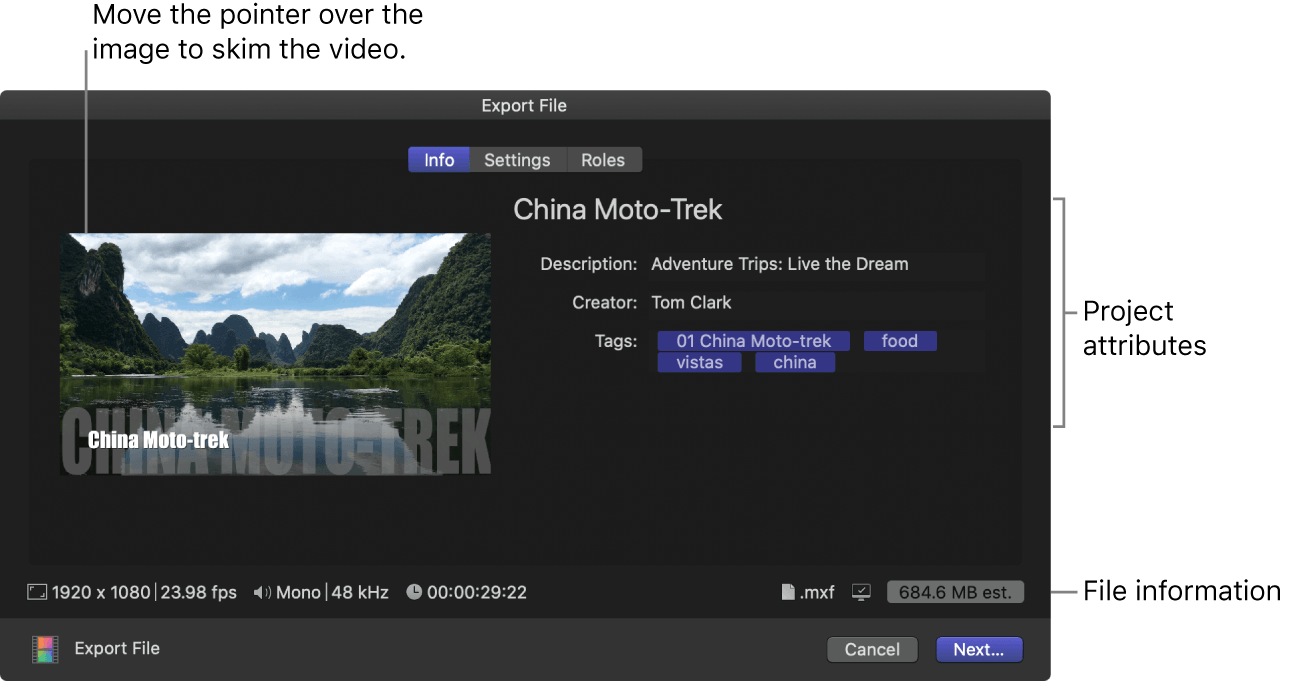
Review the file details in the Share window.Written guide

How do I export a master file from Final Cut Pro 10.8?

Read guide

MAKE YOUR NEXT MOVE

Build your craft.

10LESSONS

Master Final Cut Pro

Explore learning path

The Assistant Video Editor for Pros

Features

  • All Features
  • AgentsNEW
  • Rough Cuts
  • Multicam
  • Speaker IdentificationNEW
  • A Roll Logging
  • B Roll Logging
  • Scripted Edits
  • Social Clips
  • Generated MusicNEW
  • Generated VoiceoverNEW
  • Generated DubbingNEW
  • Stock B-RollNEW
  • Generate videoNEW
  • Captions & TitlesNEW

Links

  • Trust Center
  • Features
  • Export Formats
  • Styles
  • Recipes
  • Motion graphics
  • FAQ
  • Blog
  • Our Story
  • Privacy Policy
  • Terms & Conditions
  • DPA

Follow Us

  • LinkedIn
  • YouTube
  • X / Twitter
  • Instagram
  • TikTok

Use Eddie

  • Web App
  • For Mac
  • For Mac with Intel
  • For Windows
  • iPhone
  • Claude & ChatGPTNEW
  • API
  • CLI